Answer

Open Purchase Order Form and add Detail lines from Inventory

  • March 1, 2023
  • 9 replies
  • 317 views

Forum|alt.badge.img

Hello,

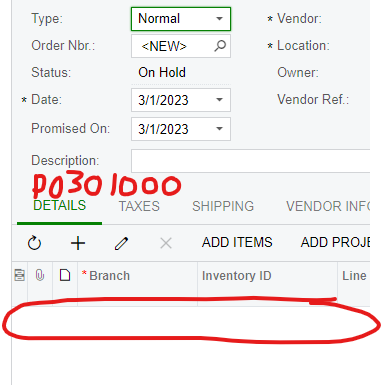
I am working on a customization for the Stock Items Inventory. I am trying to add an action to the page that would create a new Purchase order and fill in the vendor fields and insert a line into the Details section for the Inventory Item. I have been able to open the form, and add the vendor, but cannot figure out how to insert the detail line.

So I want to take the part that is circled in red in the first image and create a line where the red is in the second image.

Best answer by Leonardo Justiniano

Hi @DoShawhan 

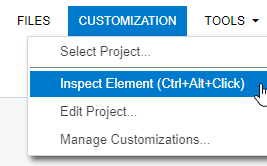
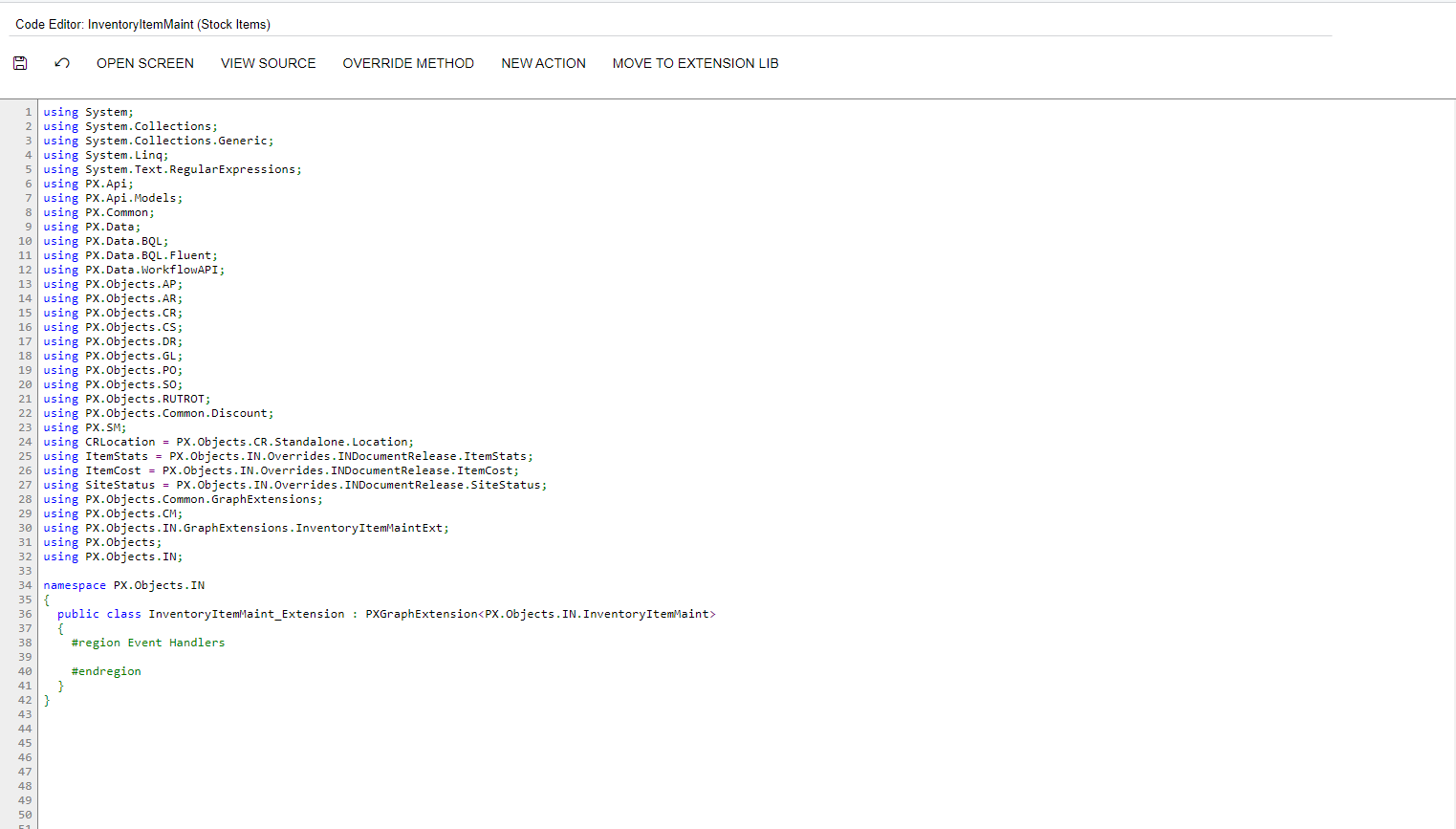
Now I have more insights about what you want, you have to extend the Inventory Item screen to add the button. By inspecting the page you can get the graph class:


this is the whole snippet:

namespace PX.Objects.IN
{
public class InventoryItemMaint_Extension : PXGraphExtension<PX.Objects.IN.InventoryItemMaint>
{
#region Event Handlers
public PXAction<InventoryItem> UpdatePOExample;
[PXUIField(DisplayName = "Update PO Example", Enabled = true)]
[PXButton(CommitChanges = true)]
protected virtual IEnumerable updatePOExample(PXAdapter adapter)
{
InventoryItem item = Base.Item.Current;

POOrderEntry poGraph = CreateInstance<POOrderEntry>();

// Create a PO
POOrder po = poGraph.Document.Insert(new POOrder() { OrderType = POOrderType.POOrderType.RegularOrder });
poGraph.Document.Current = po;
...
// Header Fields
...

poGraph.Document.Update(po);
poGraph.Actions.PressSave();


POLine poline = poGraph.Transactions.Insert(new POLine() {InventoryID = item.InventoryID });

poGraph.Transactions.Current = poline;
...
// Line Fields
...

poGraph.Transactions.Update(poline);
poGraph.Actions.PressSave();

...
}
#endregion
}
}

Hope is more clear

9 replies

Leonardo Justiniano
Jr Varsity II
Forum|alt.badge.img+4

Hi @DoShawhan 


Assuming you are invoking the POOrderEntry graph, this is an example to insert new lines on the PO

...

public PXAction<InventoryItem> UpdatePOExample;
[PXUIField(DisplayName = "Update PO Example", Enabled = true)]
[PXButton(CommitChanges = true)]
protected virtual IEnumerable updatePOExample(PXAdapter adapter)
{
InventoryItem item = .... // From Adapter or Context

POOrderEntry poGraph = CreateInstance<POOrderEntry>();

// Get a PO Header
POOrder po = ...

poGraph.Document.Current = po;
...
// Header Fields
...

poGraph.Document.Update(po);
poGraph.Actions.PressSave();


POLine poline = poGraph.Transactions.Insert(new POLine() {InventoryID = item.InventoryID });

poGraph.Transactions.Current = poline;
...
// Line Fields
...

poGraph.Transactions.Update(poline);
poGraph.Actions.PressSave();

...
}

...

I hope this skeleton of code helps


Forum|alt.badge.img
  • Author
  • Freshman I
  • March 2, 2023

@Leonardo Justiniano


Where do I put this code? I am in the customization Project Editor and I am not sure where to put it.

I created a new business method but am not sure if this is where I put it.

Also, where you have the comment to get a PO Header, how do I specify that I want a new PO?

Thanks


Leonardo Justiniano
Jr Varsity II
Forum|alt.badge.img+4

Hi @DoShawhan 

Now I have more insights about what you want, you have to extend the Inventory Item screen to add the button. By inspecting the page you can get the graph class:


this is the whole snippet:

namespace PX.Objects.IN
{
public class InventoryItemMaint_Extension : PXGraphExtension<PX.Objects.IN.InventoryItemMaint>
{
#region Event Handlers
public PXAction<InventoryItem> UpdatePOExample;
[PXUIField(DisplayName = "Update PO Example", Enabled = true)]
[PXButton(CommitChanges = true)]
protected virtual IEnumerable updatePOExample(PXAdapter adapter)
{
InventoryItem item = Base.Item.Current;

POOrderEntry poGraph = CreateInstance<POOrderEntry>();

// Create a PO
POOrder po = poGraph.Document.Insert(new POOrder() { OrderType = POOrderType.POOrderType.RegularOrder });
poGraph.Document.Current = po;
...
// Header Fields
...

poGraph.Document.Update(po);
poGraph.Actions.PressSave();


POLine poline = poGraph.Transactions.Insert(new POLine() {InventoryID = item.InventoryID });

poGraph.Transactions.Current = poline;
...
// Line Fields
...

poGraph.Transactions.Update(poline);
poGraph.Actions.PressSave();

...
}
#endregion
}
}

Hope is more clear


Forum|alt.badge.img
  • Author
  • Freshman I
  • March 7, 2023

@Leonardo Justiniano 

I tried your suggestion and now I am getting this error.

Here is the code.

Any Ideas?

Thanks


Leonardo Justiniano
Jr Varsity II
Forum|alt.badge.img+4

Hi @DoShawhan 

You are missing

return adapter.Get();

As you can see it returns an IEnumerable

Any PXAction delegate receives and returns an adapter. The code I provided is just a description. I omitted some lines.


Forum|alt.badge.img
  • Author
  • Freshman I
  • March 8, 2023

@Leonardo Justiniano 


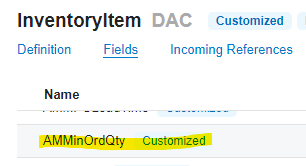
This works fine now. However, I have another error. We have fields in the InventoryItem DAC that are custom defined. However, when I try to access this field I get this error:

Here is the DAC:

And the code where I am calling it:

Thanks for your help. I am relatively new to this and your help has been incredible.


Leonardo Justiniano
Jr Varsity II
Forum|alt.badge.img+4

Hi @DoShawhan 

To access the extended fields you get the extension from the cache:


...
InventoryItem item = Base.Item.Current;

//Assuming this is your extension class
InventoryItemExt itemExt = Base.Item.GetExtension<InventoryItemExt>(item);
...
itemExt.AMMinOrdQty = ... ;


Also in BQL you have to put the extended class to refer to the extended fields.


Forum|alt.badge.img
  • Freshman II
  • May 14, 2025

Why isn’t this part of the core Acumatica functionality?

We are looking at having to customize the same thing where you can easily order from the Stock/Non-Stock item screens.


Forum|alt.badge.img
  • Freshman II
  • May 14, 2025

Why isn’t this part of the core Acumatica functionality?

We are looking at having to customize the same thing where you can easily order from the Stock/Non-Stock item screens.