Solved

OData Error - Not Found

  • October 6, 2025
  • 3 replies
  • 39 views

The below is the URL for OData

{{host}}/OData/Juul/AcmBigQuery?$top=100&$format=json

The GI AcmBigQuery is based on the Custom DAC inside the CustomizationProject. Even though the customization project is published I am getting the Error of “Not Found”

Best answer by Abhishek Niikam

Hello ​@anupusefulbi If you want, paste the exact GI OData Name and your Company Name. so this will be easy pinpoint issue.


“/OData/<TenantName>/<GI OData Name>?$top=100&$format=json”

  • <TenantName> must be the Company Name (exact text) shown on Companies (CS101500).

  • <GI OData Name> comes from the GI’s OData tab (or “Expose via OData” name).

  • You do not use a Web Services Endpoint name here.

make sure all the above is tick in your case.

3 replies

DipakNilkanth
Pro III
Forum|alt.badge.img+13
  • Pro III
  • 603 replies
  • October 6, 2025

Hi ​@anupusefulbi,
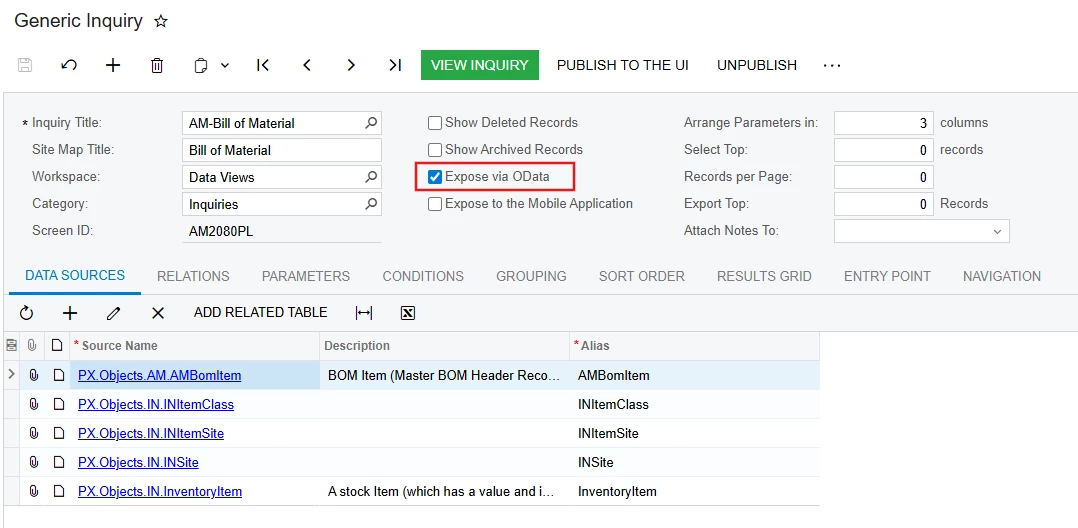
For your custom GI, have you selected Expose via OData option?

Also try to check the URL you are passing.

Retrieving the Results of a Generic Inquiry
To view the results of an exposed generic inquiry, you append / to the URL of the generic inquiry–based OData interface. In the URL, you use the name of the generic inquiry that is specified in the respective EntitySet element. For example, you would specify the https://sweetlife.com/erp/t/U100/api/odata/gi/BI-Customer URL.
if the following are true:
• The URL of the Acumatica ERP instance is https://sweetlife.com/erp.
• The instance contains the U100 tenant.
• You want to obtain the results of the BI-Customer generic inquiry.

Hope, it helps!


  • Author
  • Freshman I
  • 8 replies
  • October 7, 2025

Hi ​@DipakNilkanth ,
Expose via OData is already selected


Forum|alt.badge.img+2
  • Jr Varsity II
  • 75 replies
  • Answer
  • October 7, 2025

Hello ​@anupusefulbi If you want, paste the exact GI OData Name and your Company Name. so this will be easy pinpoint issue.


“/OData/<TenantName>/<GI OData Name>?$top=100&$format=json”

  • <TenantName> must be the Company Name (exact text) shown on Companies (CS101500).

  • <GI OData Name> comes from the GI’s OData tab (or “Expose via OData” name).

  • You do not use a Web Services Endpoint name here.

make sure all the above is tick in your case.