Question

Object referance error when change OrderQty in Sales Orders

  • January 12, 2026
  • 8 replies
  • 134 views

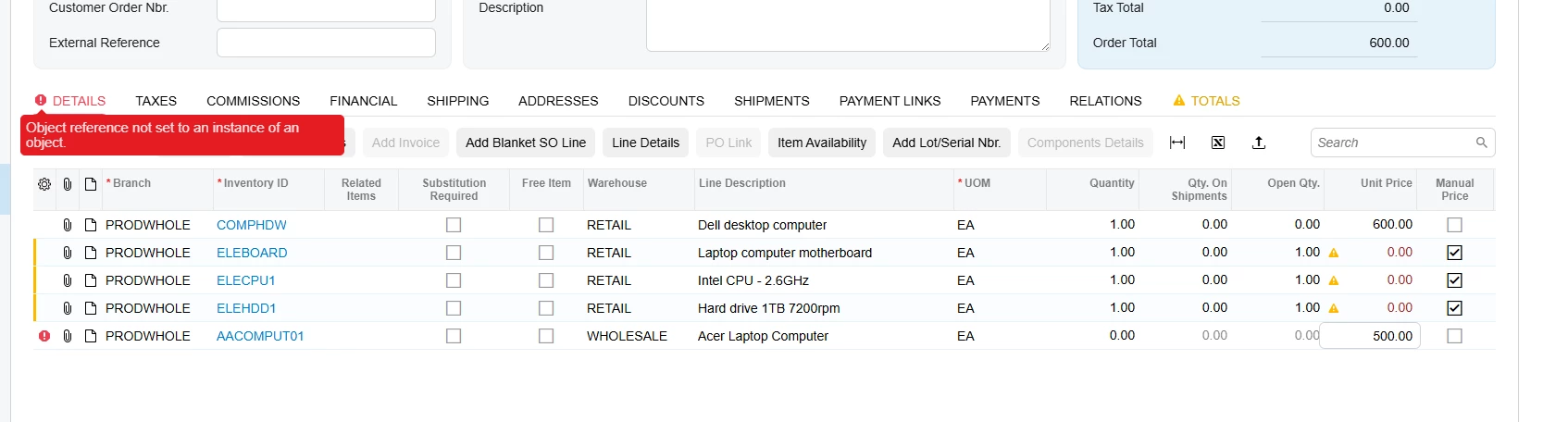
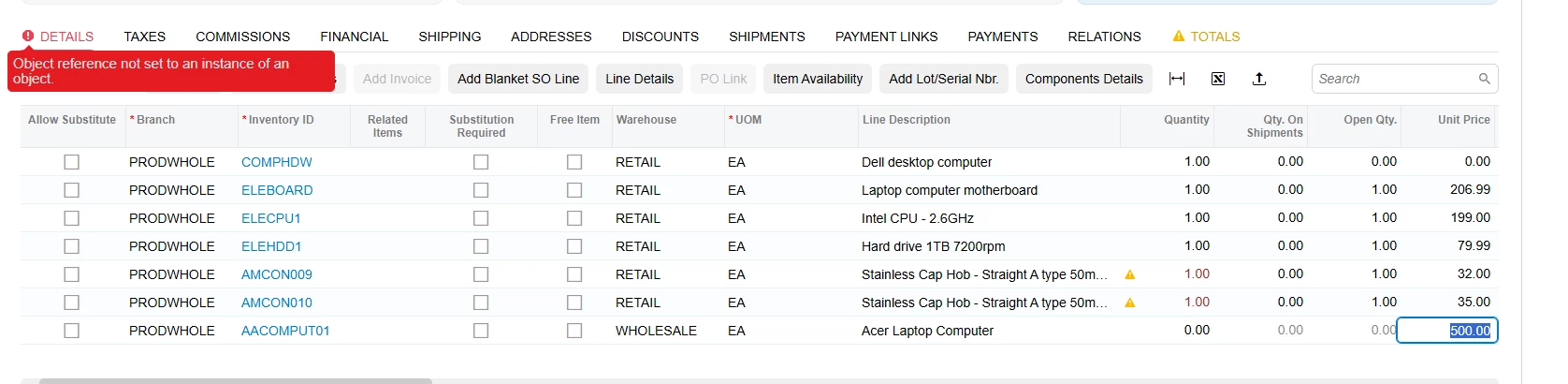
I have a very strange problem with Modern UI. Here are the steps I take to get it: I create a sales order, set a kit, explode it, then without saving it, I create a new line with any item. When I try to set a QTY, it throws an object referencing error and role back qty to 0 on the tab and resets the QTY back to zero. This problem is related to Modern UI because Classic UI doesn't have this problem.

protected virtual void SOLine_OrderQty_FieldUpdated(PXCache sender, PXFieldUpdatedEventArgs e, PXFieldUpdated baseMethod)
{
    baseMethod?.Invoke(sender, e);

    SOOrderEntry soGraph = (SOOrderEntry)sender.Graph;

    SOLine row = (SOLine)e.Row;
    if (row == null)
        return;

    BZSOLineExt rowExt = PXCache<SOLine>.GetExtension<BZSOLineExt>(row);
    if (rowExt == null)
        return;

    switch (rowExt.UsrBZExplodeState)
    {
        case null:
            return;
        case BZExplodeState.Never:
            return;
    }

    if (soGraph.IsContractBasedAPI || row.InventoryID == null || (decimal?)e.OldValue == row.OrderQty)
        return;

    if (sender.Graph.Accessinfo.ScreenID != BZKitMessages.SOShipmentScreenId && sender.Graph.Accessinfo.ScreenID != BZKitMessages.OpportunityScreenId && sender.Graph.Accessinfo.ScreenID != BZKitMessages.QuoteScreenId)
    {
        if (rowExt.UsrBZMarkForKitAssembly == true && rowExt.UsrBZKitAssemblyRefNbr == null && rowExt.UsrBZKitAssemblyDocType == null)
            return;

        BZSOSetupExt setupExt = PXCache<SOSetup>.GetExtension<BZSOSetupExt>(soGraph.sosetup.Current);
        INKitSpecHdr hdr = GetKitItemSpecHeader(soGraph, row.InventoryID);
        if (hdr != null)
        {
            if (rowExt.UsrBZIsReplacedKit != true && row.IsKit == true)
            {
                BZSOOrderEntryExt soGraphExt = soGraph.GetExtension<BZSOOrderEntryExt>();

                if (!(soGraphExt.ExplodeFromPopupButton == true))
                {
                    CheckForKitExplosion(sender, row, rowExt, setupExt, GetItemByID(sender.Graph, row.InventoryID), GetExplodeOption(setupExt, hdr));
                }
            }
        }
    }
}

There's something strange: if you comment out this code, there won't be a problem; it seems to trigger the problem when Modern UI is enabled.
 

8 replies

Forum|alt.badge.img+9
  • Captain II
  • January 16, 2026

@VaheGhazaryan 


Do you have commit changes set for the fields?


  • Author
  • Freshman I
  • January 16, 2026

@aiwan 

“Commit Changes” is enabled by default in Acumatica — it is currently set to True.


DipakNilkanth
Pro III
Forum|alt.badge.img+14

Hi ​@VaheGhazaryan, I believe this issue is occurring because the CheckForKitExplosion method is being executed inside the FieldUpdated event.

Since Modern UI is more sensitive to cache and row state changes during field updates, calling this logic there can lead to unexpected behavior.

Could you please try moving the CheckForKitExplosion logic to a safer event such as RowPersisting and test again? This should ensure the row is fully initialized and may resolve the issue.


Forum|alt.badge.img+2
  • Jr Varsity III
  • January 24, 2026

@VaheGhazaryan ,
                    I think this is a classic Modern UI event timing issue in Acumatica. The problem stems from how Modern UI handles field updates differently than Classic UI, particularly with asynchronous operations and cache state management.
can you try your code to move on RowUpdated event.


  • Freshman II
  • January 25, 2026

Hi ​@VaheGhazaryan
I belive this issue is caused by executing kit explosion / multi-row logic inside SOLine_OrderQty_FieldUpdated. In Modern UI, FieldUpdated fires earlier and during UI rebinding, before the row and related kit lines are fully stabilized. This results in a null reference and causes the UI to roll back the quantity to zero. In order to fix this, defer the logic to RowUpdated, PXLongOperation, or another post-update mechanism like Persist() method. Classic UI does not expose this issue because it processes changes synchronously.


  • Author
  • Freshman I
  • January 27, 2026

Unfortunately, even after moving all the logic to RowUpdated, the same error occurred again.


Forum|alt.badge.img
  • Freshman II
  • January 27, 2026

Modern UI: Qty resets to 0 after kit explosion


We faced an issue that occurs only in Modern UI, not in Classic UI.

Steps

Create Sales Order

Add a kit item and explode it

Do not save

Add a new line and enter Qty

Qty resets to 0 with an object reference error


Cause

Modern UI fires FieldUpdated events earlier and more frequently.

Our custom logic in SOLine_OrderQty_FieldUpdated was executing while:

The document was unsaved

Kit explosion was still in progress

Some objects/caches were not fully initialized

This causes a NullReferenceException, and Modern UI rolls back the Qty value.

Fix / Best Practices

Guard against unsaved documents:

if (Base.Document.Current?.RefNbr == null) return;


Skip logic during kit explosion

Add strict null and IsKit checks

Avoid heavy logic in FieldUpdated; move it to RowUpdated or RowPersisting

Conclusion

This is not a Modern UI bug but a lifecycle difference.

Custom logic in FieldUpdated must be defensive and lightweight to be Modern UI–safe.


mos11
Freshman I
Forum|alt.badge.img
  • Freshman I
  • January 29, 2026

​@VaheGhazaryan Try using RowUpdated and write all your code there. Also, put it inside a Long Operation, which does not force Acumatica to wait until your step is completed.