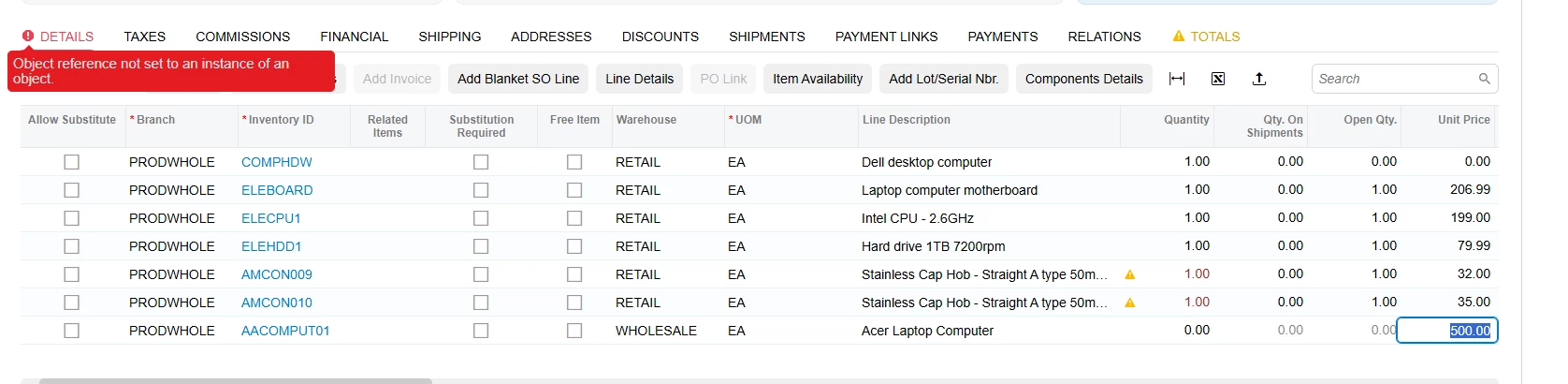
I have a very strange problem with Modern UI. Here are the steps I take to get it: I create a sales order, set a kit, explode it, then without saving it, I create a new line with any item. When I try to set a QTY, it throws an object referencing error and role back qty to 0 on the tab and resets the QTY back to zero. This problem is related to Modern UI because Classic UI doesn't have this problem.
protected virtual void SOLine_OrderQty_FieldUpdated(PXCache sender, PXFieldUpdatedEventArgs e, PXFieldUpdated baseMethod)
{
baseMethod?.Invoke(sender, e);
SOOrderEntry soGraph = (SOOrderEntry)sender.Graph;
SOLine row = (SOLine)e.Row;
if (row == null)
return;
BZSOLineExt rowExt = PXCache<SOLine>.GetExtension<BZSOLineExt>(row);
if (rowExt == null)
return;
switch (rowExt.UsrBZExplodeState)
{
case null:
return;
case BZExplodeState.Never:
return;
}
if (soGraph.IsContractBasedAPI || row.InventoryID == null || (decimal?)e.OldValue == row.OrderQty)
return;
if (sender.Graph.Accessinfo.ScreenID != BZKitMessages.SOShipmentScreenId && sender.Graph.Accessinfo.ScreenID != BZKitMessages.OpportunityScreenId && sender.Graph.Accessinfo.ScreenID != BZKitMessages.QuoteScreenId)
{
if (rowExt.UsrBZMarkForKitAssembly == true && rowExt.UsrBZKitAssemblyRefNbr == null && rowExt.UsrBZKitAssemblyDocType == null)
return;
BZSOSetupExt setupExt = PXCache<SOSetup>.GetExtension<BZSOSetupExt>(soGraph.sosetup.Current);
INKitSpecHdr hdr = GetKitItemSpecHeader(soGraph, row.InventoryID);
if (hdr != null)
{
if (rowExt.UsrBZIsReplacedKit != true && row.IsKit == true)
{
BZSOOrderEntryExt soGraphExt = soGraph.GetExtension<BZSOOrderEntryExt>();
if (!(soGraphExt.ExplodeFromPopupButton == true))
{
CheckForKitExplosion(sender, row, rowExt, setupExt, GetItemByID(sender.Graph, row.InventoryID), GetExplodeOption(setupExt, hdr));
}
}
}
}
}
There's something strange: if you comment out this code, there won't be a problem; it seems to trigger the problem when Modern UI is enabled.