Answer

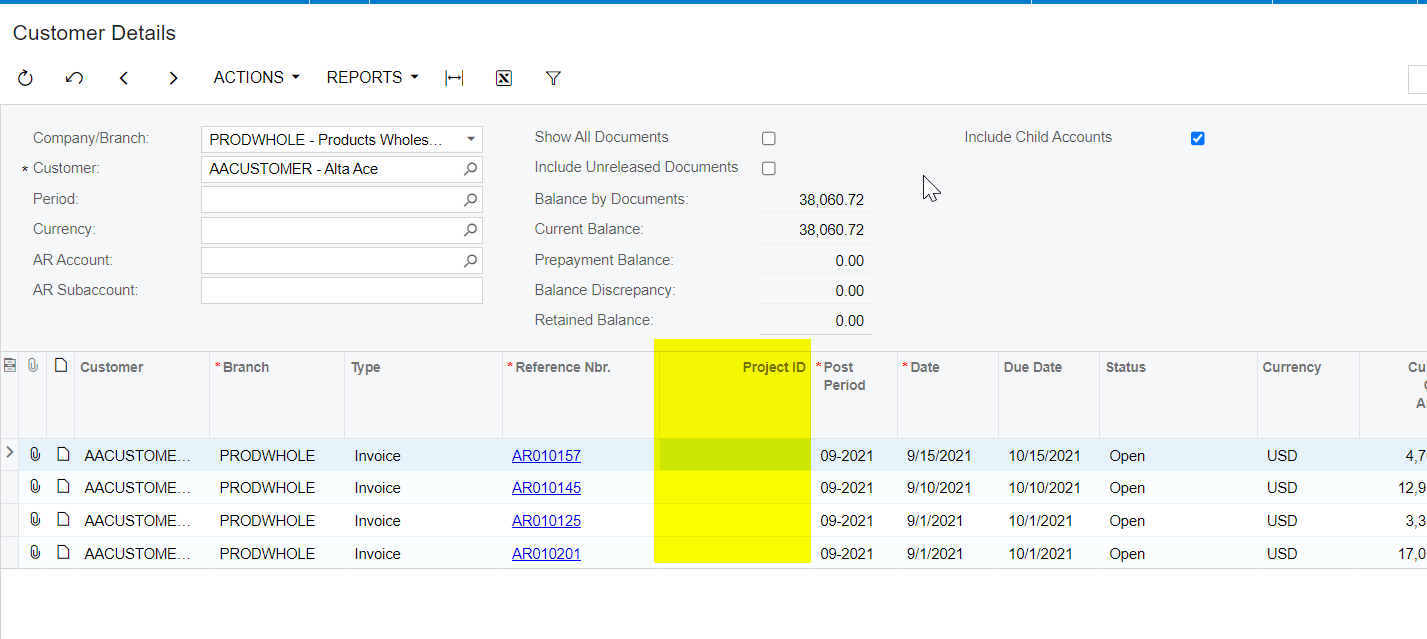
Not able to load data into custom field in Customer Details(AR402000) screen

  • February 16, 2022
  • 5 replies
  • 238 views

Hello,

We have to load project id into customer details inquiry screen using custom field.

We have added a new custom field on customer details screen and not able to assign the project id value of the invoice. It is always returning an empty value even it is assigned in the code.

→ Extended the graph and overided the Document() view delegate.

→ In the debug, the value is assinging but it is not showing in the screen and I tried to add hardcoded value but still it is not working
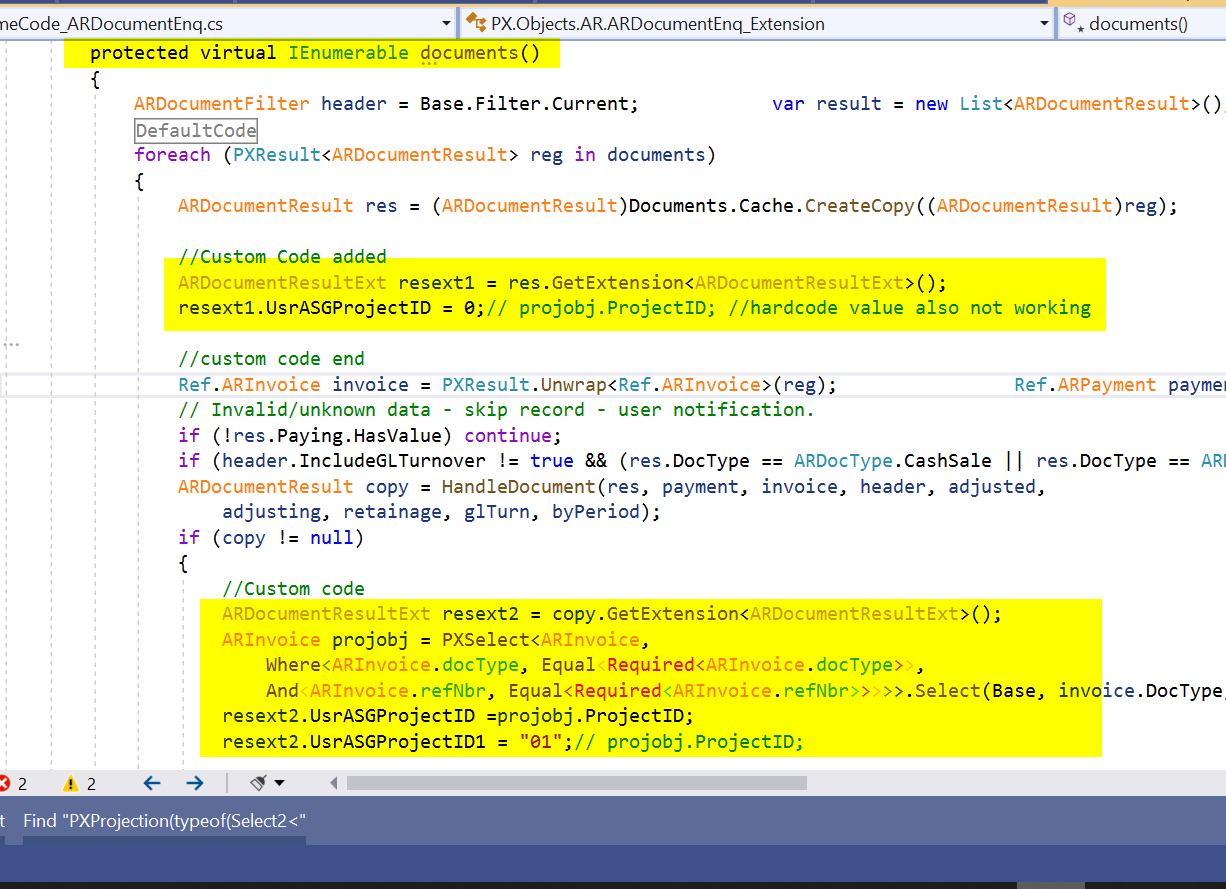
 

→ I have used another method from view delegate to assign the value but still same issue.
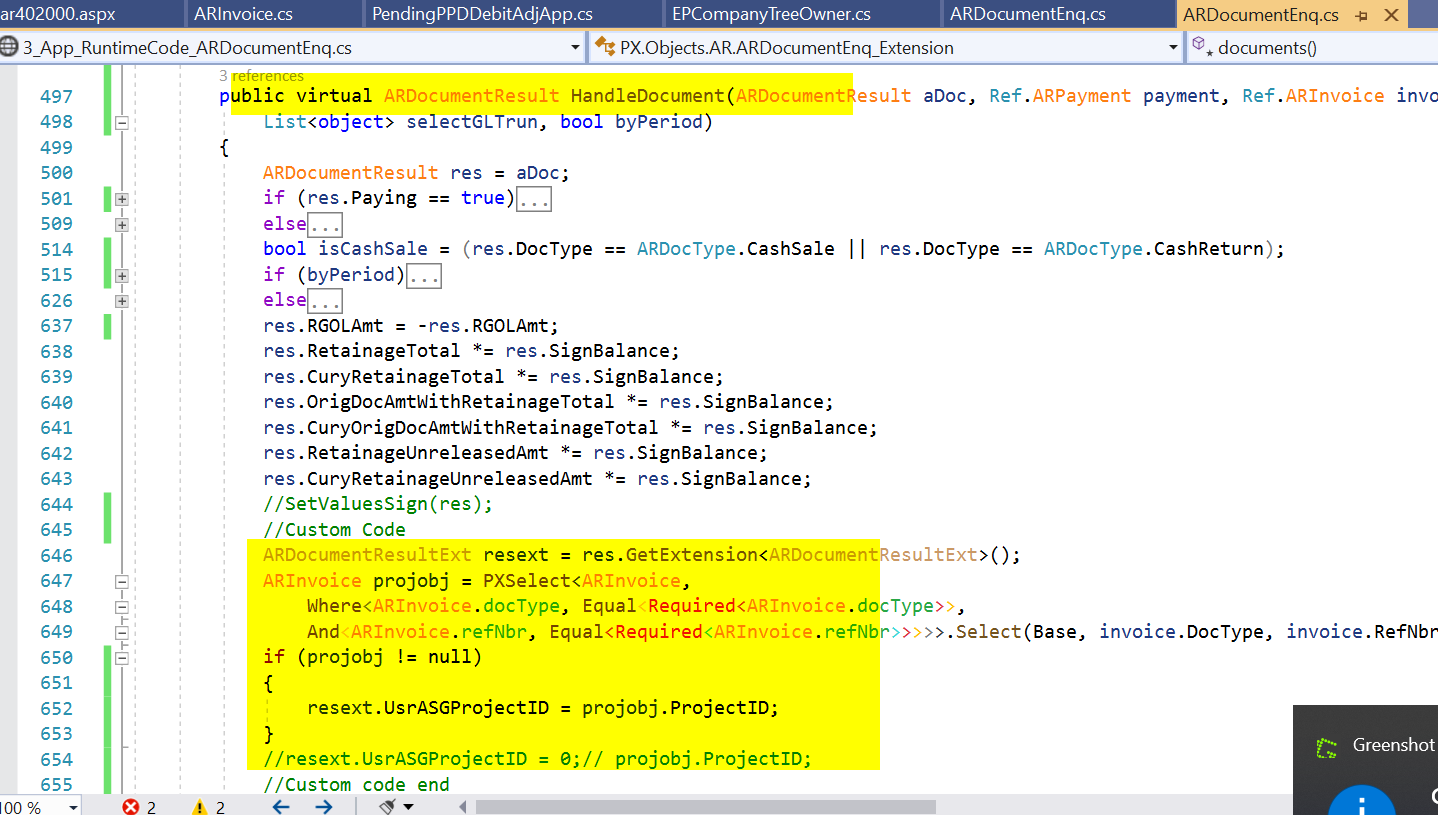
 

I have attached the cusotmization package with the above code. Can anyone let me know the issue in this code or how can we load project id to customer details grid section.

Thanks in advance.

Best answer by Naveen Boga

Hi @ssamboju12  I’m not sure why it is not working, can you please check with ARDocumentResult_UsrASGProjectID_FieldSelecting event and confirm?

5 replies

Naveen Boga
Captain II
Forum|alt.badge.img+19
  • Captain II
  • February 16, 2022

Hi @ssamboju12  Have you tried with Row_Updated event instead of view delegate?

According to me it should work with Row_Updated event. Please verify.


  • Author
  • Freshman II
  • February 16, 2022

@Naveen B  Thanks for the response.

Row_Updated event is also not working.


public class ARDocumentEnq_Extension : PXGraphExtension<ARDocumentEnq>
{

public virtual void ARDocumentResult_RowUpdated(PXCache cache, PXRowUpdatedEventArgs e)
{
ARDocumentResult header = e.Row as ARDocumentResult;
if (header == null) return;
ARDocumentResultExt resext = header.GetExtension<ARDocumentResultExt>();
ARInvoice projobj = PXSelect<ARInvoice,
Where<ARInvoice.docType, Equal<Required<ARInvoice.docType>>,
And<ARInvoice.refNbr, Equal<Required<ARInvoice.refNbr>>>>>.Select(Base, header.DocType, header.RefNbr);
if (projobj != null)
{
resext.UsrASGProjectID = projobj.ProjectID;
}

}
}


Naveen Boga
Captain II
Forum|alt.badge.img+19
  • Captain II
  • Answer
  • February 16, 2022

Hi @ssamboju12  I’m not sure why it is not working, can you please check with ARDocumentResult_UsrASGProjectID_FieldSelecting event and confirm?


  • Author
  • Freshman II
  • February 17, 2022

Hello @Naveen B 

Fieldselecting event worked finally. 

Thanks for the suggestion.


Naveen Boga
Captain II
Forum|alt.badge.img+19
  • Captain II
  • February 17, 2022

@ssamboju12  Great :) Thanks for the update.