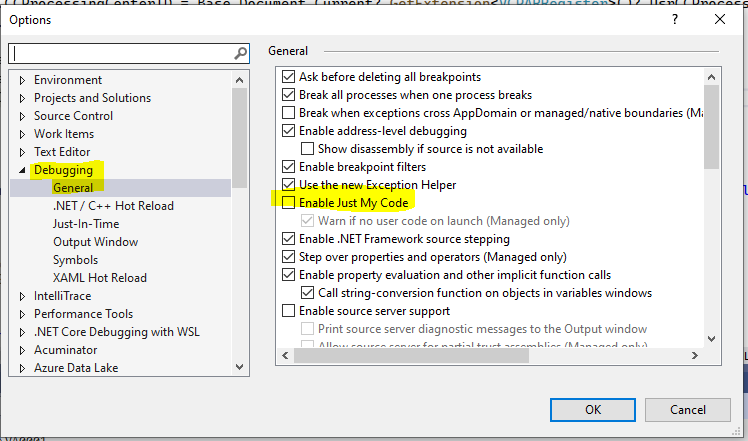
I have created an extension of SOCreateShipment, where I redefined the ‘Orders’ Data View. I now want to debug the flow for loading rows into the grid of orders. I am able to define breakpoints in the Extension, and Visual Studio breaks at the requested statements. While debugging, I also opened the base source code for SOCreateShipment, at:
C:\Acumatica\MyWebApplication\App_Data\CodeRepository\PX.Objects\SO\SOCreateShipment.cs
and added needed breakpoints. When I open the website, attach to process, then run the application, it breaks at the statements defined in the Extension, but not the statements in the base code. I reviewed the steps in the Customization Guide, and Acumatica website, but I don’t see clear steps on how to debug the base code.
Can you point me to the proper steps?