




Hi, I am working on Acumatica mobile customization and need to display the contact information (phone, email, etc.) on the Employee screen. The default mobile view only shows basic fields like Employee ID, Name, Status, and Employee Class. I would like to extend the screen to show contact info and enable actions such as calling or emailing directly from the mobile app.
Does anyone have guidance or examples on how to configure this?
I tried adding several different containers in the code, but the contact information is still not displaying in the Acumatica mobile app.
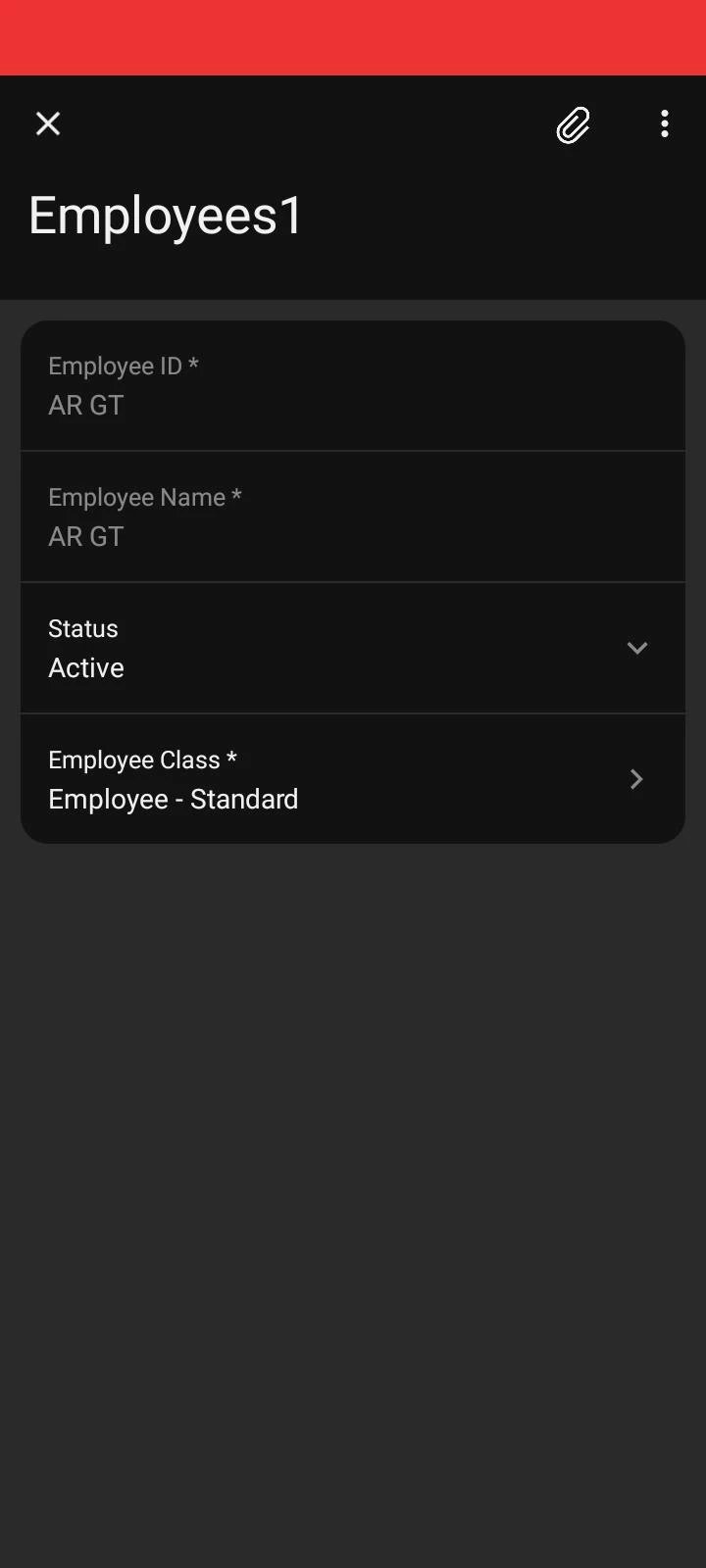
add screen EP203000 {
add container "Employee" {
# Primary Employee Fields
add field "EmployeeID"
add field "EmployeeName"
add field "Status"
add field "EmployeeClass"
# Contact Information Section
add group "ContactInfo" {
displayName = "Contact Info"
collapsed = False
add field "DetailsContactInfo#Title"
add field "DetailsContactInfo#FirstName"
add field "DetailsContactInfo#LastName"
add field "DetailsContactInfo#JobTitle"
add field "DetailsContactInfo#Email" {
special = EmailSend
}
add layout "Phones" {
layout = Inline
add field "DetailsContactInfo#Phone1Type"
add field "DetailsContactInfo#Phone1" {
special = PhoneCall
weight = 2
}
}
add field "DetailsContactInfo#Web" {
special = UrlOpen
}
}
# Required for navigation
add recordAction "Save" { behavior = Save }
add recordAction "Cancel" { behavior = Cancel }
}
}