Question

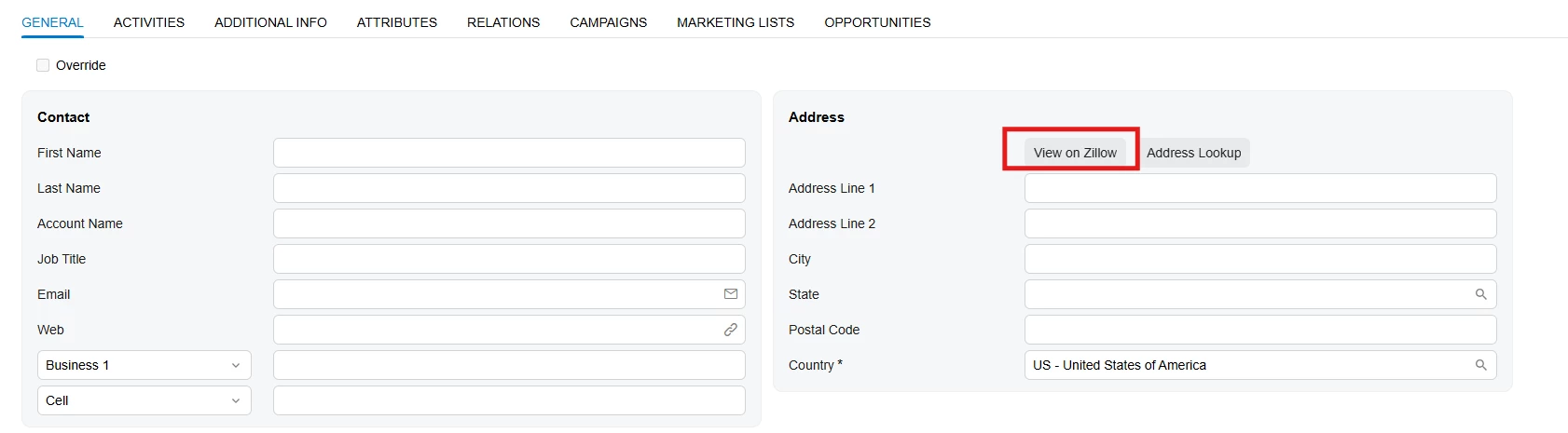
Need to add a button to the address on Leads (CR301000) in MUI

  • September 9, 2026
  • 4 replies
  • 46 views

Joe Schmucker
Captain II
Forum|alt.badge.img+3

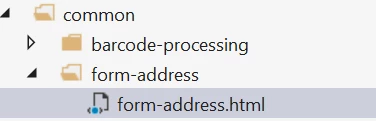
Hello!  I need to add a custom button to the Address on the Leads screen.  The address section is a common screen
 

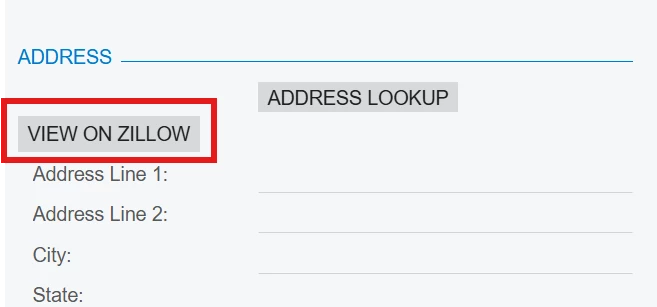
This is my goal (shown in classic UI)
 

Even if I could extend/modify the “common” files, I don’t want to add this button to every place that this address is used.  The other issue is that the Address section is part of tabGeneral which includes the Contact section.

<qp-tabbar id="LeadCurrent_tab" class="label-size-m" wg-container="">
    <qp-tab id="tabGeneral" caption="General" ref="tabGeneral_Content"></qp-tab>

I am lost as to how I can accomplish this.

Would I have to completely replace the tabGeneral with a custom tab and put all the fields and related business logic?  

Thanks in advance for any tips.

4 replies

Forum|alt.badge.img+5

@Joe Schmucker Did you mean it like this?


Joe Schmucker
Captain II
Forum|alt.badge.img+3
  • Author
  • Captain II
  • September 9, 2026

Yes!  Exactly!  How did you do it?


Forum|alt.badge.img+3
  • Captain II
  • September 10, 2026

@Joe Schmucker 

In the HTML, you can try adding the <qp-button> element. I have included the sample code below for reference. I tried this on one of the screens, and it worked.

Hope this helps!

<field name="Prompt" config-rows.bind="3"></field>
<qp-button id="btnGenerateContent" state.bind="GenerateContent" class="col-auto" wg-name="GenerateContent"></qp-button>
<field name="TopicSummary" config-rows.bind="6"></field>

Forum|alt.badge.img+5
  • Jr Varsity III
  • September 10, 2026

@Joe Schmucker 
This is html :

<template>
<qp-button
before="#formA #formA_btn"
id="btnViewOnZillow"
caption="View on Zillow"
state.bind="ViewOnZillow"
class="col-auto">
</qp-button>
<qp-address-lookup modify="#formA #formA_btn" class="col-auto"></qp-address-lookup>
</template>


TS File:

import { PXActionState } from "client-controls";
import { CR301000 } from "src/screens/CR/CR301000/CR301000";

export interface CR301000_Zillow extends CR301000 {}
export class CR301000_Zillow {
ViewOnZillow: PXActionState;
}

Adjust the action and view names according to your requirements.