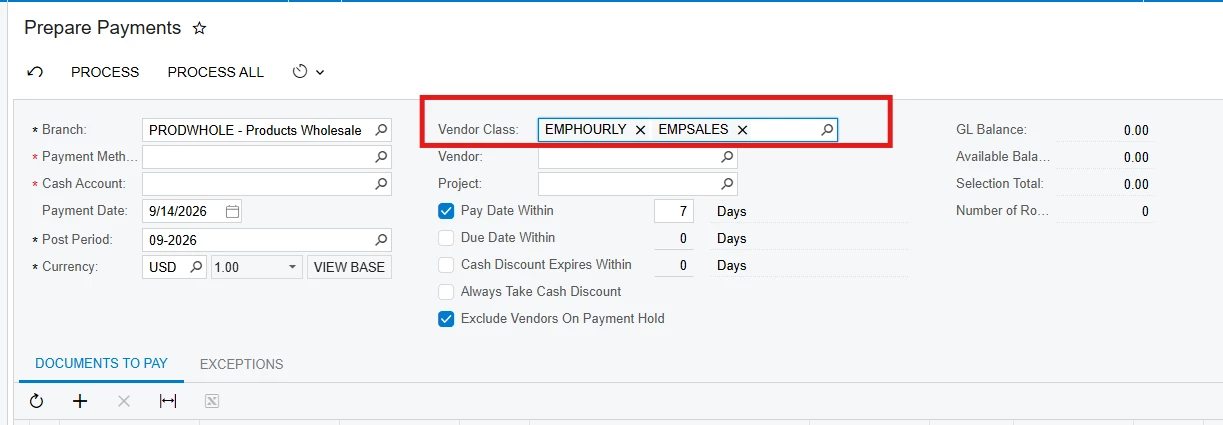
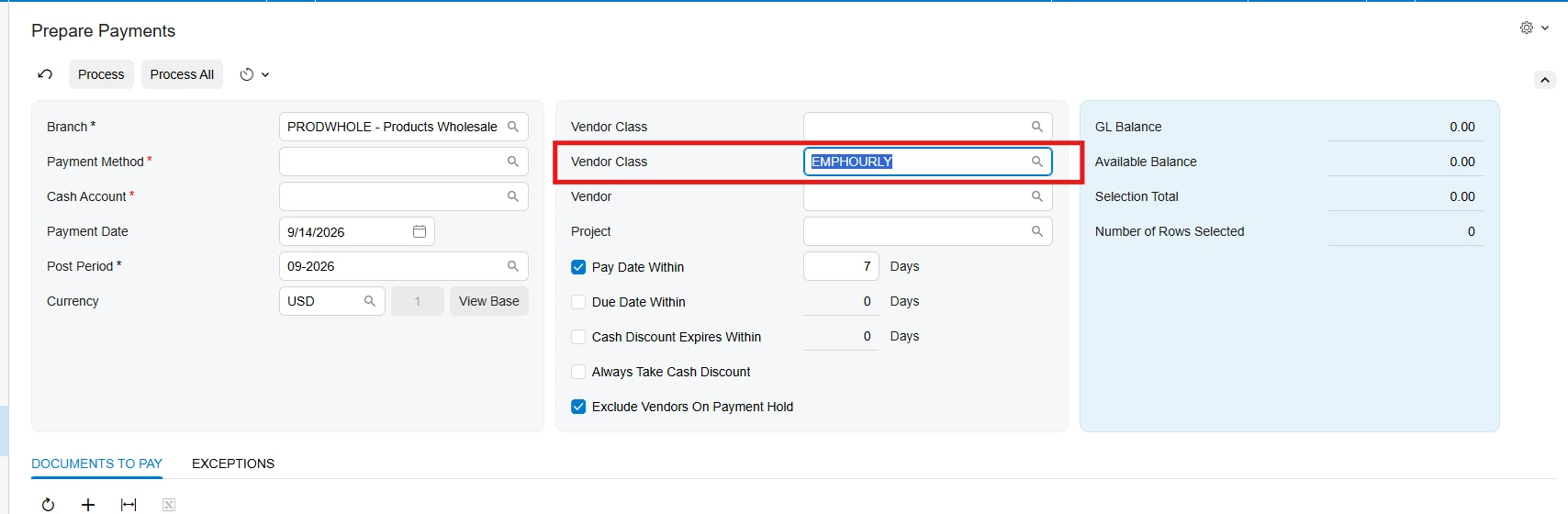
In this topic, I’d like to share with the community an approach I used to filter data by multiple values.
It’s nothing groundbreaking, but I thought it might be useful for someone who runs into a similar scenario.
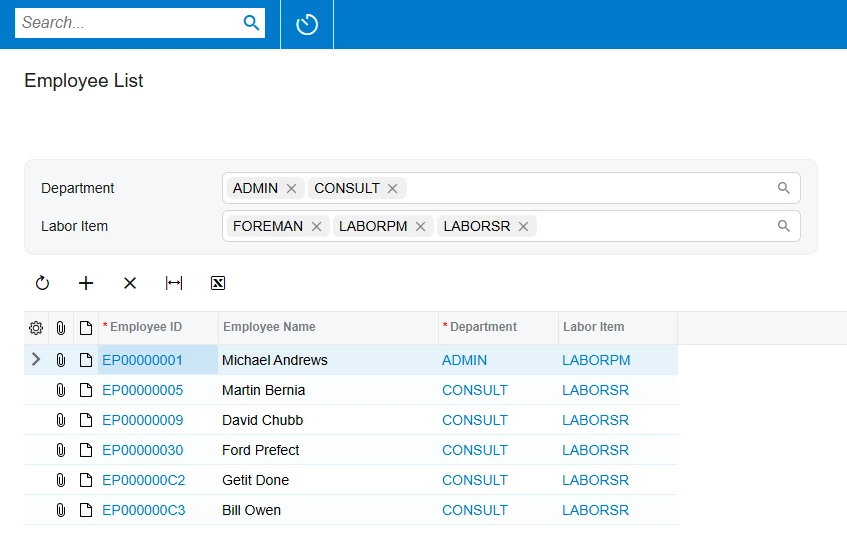
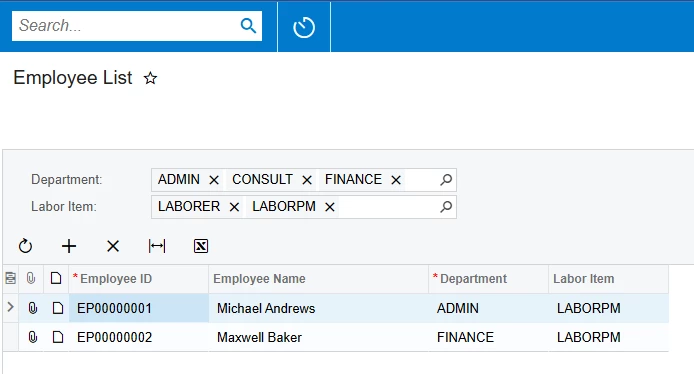
Let’s say we need to create a new screen that displays all employees, where we can filter results by Department and Labor Item (with the ability to select multiple values).
The final result looks like this:
Modern UI
Classic UI
Implementation
To implement this, we need to declare the filter fields as follows:
using PX.Data;
using PX.Data.BQL;
using PX.Data.BQL.Fluent;
using PX.Objects.EP;
using PX.Objects.IN;
using System;

namespace MyProject
{
   [Serializable]
   public class Filter : PXBqlTable, IBqlTable
   {
      #region DepartmentID
      [PXString]
      [PXSelector(typeof(SearchFor<EPDepartment.departmentID>),
                  typeof(EPDepartment.departmentID),
                  typeof(EPDepartment.description),
                  ValidateValue = false)]
      [PXUIField(DisplayName = "Department")]
      public virtual string DepartmentID {  get; set; }
      public abstract class departmentID : BqlString.Field<departmentID> { }
      #endregion

      #region LabourItemCD
      [PXString]
      [PXSelector(typeof(SelectFrom<InventoryItem>
          .Where<InventoryItem.itemType.IsEqual<INItemTypes.laborItem>>
          .SearchFor<InventoryItem.inventoryCD>),
                  typeof(InventoryItem.inventoryCD),
                  typeof(InventoryItem.descr),
                  ValidateValue = false)]
      [PXUIField(DisplayName = "Labor Item")]
      public virtual string LabourItemCD { get; set; }
      public abstract class labourItemCD : BqlString.Field<labourItemCD> { }
      #endregion
   }
}
Here I want to highlight that we need to set ValidateValue = false to disable validation and allow selecting multiple values in the selector.
Next, let’s define the BLC as follows:
using PX.Common;
using PX.Data;
using PX.Data.BQL;
using PX.Data.BQL.Fluent;
using PX.Objects.EP;
using PX.Objects.IN;
using System.Collections;
using System.Collections.Generic;
using System.Linq;
using System.Text.RegularExpressions;

namespace MyProject
{
   public class EmployeeListInq : PXGraph<EmployeeListInq>
   {
      public PXFilter<Filter> Filter;

      public SelectFrom<EPEmployee>.View Employees;


      protected virtual IEnumerable employees()
      {
         var filter = Filter.Current;

         var employees = new SelectFrom<EPEmployee>.View(this).Select().FirstTableItems;

         if (MultiSelectorHasValues(filter.DepartmentID, out var departmentIDs))
         {
            employees = employees.Where(e => e.DepartmentID.IsIn(departmentIDs));
         }

         if (MultiSelectorHasValues(filter.LabourItemCD, out var laborItemCDs))
         {
            var laborItemIDs = new SelectFrom<InventoryItem>
                     .Where<InventoryItem.inventoryCD.IsIn<@P.AsString>>
                     .View(this)
                     .Select(laborItemCDs)
                     .FirstTableItems
                     .Select(i => i.InventoryID);

            employees = employees.Where(e => e.LabourItemID.IsIn(laborItemIDs));
         }

         return employees;
      }

      private static bool MultiSelectorHasValues(string value, out IEnumerable<string> splittedValues)
      {
         var hasValues = !string.IsNullOrEmpty(value);

         splittedValues = hasValues ? Regex.Split(value, "; ?").AsEnumerable() : null;

         return hasValues;
      }
   }
}
We’ll need to filter the results in the employees Data View Delegate, using the MultiSelectorHasValues method. This method splits the selector values and returns them as an IEnumerable<string>.
Additionally, since the multiselector returns string values, to get the corresponding LaborItemIDs, we need to select them using the multiselector’s LaborItemCDs, as shown in the second if block in the Data View Delegate.
Layout
In Modern UI, the only thing we need to add to the multiselector (compared to a simple selector) is the@controlConfig({ multiSelect: true }) decorator in the .ts file.
import {
	createCollection,
	createSingle,
	graphInfo,
	PXView,
	PXScreen,
	PXFieldState,
	gridConfig,
	PXFieldOptions,
	controlConfig,
	GridPreset
} from "client-controls";

@graphInfo({
	graphType: "MyProject.EmployeeListInq",
	primaryView: "Filter",
})
export class EP203100 extends PXScreen {
	Filter = createSingle(Filter);
	Employees = createCollection(EPEmployee);
}

export class Filter extends PXView {
	@controlConfig({ multiSelect : true })
	DepartmentID : PXFieldState<PXFieldOptions.CommitChanges>;
	@controlConfig({ multiSelect : true })
	LabourItemCD : PXFieldState<PXFieldOptions.CommitChanges>;
}

@gridConfig({
	preset: GridPreset.Details
})
export class EPEmployee extends PXView {
	AcctCD : PXFieldState;
	AcctName : PXFieldState;
	DepartmentID : PXFieldState;
	LabourItemID : PXFieldState;
}
Nothing special in the HTML part:
<template>
	<qp-template id="form-Filter" name="1-1">
		<qp-fieldset id="fsColumnA-Filter" view.bind="Filter" slot="A">
			<field name="DepartmentID" ></field>
			<field name="LabourItemCD" ></field>
		</qp-fieldset>
	</qp-template>
	<qp-grid id="grid-Employees" view.bind="Employees"></qp-grid>
</template>
If you want to define the same logic using classic UI, in the .aspx file you can declare your selectors using the PXMultiSelector control as follows:
<px:PXMultiSelector CommitChanges="True" runat="server" ID="edDepartmentID" DataField="DepartmentID" ></px:PXMultiSelector>
<px:PXMultiSelector CommitChanges="True" runat="server" ID="edLabourItemCD" DataField="LabourItemCD" ></px:PXMultiSelector>
Possible Improvements
In the Data View Delegate, you can optimize the query so it doesn’t select all employees and then filter the results. Alternatively, you can use the WhereAnd method to conditionally extend the query, add parameters, and select only the records that match your filter. I kept it simple here just to make the logic easier to follow.
Hope this topic turns out useful for someone!
Let me know what you think — and if you have other ideas or improvements, I’d love to hear them.
Thanks for your attention! 🙏