Answer

Move User Defined Field to Document Tab on Journal Transactions (2025 R1)

  • October 3, 2025
  • 4 replies
  • 67 views

HristinaP77
Freshman I
Forum|alt.badge.img

Hello,

I’ve added a user-defined field to the Journal Transactions screen and would like to move it to the Document tab. We previously opened a case with customer support, and they confirmed that this isn’t currently supported - but mentioned it may be available in future versions.

Our client is using Acumatica 2025 R1. Is there any known workaround or customization approach that would allow us to reposition the field to the Document tab?

Any insights or suggestions would be greatly appreciated.

Thank you!

Best answer by Dmitrii Naumov

@HristinaP77 It is supported in the new UI. New UI is not ready for production use in 25r1, but it is in 25r2

4 replies

Dmitrii Naumov
Acumatica Moderator
Forum|alt.badge.img+7
  • Acumatica Moderator
  • Answer
  • October 3, 2025

@HristinaP77 It is supported in the new UI. New UI is not ready for production use in 25r1, but it is in 25r2


HristinaP77
Freshman I
Forum|alt.badge.img
  • Author
  • Freshman I
  • October 3, 2025

Thank you!


Forum|alt.badge.img+7
  • Captain II
  • October 3, 2025

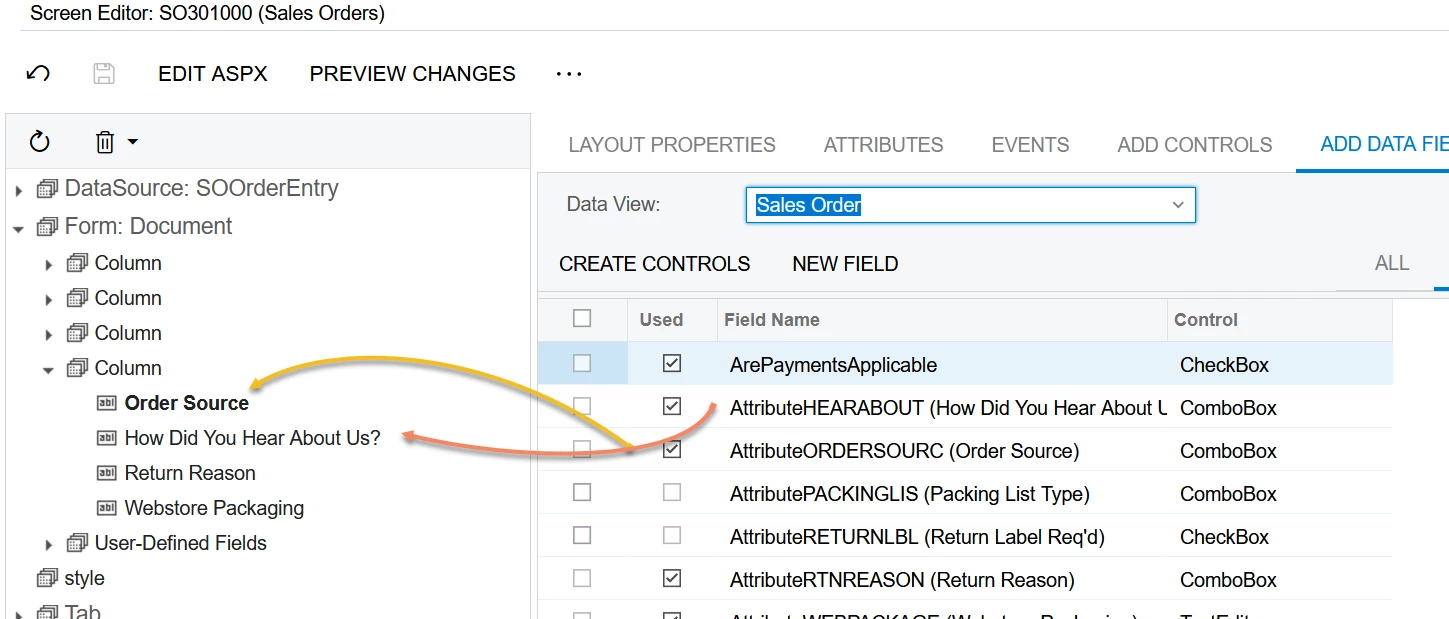
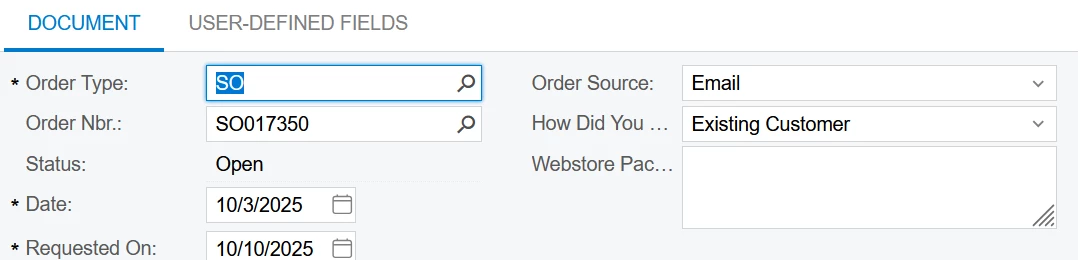
One option is to customize the screen and add the AttributeXYZ field, just like a regular field. It doesn’t remove it from the User-Defined Fields tab but it does make it accessible on the main tab.


HristinaP77
Freshman I
Forum|alt.badge.img
  • Author
  • Freshman I
  • October 9, 2025

Hello ​@Django,

Thanks so much for the suggestion! We’ve decided to hold off until the next Acumatica release, but we really appreciate your input.