Solved

[Modern UI] - The view "" doesn't exist

  • September 7, 2026
  • 10 replies
  • 157 views

Hello everyone,

I’m facing a very disturbing issue regarding modern UI. 
I have a really basic processing screen, to mass update Matrix Items.

When trying to access this screen I have the following error : 
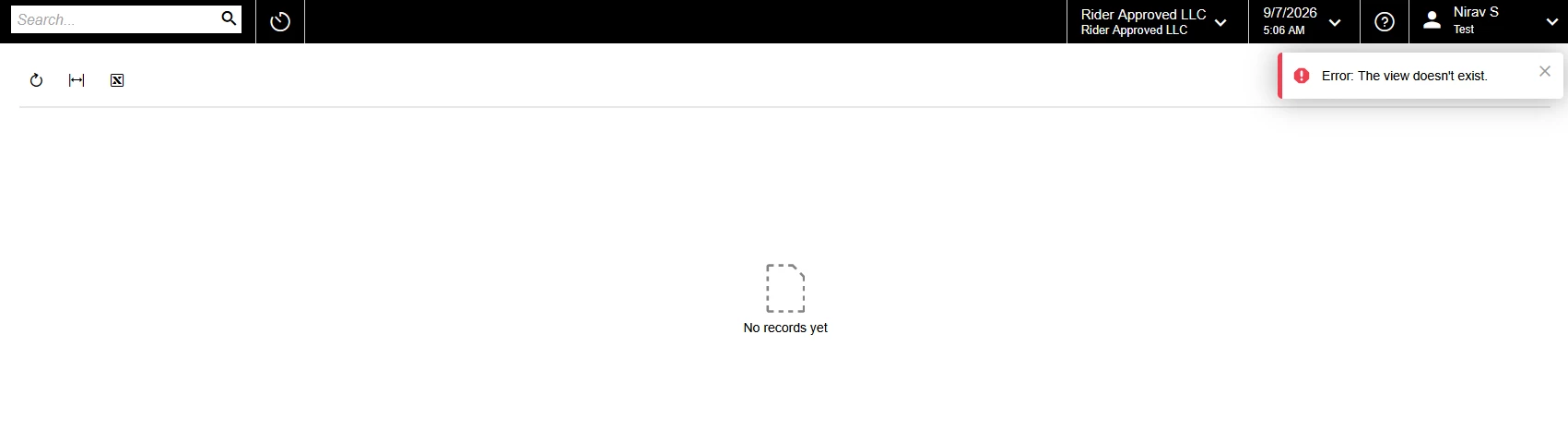


The view [Blank] doesn’t exist. Here are the stack traces : 
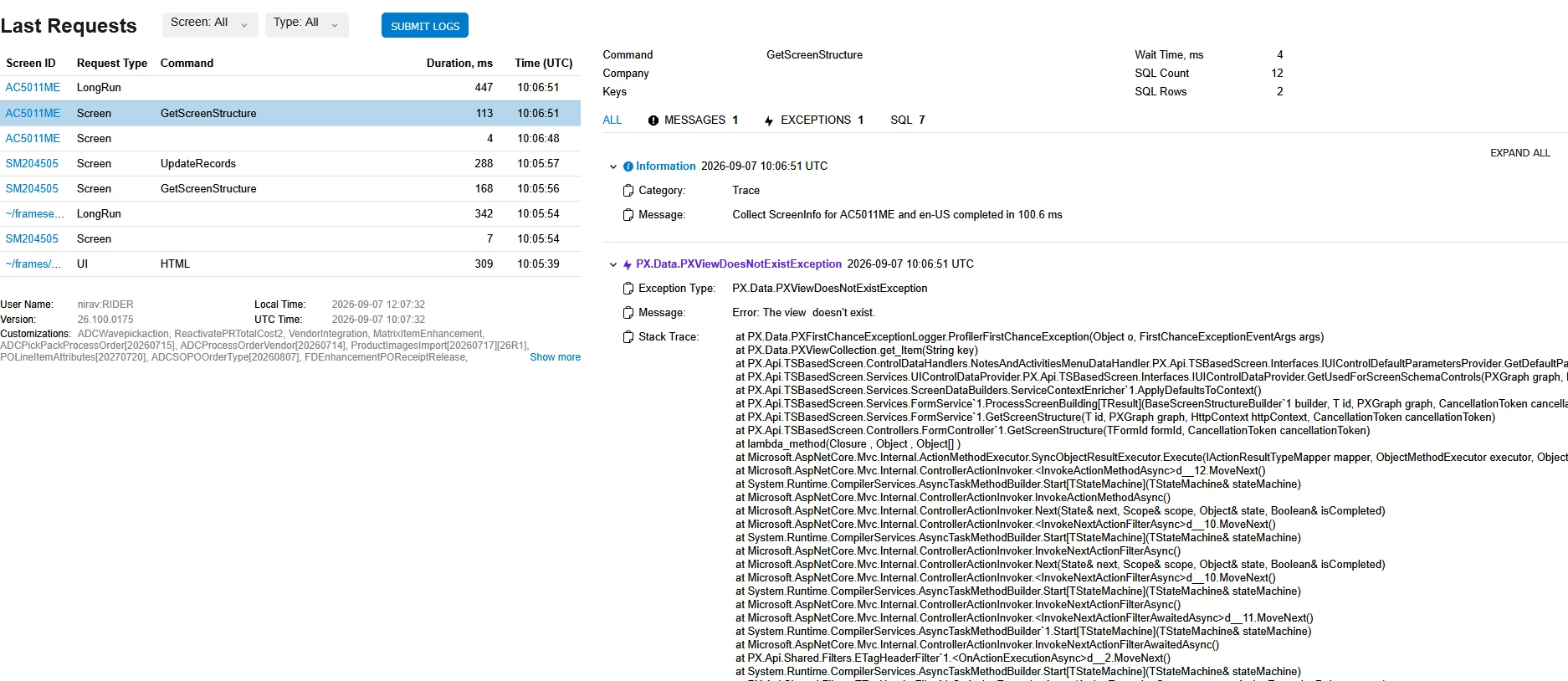


I don’t have this error on my local instance, just on the customer’s one.

Error seems to be realted to the note process, I tried so many configuration but I can’t make things work. 

If I go to “Applay updates”, and press the “Reset Caches” Action, everything MIGHT work, until the next publication. 

I even tried changing the screenID since there seems to be some corrupted info stored in some cache, but it didn’t solve anything. 


I don’t understand why at all… Does anyone have any idea? 

Attached you’ll find : 
-My graph (as a txt)
-The DACs used in the screen. (as a txt).
-My Modern UI files and my classic UI files in the customization project. 

If you need any other information, please ask. 

Have a great day. 

Best answer by mohammadnawaz51

@SimonF Just restart the application as it is publishing engine issue from Acumatica.

10 replies

darylbowman
Captain II
Forum|alt.badge.img+17

I've had the same issue with a good number of my custom screens. It's always been solved by resetting caches.


  • Author
  • Freshman I
  • September 7, 2026

I've had the same issue with a good number of my custom screens. It's always been solved by resetting caches.

Oh… OK. That’s annoying :/ 

The fact is that some other modern UI screens work just fine and I can’t figure out why :/ 


darylbowman
Captain II
Forum|alt.badge.img+17

Oh… OK. That’s annoying :/ 

Couldn't agree more. I hold my breath every time a customer claims their screen broke.

I'm assuming it will eventually get resolved.


mohammadnawaz51
Varsity I
Forum|alt.badge.img+7

@SimonF Just restart the application as it is publishing engine issue from Acumatica.


  • Author
  • Freshman I
  • September 7, 2026

Well… Thanks.. 

Let’s hope this issue is top priority for next versions! 


Jhon Reeve Penuela
Varsity I
Forum|alt.badge.img

@SimonF Just restart the application as it is publishing engine issue from Acumatica.

Thank you for this solution!. I’m Encounter same error. 


WillH
Semi-Pro II
Forum|alt.badge.img+5
  • Semi-Pro II
  • September 9, 2026

For searchability.

The exact screen message is:
"
Error: The view doesn't exist.
"
(This post wasn’t coming up when I was searching for my error string

I’m seeing this in my testing in 26r1 (just doing T200 to brush up on basics).

I was getting this about 75% of the time, in my case the error would resolve about 10-20 minutes after my publish customisation and site restart.

So if you’re seeing this, and you’re working in a cloud instance especially, waiting it out might be an option.

Otherwise, ​ ​@mohammadnawaz51 ‘s advice implies forcing a site restart might clear it.

@darylbowman  not sure if you intended to imply that clearing the user’s browser cache might work, but in my testing this didn’t hold. (I used a completely different browser, the problem persisted until whatever part of the publish/restart process properly initiated the view.)
So I’m guessing you mean clearing the server’s cache?


darylbowman
Captain II
Forum|alt.badge.img+17

So I’m guessing you mean clearing the server’s cache?

Yes, from the 'Apply Updates' screen


WillH
Semi-Pro II
Forum|alt.badge.img+5
  • Semi-Pro II
  • September 10, 2026

Thanks ​@darylbowman  

For MYOB Customers:
The apply updates screen is currently locked down from the UI, so this option isn’t open to you.  If you do need a site restart please contact your support partner so they can get it scheduled for you.


  • Freshman I
  • September 16, 2026

We encountered the same issue with one of our customers, who has more than 200 customized screens in Modern UI. The workaround that resolved the issue for us was publishing the customization to all tenants using the Publish to Multiple Tenants option.

The customer is running a self-hosted instance, and IIS is recycled daily. Because of this, the issue kept reappearing after each recycle, forcing us to perform Reset Caches or Restart Application repeatedly. This was not a viable long-term solution given the customer's daily operations.

Based on our testing, it appears that something related to the Modern UI screens causes them to become stuck in an infinite loading loop until either the application cache is reset or the application is restarted.

As part of our troubleshooting, we also decided to remove unused tenants to streamline the publishing process and reduce unnecessary overhead.

Acumatica Instance v.26.101.0225