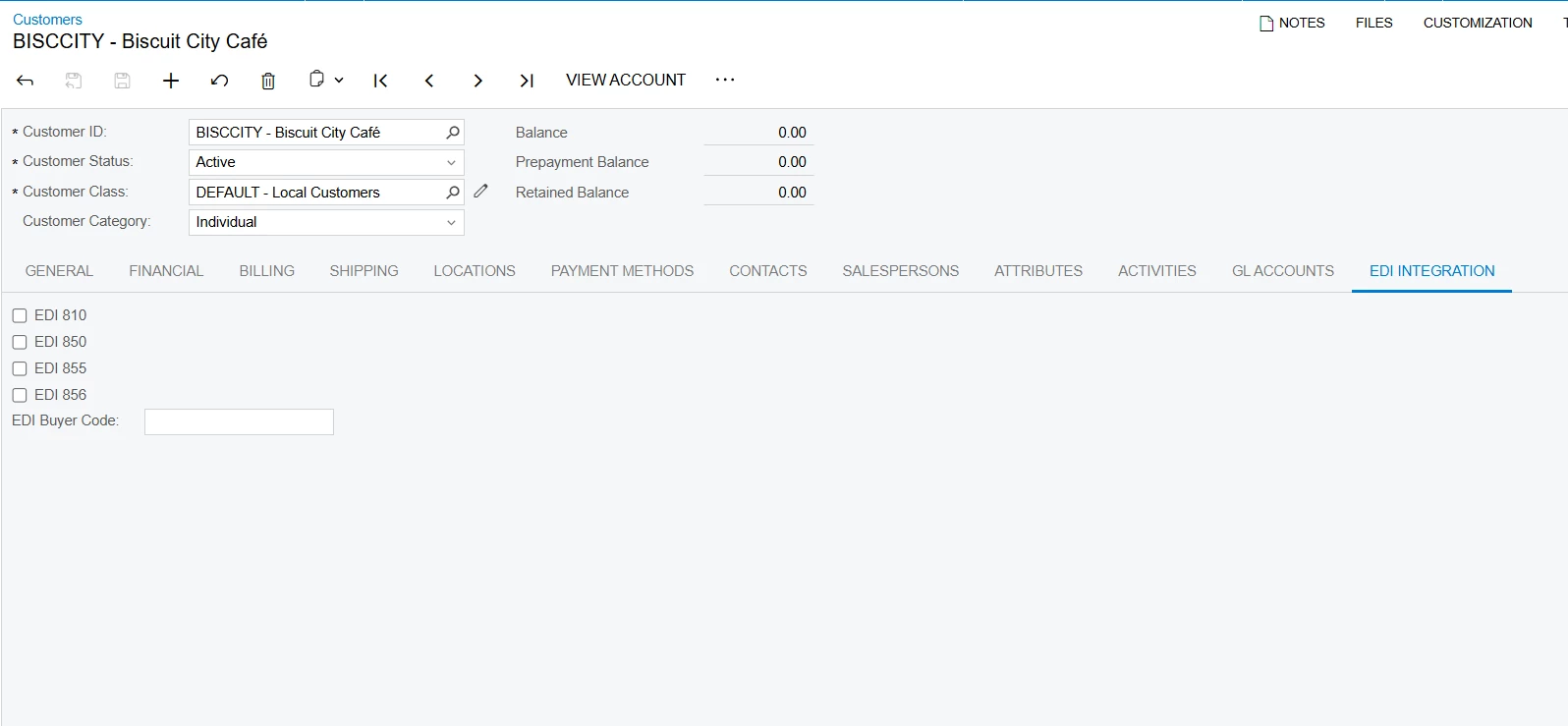
I am facing an issue while adding a new custom tab in the Modern UI on the Customers screen, and I would appreciate your guidance.
Screen
-
Customers (AR303000)
Issue Description
I have created a customization to add a new EDI Integration tab on the Customers screen using Modern UI (TypeScript + HTML).
The customization builds successfully, and there are no runtime errors; however, the custom tab is not displayed on the Customers screen.
TypeScript Code
import {
PXFieldState,
createSingle,
viewInfo
} from "client-controls";
import {
AR303000,
Customer
} from "../AR303000";
export interface AR303000_EDIIntegration extends AR303000 { }
export class AR303000_EDIIntegration extends AR303000 {
@viewInfo({ containerName: "EDI Integration" })
Customer = createSingle(Customer_EDI);
}
export class Customer_EDI extends Customer {
UsrEDI810: PXFieldState;
UsrEDI850: PXFieldState;
UsrEDI855: PXFieldState;
UsrEDI856: PXFieldState;
UsrEDIBuyerCode: PXFieldState;
}
HTML Code
<template>
<qp-tab after="#tabMailingPrinting" id="tab-EDIIntegration"
caption="EDI Integration">
<qp-template id="formEDIIntegration" class="label-size-m">
<qp-fieldset view.bind="Customer" id="CustEDIIntegrationView">
<field name="UsrEDI810" />
<field name="UsrEDI850" />
<field name="UsrEDI855" />
<field name="UsrEDI856" />
<field name="UsrEDIBuyerCode" />
</qp-fieldset>
</qp-template>
</qp-tab>
</template>
Classic UI