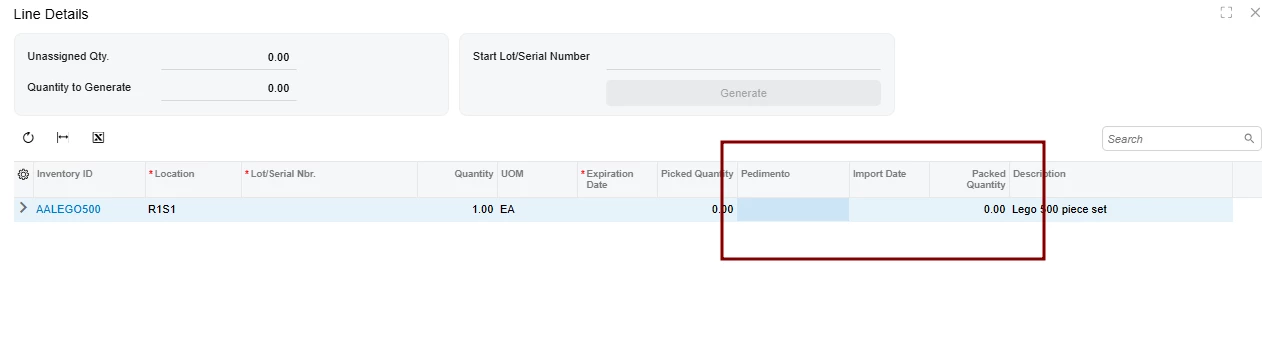


Hello,
I am trying to add two custom fields (UsrMXFEPedimentoNbr and UsrMXFEImportDate) to the Line Details (Line Splitting) grid in the Shipments screen.
Acumatica Version: 2025 R2
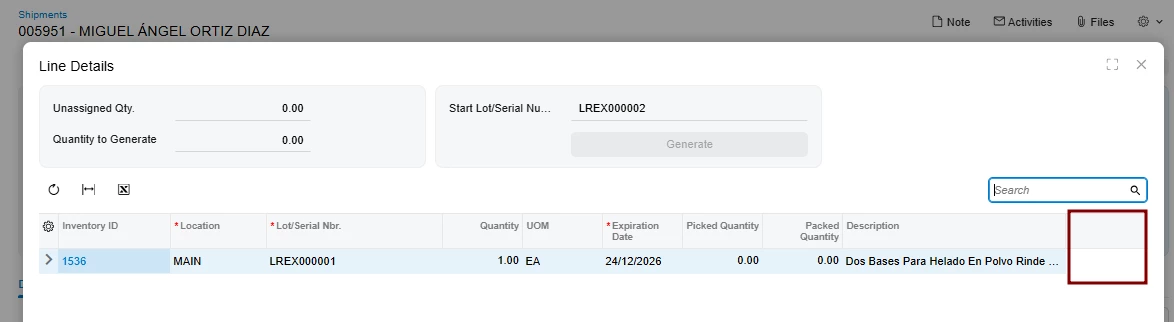
Following the standard extension pattern, I created the .ts and .html files. However, when running npm build, I get an error stating that #grid-LineSplitting does not exist.
After investigating, I noticed that SO302000_LineSplitting.html references a shared component: ../../../IN/common/line-splitting/panel-line-splitting/panel-line-splitting.html. Since the grid is defined in that shared template and not directly in the SO302000 main files, the compiler cannot resolve the after="#grid-LineSplitting" instruction.
This is my code: SO302000_MyExtension.ts
import { placeAfterProperty, PXFieldOptions, PXFieldState } from "client-controls";
import { SOShipLineSplit } from "src/screens/SO/SO302000/extensions/SO302000_LineSplitting";
import { SO302000, SOShipment,Transactions, Packages } from "src/screens/SO/SO302000/SO302000";

export interface SOShipLineSplit_MyExtension extends SOShipLineSplit{}
export class SOShipLineSplit_MyExtension {
    @placeAfterProperty("PickedQty")
    UsrMXFEPedimentoNbr: PXFieldState<PXFieldOptions.CommitChanges>;

    @placeAfterProperty("UsrMXFEPedimentoNbr")
    UsrMXFEImportDate: PXFieldState;
}
HTML:
<template>
    <field name="UsrMXFEPedimentoNbr" after="#grid-LineSplitting"></field>
    <field name="UsrMXFEImportDate" after="#grid-LineSplitting"></field>
</template>
This is panel-line-splitting.html code
<template>
	<qp-include-parameters
		extension-name="LineSplittingExtension"
		splits-view="splits">
	</qp-include-parameters>

	<qp-panel id="{{extension-name}}_lsselect" caption="Line Details" auto-repaint="true" width="lg" height="85vh">
		<qp-template id="form-LineSplitting" name="17-17-14" class="equal-height" wg-container="{{extension-name}}_LotSerOptions_optform">
			<qp-fieldset id="fsColumnA-LineSplitting" slot="A" view.bind="{{extension-name}}_LotSerOptions">
				<field name="UnassignedQty"></field>
				<field name="Qty"></field>
			</qp-fieldset>
			<qp-fieldset id="fsColumnB-LineSplitting" slot="B" view.bind="{{extension-name}}_LotSerOptions">
				<field name="StartNumVal">
					<qp-button id="buttonGenerate-LineSplitting" state.bind="{{extension-name}}_GenerateNumbers" class="col-12" wg-name="Generate"></qp-button>
				</field>
			</qp-fieldset>
		</qp-template>

		<qp-grid id="grid-LineSplitting" view.bind="{{splits-view}}" wg-container="{{splits-view}}_grid2"></qp-grid>

		<footer id="footer-LineSplitting">
			<qp-button id="buttonOK-LineSplitting" dialog-result="OK"></qp-button>
		</footer>
	</qp-panel>
</template>
What is the correct way to target a grid that is part of a shared template (panel-line-splitting.html) from a screen extension?
How can I ensure these columns appear specifically in the Shipments screen Line Details without affecting other screens that share the same template (if possible)?