

Hello,
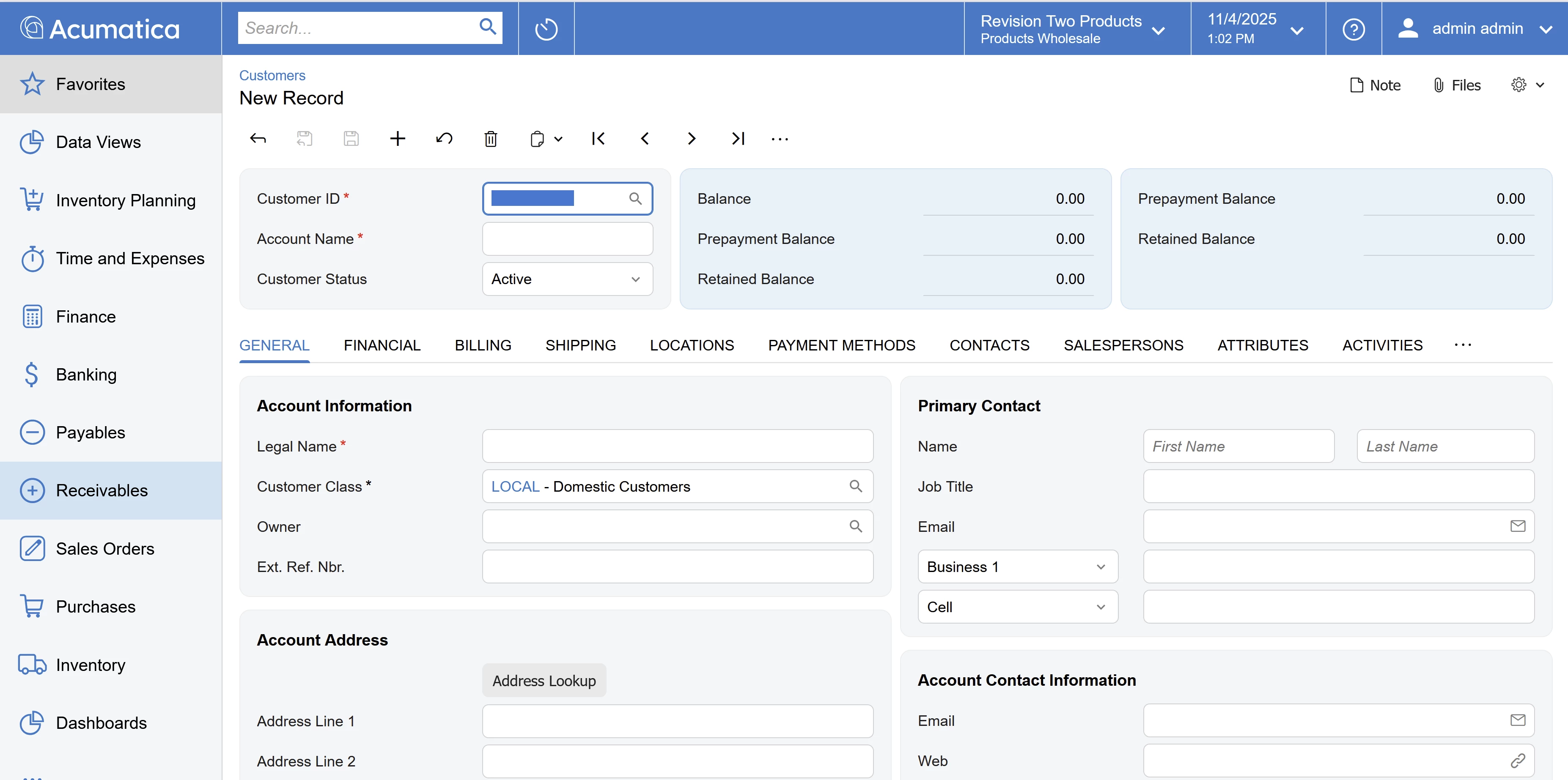
What would be the recommended way to add a 3rd column to a screen, such as AR303000, whose layout is 1-1. I need the layout to be 1-1-1.
Existing qp-template below. I need to override that so that name=”1-1-1” so that I can add a fieldset to column C.
<qp-template name="1-1" class="equal-height label-size-m" id="formCustomer" >
	<qp-fieldset slot="A" id="columnFirstHeader" view.bind="BAccount" wg-container="BAccount_BAccount">
		<field name="AcctCD"></field>
		<using wg-container="CurrentCustomer_tab" view="CurrentCustomer">
			<field name="AcctName"></field>
		</using>
		<field name="Status"></field>
	</qp-fieldset>
	<qp-fieldset slot="B" id="columnSecondHeader" view.bind="CustomerBalance" class="highlights-section" wg-container="CustomerBalance_CustomerBalance">
		<field name="Balance">
			<qp-label slot="label" caption.bind="CustomerBalance.Balance_Label.value"></qp-label>
		</field>
		<field name="ConsolidatedBalance">
			<qp-label slot="label" caption.bind="CustomerBalance.ConsolidatedBalance_Label.value"></qp-label>
		</field>
		<field name="SignedDepositsBalance">
			<qp-label slot="label" caption.bind="CustomerBalance.SignedDepositsBalance_Label.value"></qp-label>
		</field>
		<field name="RetainageBalance">
			<qp-label slot="label" caption.bind="CustomerBalance.RetainageBalance_Label.value"></qp-label>
		</field>
	</qp-fieldset>

</qp-template>