Answer

Mobile Application Site Map Error

  • June 19, 2025
  • 9 replies
  • 147 views

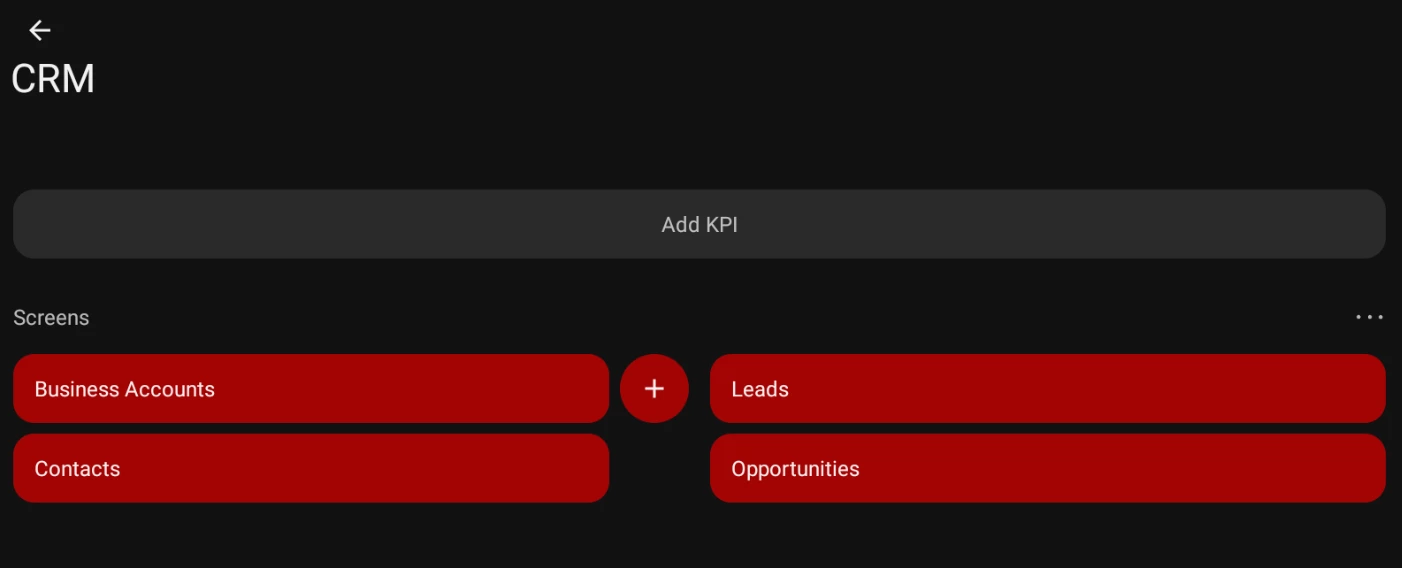
Our company is going to start implementing the CRM module on the mobile app, so I am in charge of publishing and customizising the defferent screens they feel they will be using the most often, which are Leads, Contacts, Opportunities, and Busines Accounts. However, I run into issues with all these screens.

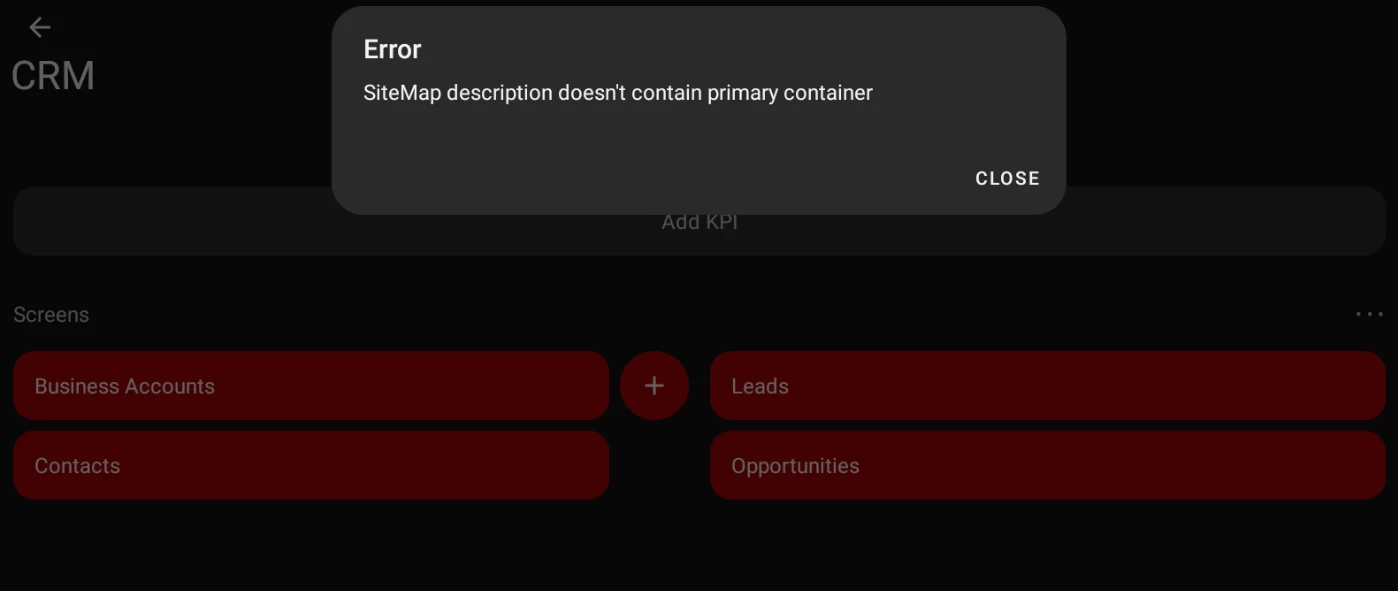
They all had screens initially in the CRM folder on Mobile, but trying to access the GI’s in the mobile app all give the same error, ‘SiteMap description doesn’t contain primary container’.

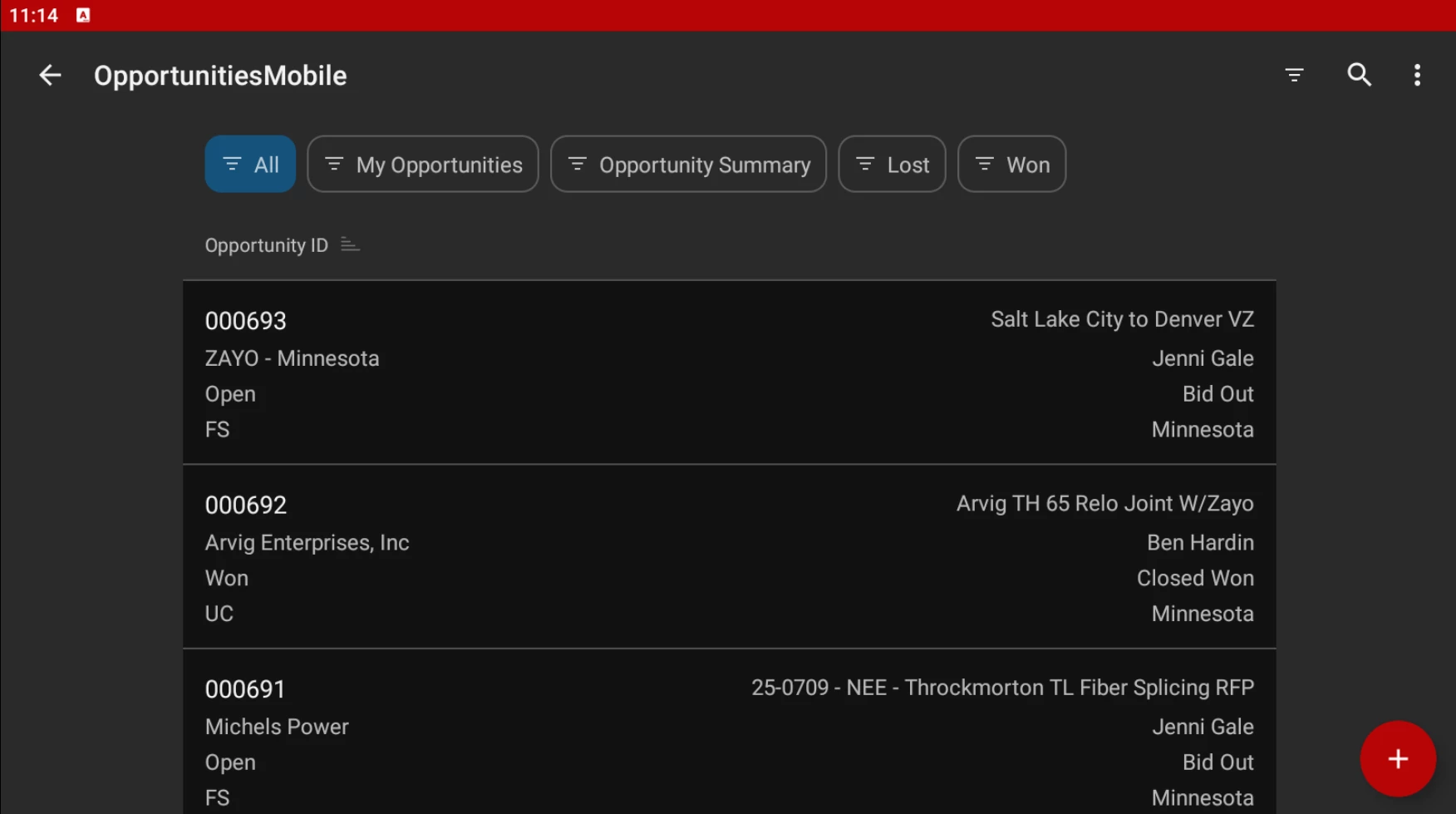
CRM folder:


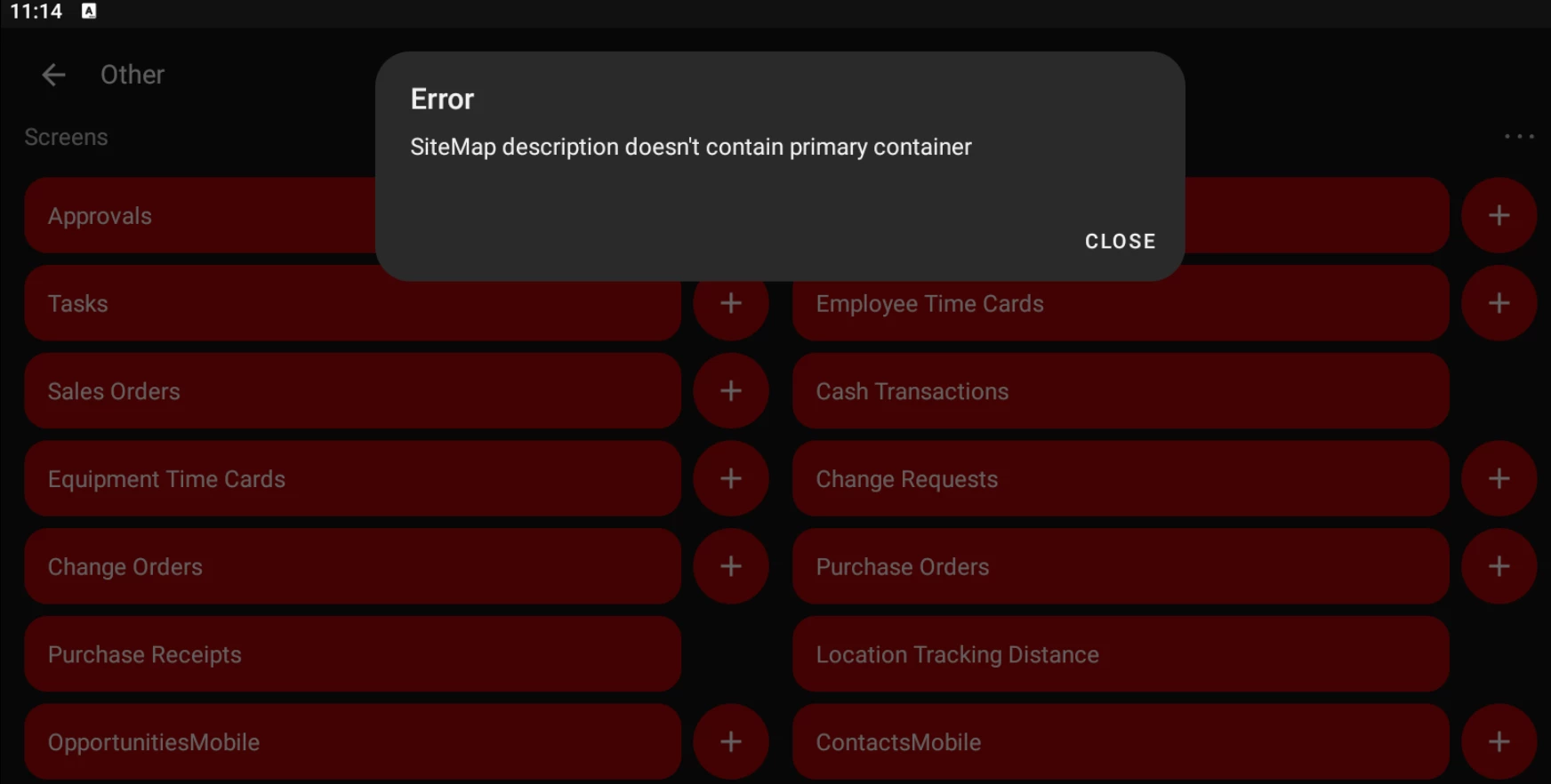
Error when clicking on any of them:


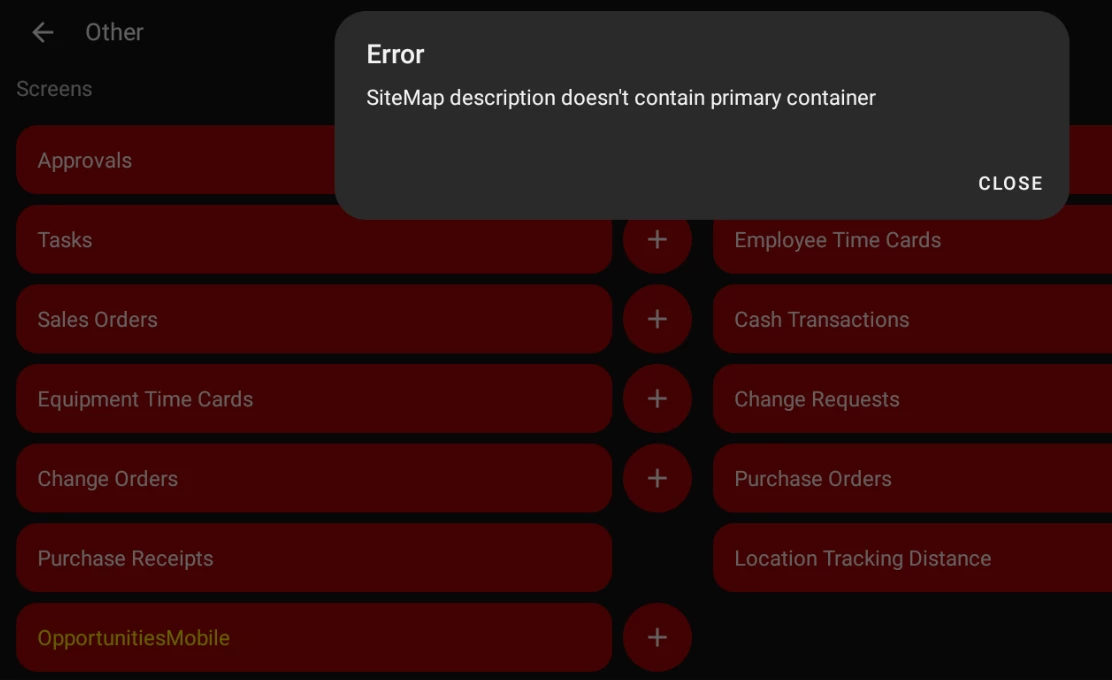
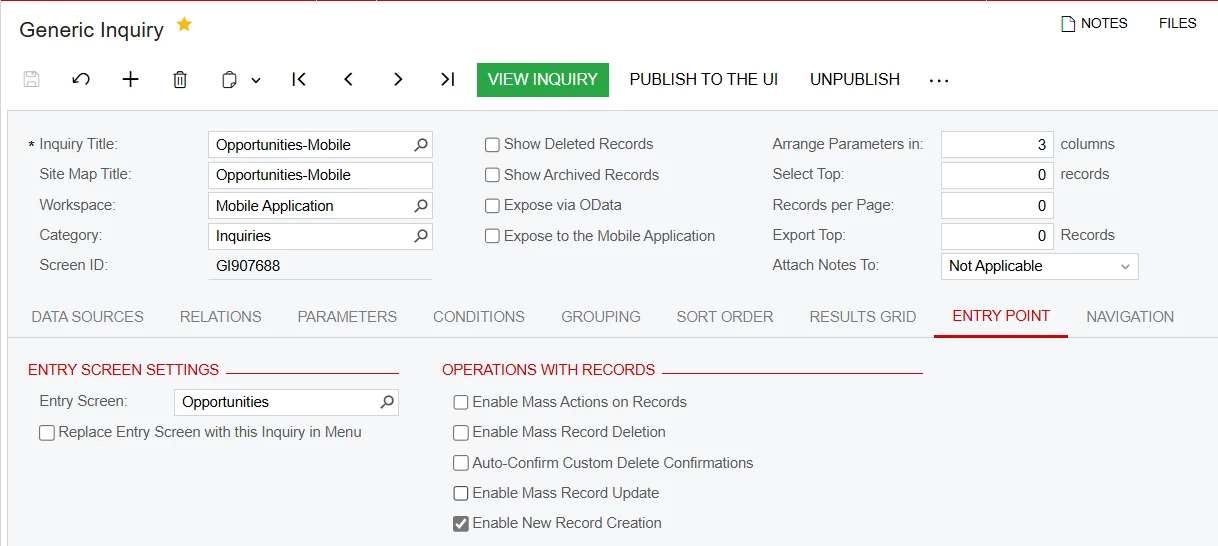
I have also tried creating separate, simple GI’s that would work as a substitute for these screens, like OpportunitiesMobile, but the same error occurs:


I am at a loss on how to procees, and in the MSDL, adding ‘primary = true’ just gives a list of errors, and the only other item I’ve been able to find through the community was to delete and re-create teh SiteMaps, which I have done to no success. Any help will be appreciated.

Best answer by DrewNisley

@jeremiahjohnson For your Update Menu MSDL you don’t have to add the opportunity screen. It’s already added. Same with the Contacts screen. They should just look like this. That might be what’s causing your error.


update sitemap {
  add folder "OpportunitiesMobile" {
    type = HubFolder
    add item "GI907688" {
      displayName = "Opportunities-Mobile"
    }
  }
    
    add folder "ContactsMobile" {
    type = HubFolder
    add item "GI907689" {
      displayName = "Contacts-Mobile"
    }
  }
}


As for the simple screen not working, make sure you just have the result container inside of your MSDL. And I don’t even specify Type=SimpleScreen 

Like this:

add screen GI907688 {
  add container "Result" {
    fieldsToShow = 8
    listActionsToExpand = 1
    containerActionsToExpand = 1
    add field "OpportunityID"
    add field "Subject"
    add field "AccountName"
    add field "Contact"
    add field "Status"
    add field "Stage"
    add field "DivisionResponsible"
    add field "Branch"
    add containerAction "editDetail" {
      behavior = Open
      redirect = True
    }
    add containerAction "insert" {
      icon = "system://Plus"
      behavior = Create
      redirect = True
    }
  }
}

9 replies

DrewNisley
Pro I
Forum|alt.badge.img+3
  • Pro I
  • June 19, 2025

Can you share your MSDL? Likely you don’t have the correct container name specified for the primary container.


Hi ​@DrewNisley, here is the MSDL for the Opportunities-Mobile GI screen:
add screen GI907688 {
  type = FilterListScreen
  add container "Filter_" {
    add field "Status"  
  }
    
  add container "Result" {
    fieldsToShow = 8
    listActionsToExpand = 1
    containerActionsToExpand = 1
    add field "OpportunityID"
    add field "Subject"
    add field "AccountName"
    add field "Contact"
    add field "Status"
    add field "Stage"
    add field "DivisionResponsible"
    add field "Branch"
    add containerAction "editDetail" {
      behavior = Open
      redirect = True
      redirectToScreen = "CR304000"
    }
    add containerAction "insert" {
      icon = "system://Plus"
      behavior = Create
      #screen = "CR304000"
      redirect = True
      redirectToScreen = "CR304000"
    }
  }
}


And here is what I have added to the SiteMap to make it visible:

update sitemap {
  add folder "OpportunitiesMobile" {
    type = HubFolder
    add item "GI907688" {
      displayName = "Opportunities-Mobile"
    }
    add item "CR304000" {
    visible = False
    }
  }
}

I have also attached the xml file for the GI screen.


dcomerford
Captain II
Forum|alt.badge.img+15
  • Captain II
  • June 19, 2025

@jeremiahjohnson 

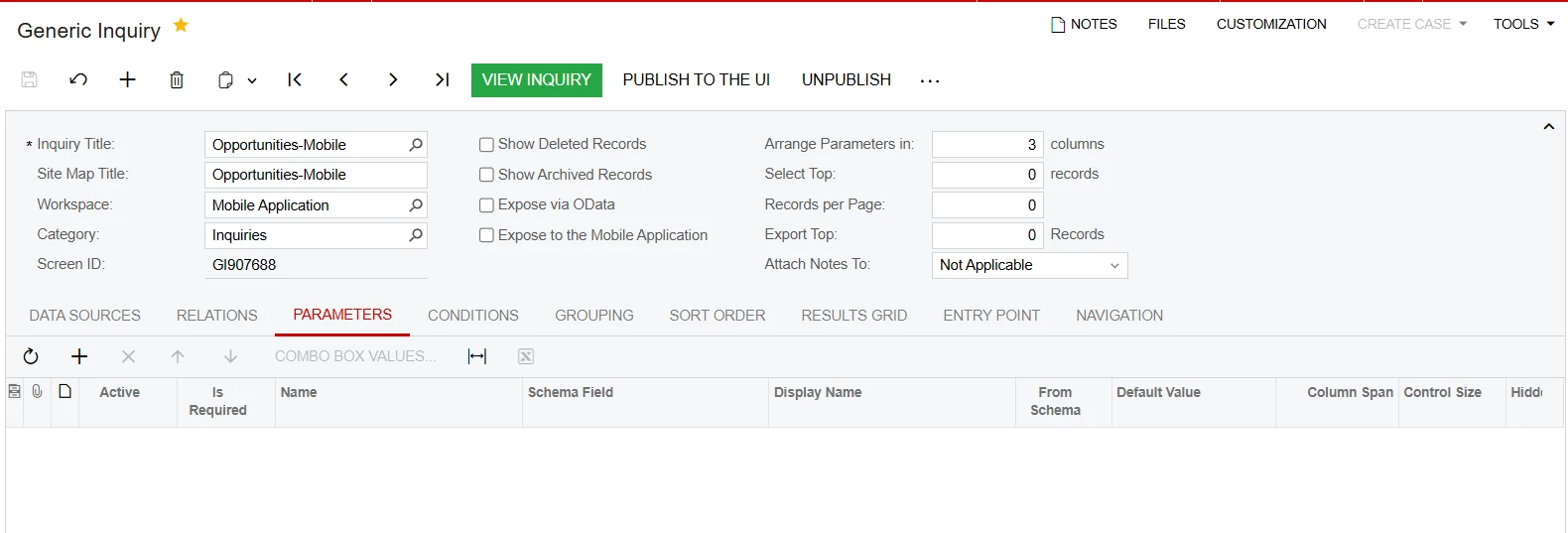
Does the GI only have one Parameter when you run it (I cannot open the GI)

Has the GI got the Entry Screen set to Opportunities

You dont need to specify the screens on the Edit/Insert

    add containerAction "Insert" {
      icon = "system://Plus"
      behavior = Create
      redirect = True
    }
    add containerAction "EditDetail" {
      behavior = Open
      redirect = True
    }


@dcomerford 
The GI has no parameters in it, and it does have the Entry Screen Set to Opportunities.


Here is the xml file for the GI itself as well.


DrewNisley
Pro I
Forum|alt.badge.img+3
  • Pro I
  • June 19, 2025

You need to set a parameter and use conditions for the “Filter_” container to exist. Without parameters, there is no “Filter_” container, hence throwing your error.

Edit: Or remove that section entirely if you don’t care about the filter and use type = SimpleScreen like ​@dcomerford said


dcomerford
Captain II
Forum|alt.badge.img+15
  • Captain II
  • June 19, 2025

@jeremiahjohnson 

Your script is setup to have a Filter on the Status so believe that is your error. Your script should look like this 

add screen GI907688 {
  type = SimpleScreen
 
  add container "Result" {
    fieldsToShow = 8
    listActionsToExpand = 1
    containerActionsToExpand = 1
    add field "OpportunityID"
    add field "Subject"
    add field "AccountName"
    add field "Contact"
    add field "Status"
    add field "Stage"
    add field "DivisionResponsible"
    add field "Branch"
    add containerAction "editDetail" {
      behavior = Open
      redirect = True
    }
    add containerAction "insert" {
      icon = "system://Plus"
      behavior = Create
      redirect = True
    }
  }
}


@dcomerford ​@DrewNisley 
Thanks for the feedback. This is the second version of the MSDL, initially I did have just the ‘type = SimpleScreen’ rather than the ‘type = FilterListScreen’, and received the same error of ‘SiteMap description doesn’t contain primary container’. I will try adding in a parameter and using FilterListScreen again and also using SimpleScreen again as well, and respond again if anything changes.


@dcomerford ​@DrewNisley 

Sorry for the late reply. I have tries both approaches, one with adding in the parameter to the screen for type = FilterListScreen to work and another having the type = SimpleScreen. I have this done with two GI’s to run them concurrently. The new GI, GI907689, is built very similarly, just with Contacts instead of Opportunities. Once I added the ‘Status’ parameter to the Opportunities GI, it worked, allowing me access to the GI as well as the shared filters that had been added to the GI. For the type = SimpleScreen, the same error just popped up as before, ‘SiteMap description doesn’t contain promary container’.


Since I now have the GI and the shared filters available, now I just have one item left to solve, which is inserting new records through this GI. when I select the plus button next to OpportunitiesMobile, I receive an ‘Object Reference not set to an instance of an object’ error. When I am in the GI itself and click the plus button, I recieve a ‘Insert is forbidden for this container error. I have attached the updated xml’s for the OpportunitiesMobile GI, and below is the updated MSDL for the GI screen:

add screen GI907688 {
  type = FilterListScreen
  add container "Filter_" {
    add field "Status"  
  }
    
  add container "Result" {
    fieldsToShow = 8
    listActionsToExpand = 1
    containerActionsToExpand = 1
    add field "OpportunityID"
    add field "Subject"
    add field "AccountName"
    add field "Contact"
    add field "Status"
    add field "Stage"
    add field "DivisionResponsible"
    add field "Branch"
    add containerAction "editDetail" {
      behavior = Open
      redirect = True
    }
    add containerAction "insert" {
      icon = "system://Plus"
      behavior = Create
      redirect = True
    }
  }
}


And here is the updated Update Menu MSDL:

update sitemap {
  add folder "OpportunitiesMobile" {
    type = HubFolder
    add item "GI907688" {
      displayName = "Opportunities-Mobile"
    }
    add item "CR304000" {
    visible = False
    }
  }
    
    add folder "ContactsMobile" {
    type = HubFolder
    add item "GI907689" {
      displayName = "Contacts-Mobile"
    }
    add item "CR302000" {
    visible = False
    }
  }
}


Once again, thank you for the help so far, and further help will be much appreciated!


DrewNisley
Pro I
Forum|alt.badge.img+3
  • Pro I
  • Answer
  • June 23, 2025

@jeremiahjohnson For your Update Menu MSDL you don’t have to add the opportunity screen. It’s already added. Same with the Contacts screen. They should just look like this. That might be what’s causing your error.

update sitemap {
  add folder "OpportunitiesMobile" {
    type = HubFolder
    add item "GI907688" {
      displayName = "Opportunities-Mobile"
    }
  }
    
    add folder "ContactsMobile" {
    type = HubFolder
    add item "GI907689" {
      displayName = "Contacts-Mobile"
    }
  }
}


As for the simple screen not working, make sure you just have the result container inside of your MSDL. And I don’t even specify Type=SimpleScreen 

Like this:

add screen GI907688 {
  add container "Result" {
    fieldsToShow = 8
    listActionsToExpand = 1
    containerActionsToExpand = 1
    add field "OpportunityID"
    add field "Subject"
    add field "AccountName"
    add field "Contact"
    add field "Status"
    add field "Stage"
    add field "DivisionResponsible"
    add field "Branch"
    add containerAction "editDetail" {
      behavior = Open
      redirect = True
    }
    add containerAction "insert" {
      icon = "system://Plus"
      behavior = Create
      redirect = True
    }
  }
}