Answer

Mobile App Screen Customization Add Field - Bills and Adjustments

  • April 3, 2023
  • 4 replies
  • 205 views

Debbie Reed CLA
Jr Varsity III
Forum|alt.badge.img

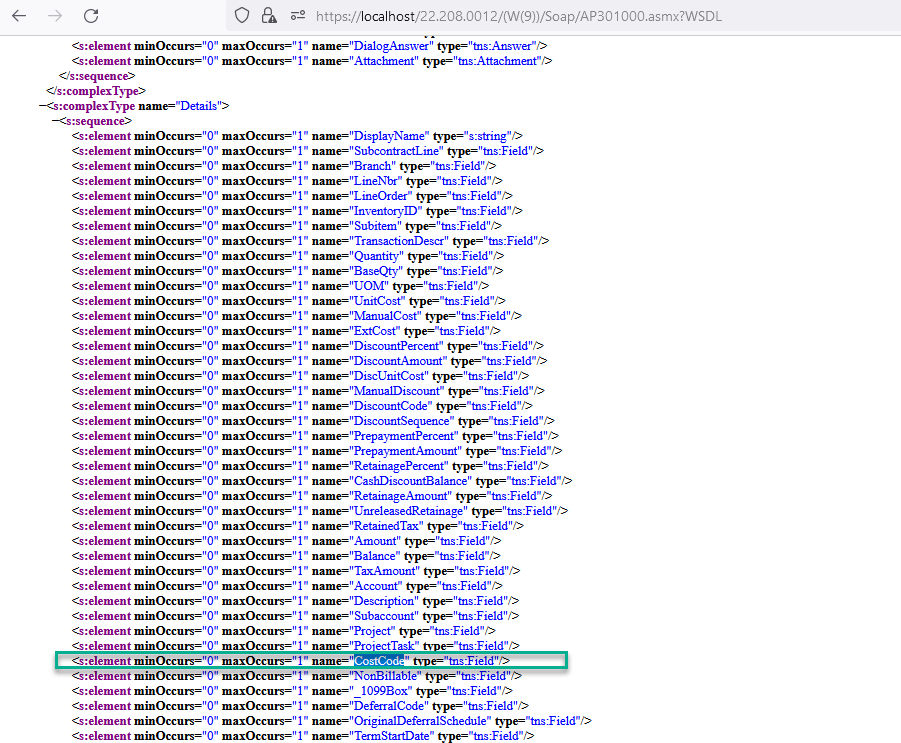
Hello!  I have created the following modification and published the Customization, but I am not seeing the new field on the Mobile App:

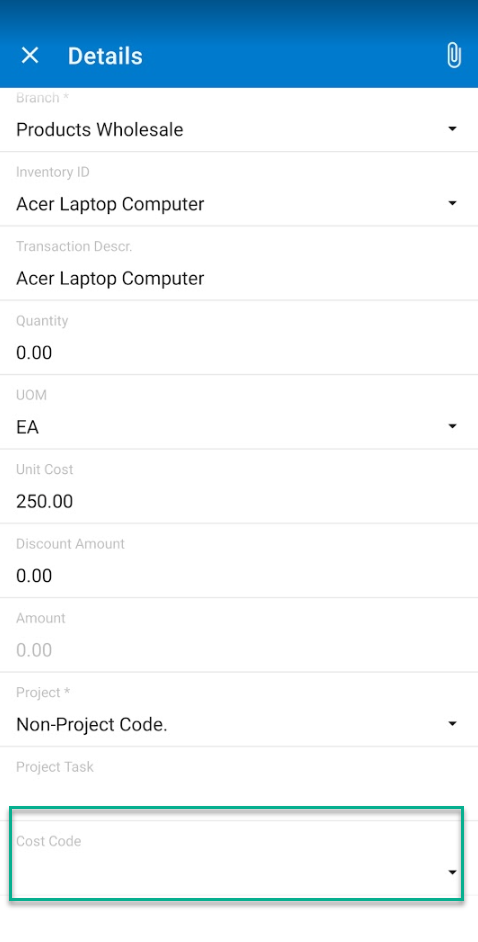
In the Mobile App, the Cost Code Description displays in the Details, but the Cost Code does not.  Client requests adding the Cost Code ID.


Work done:

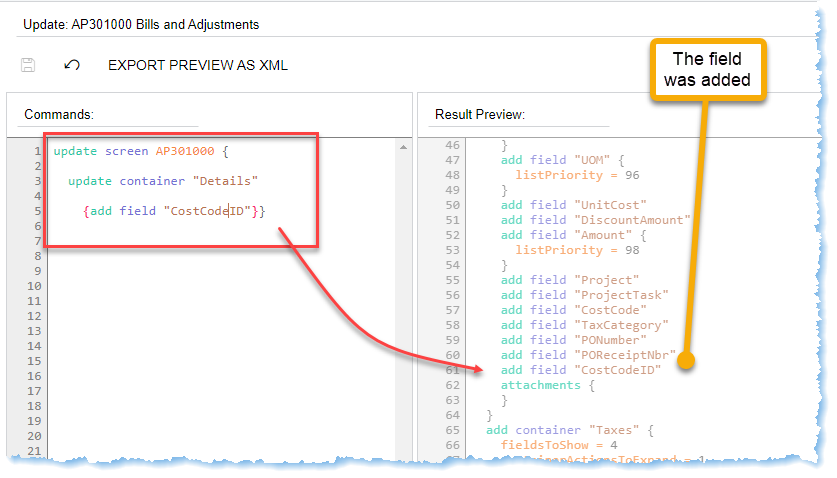
Customization code:

update screen AP301000 {
 
  update container "Details"
    
    {add field "CostCodeID"}}
 

Should be displayed here:


Best answer by Anacarina Calvo

To show the ID you need to use selectorDisplayFormat = Key 

update screen AP301000 {

  update container "Details" {

    add field "CostCode" {

        selectorDisplayFormat = Key

      }

  }

}


You could also use SelectorDisplayFormat =  KeyDescription to show Key and Description

4 replies

Anacarina Calvo
Pro I
Forum|alt.badge.img+4

Hi @Debbie Reed CLA 
Which version are you in? in 2022R2 the field is called CostCode (not CostCodeID)


update screen AP301000 {

  update container "Details" {

    add field "CostCode"

  }

}


Debbie Reed CLA
Jr Varsity III
Forum|alt.badge.img

Hi @Anacarina Calvo ,

Thank you for your reply.  Yes, that is already there, but it displays the Description of the cost code in the Mobile App, not the Cost Code itself.  Client wants to also see the code.


Anacarina Calvo
Pro I
Forum|alt.badge.img+4

To show the ID you need to use selectorDisplayFormat = Key 

update screen AP301000 {

  update container "Details" {

    add field "CostCode" {

        selectorDisplayFormat = Key

      }

  }

}


You could also use SelectorDisplayFormat =  KeyDescription to show Key and Description


Debbie Reed CLA
Jr Varsity III
Forum|alt.badge.img

Thank you @Anacarina Calvo