

Answer

Make field required but accept whitespace

  • October 26, 2024
  • 5 replies
  • 112 views

Forum|alt.badge.img

Dear experts,

I want to make field Tax Registration ID required but a single space or multiple spaces should still be considered valid input
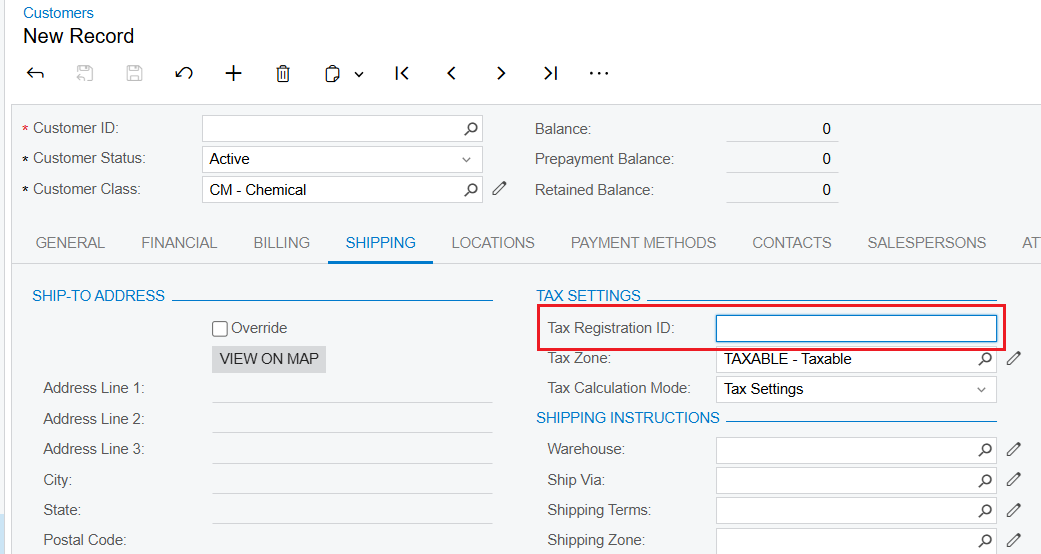
I implemented following event handler: RowPersisting, FieldVerifying, FieldUpdated but the value of this field is always null even though I input a space character “ “

I don’t know if Acumatica might be automatically trimming whitespace inputs to null during data processing.

Have you experience this kind of issue?

Best answer by jinin

Hi @mrthanhkhoi ,

  Could you please try the following?


#region UsrField1
[PXDBString(250)]
[PXUIField(DisplayName="TextField", Required = true)]
public virtual string UsrField1 { get; set; }
public abstract class usrField1 : PX.Data.BQL.BqlString.Field<usrField1> { }
#endregion
  protected void SOOrder_RowPersisting(PXCache cache, PXRowPersistingEventArgs e)
{
var row = (SOOrder)e.Row;
if (row == null) return;

// Check if CustomField is null or empty
if (string.IsNullOrEmpty(row.GetExtension< SOOrderExt>().UsrField1))
{
// // Replace null or empty with whitespace
cache.SetValue<SOOrderExt.usrField1>(row, " ");
}


5 replies

DipakNilkanth
Pro III
Forum|alt.badge.img+13

Hi @mrthanhkhoi,


You can use field verifying event and check for null or whitespaces values as below 
 

 protected void _(Events.FieldVerifying<Location.taxRegistrationID> e)
{
if (e.NewValue is string input)
{
// Check if the input is null or whitespace
if (string.IsNullOrWhiteSpace(input))
{
//your logic
}
}
}

Hope, it helps!


Forum|alt.badge.img
  • Author
  • Jr Varsity II
  • October 27, 2024

Hello @Dipak Nilkanth,

I input space character (“ “) but e.NewValue returns null.

What I expect: input space character (“ “) → somehow e.NewValue return “ ” instead of null


Forum|alt.badge.img+1
  • Jr Varsity I
  • October 29, 2024

Hi @mrthanhkhoi 


[PXDefault(PersistingCheck = PXPersistingCheck.Null)] will make make your field required and allow whitespace.


Forum|alt.badge.img
  • Author
  • Jr Varsity II
  • October 29, 2024

Hello @taras 

thanks for your suggestion but unfortunatelly, it doesn’t work. I input whitespace then save. I also attach screen recording in case you want to check


jinin
Pro I
Forum|alt.badge.img+11
  • Pro I
  • Answer
  • October 29, 2024

Hi @mrthanhkhoi ,

  Could you please try the following?


#region UsrField1
[PXDBString(250)]
[PXUIField(DisplayName="TextField", Required = true)]
public virtual string UsrField1 { get; set; }
public abstract class usrField1 : PX.Data.BQL.BqlString.Field<usrField1> { }
#endregion
  protected void SOOrder_RowPersisting(PXCache cache, PXRowPersistingEventArgs e)
{
var row = (SOOrder)e.Row;
if (row == null) return;

// Check if CustomField is null or empty
if (string.IsNullOrEmpty(row.GetExtension< SOOrderExt>().UsrField1))
{
// // Replace null or empty with whitespace
cache.SetValue<SOOrderExt.usrField1>(row, " ");
}

