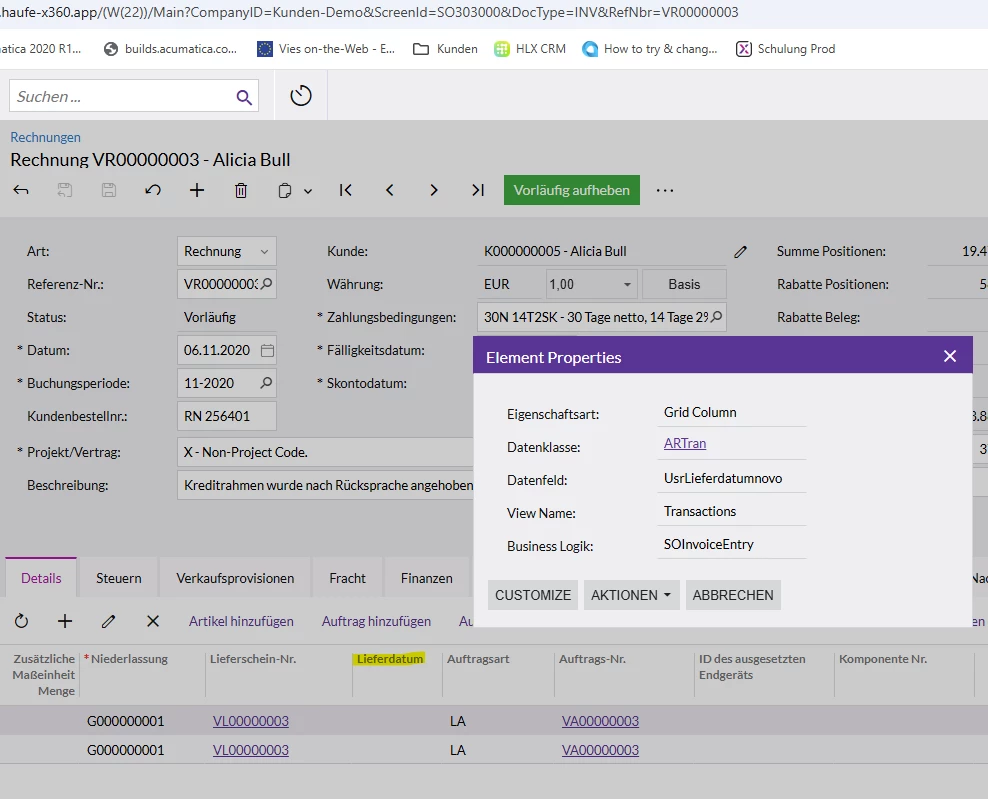
Hello everyone, I want to customize the ship date by adding a new field from the SOShipment and transfer its content to the Invoice.
Does anyone know how I can link the SOShipment and Invoice screens to include this field from the Shipment note in the invoice?
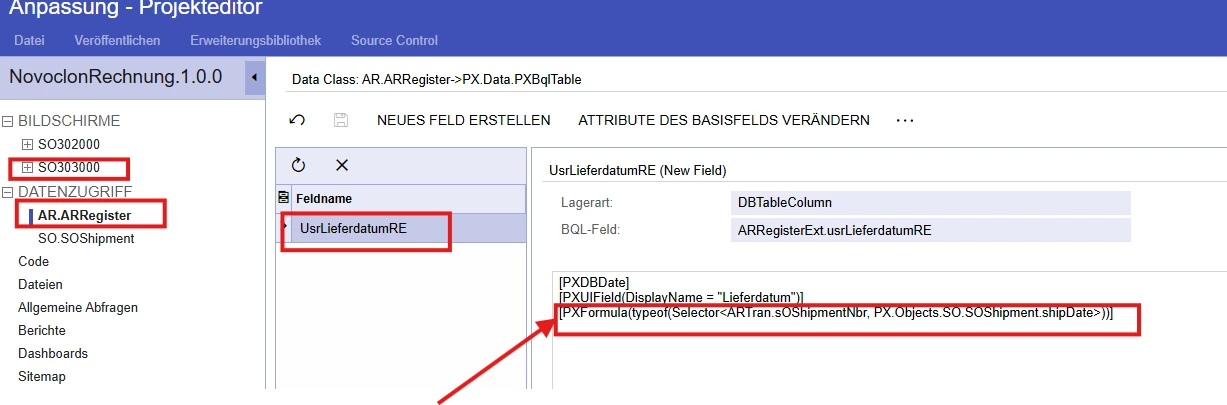
I tried to connect the screens using this formula.
Best regards,
Pantea
Best answer by harutyungevorgyan
Hello @PanteaShahrian ,
Your formula is attempting to look up SOShipment records on the ARRegister DAC by using ARTran fields. You can’t use an ARTran field to find SOShipment on the ARRegister.
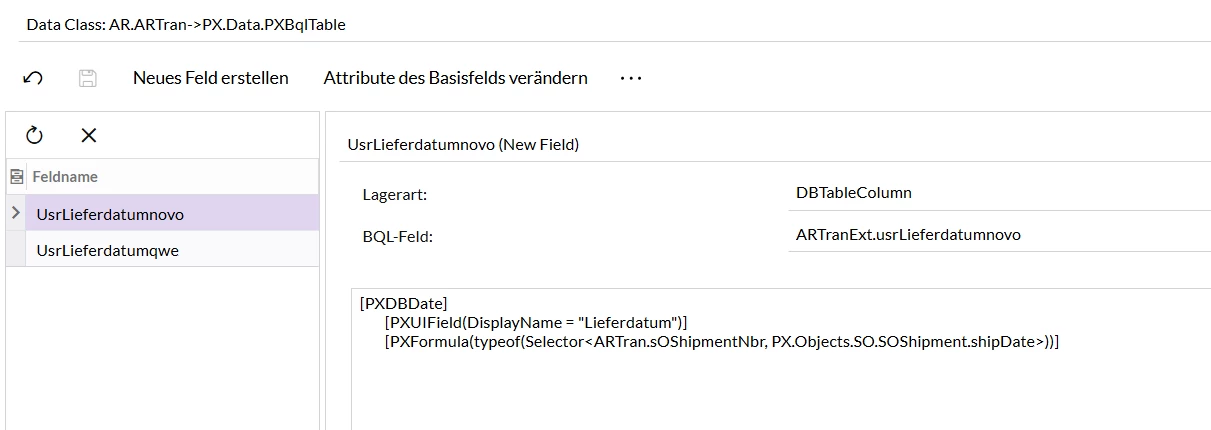
Show Lieferdatum per line: As one invoice can have multiple Shipments, I would suggest displaying “Lieferdatum” for each shipment line. Simply move your field with the PXFormula into the ARTran DAC so it evaluates on every transaction, and it will work.
Single-shipment invoices only: If you know—either for your process or your client’s—that each invoice will always have exactly one shipment, add a ShipmentNbr field to the ARRegister (invoice header). During the document’s Persist, check if that field is still null and, if so, populate it with the first shipment number retrieved from your Transactions (ARTran) view; this way, you will be sure that the logic will work only once after the first Shipment line added. After the header’s ShipmentNbr is set, your existing PXFormula on ARRegister will reliably return the correct shipment date; you just need to change it a little bit like this :[PXFormula(typeof(Selector<ARRegisterExt.usrSOShipmentNbr, SOShipment.shipDate>))]
Your formula is attempting to look up SOShipment records on the ARRegister DAC by using ARTran fields. You can’t use an ARTran field to find SOShipment on the ARRegister.
Show Lieferdatum per line: As one invoice can have multiple Shipments, I would suggest displaying “Lieferdatum” for each shipment line. Simply move your field with the PXFormula into the ARTran DAC so it evaluates on every transaction, and it will work.
Single-shipment invoices only: If you know—either for your process or your client’s—that each invoice will always have exactly one shipment, add a ShipmentNbr field to the ARRegister (invoice header). During the document’s Persist, check if that field is still null and, if so, populate it with the first shipment number retrieved from your Transactions (ARTran) view; this way, you will be sure that the logic will work only once after the first Shipment line added. After the header’s ShipmentNbr is set, your existing PXFormula on ARRegister will reliably return the correct shipment date; you just need to change it a little bit like this :[PXFormula(typeof(Selector<ARRegisterExt.usrSOShipmentNbr, SOShipment.shipDate>))]
Your formula is attempting to look up SOShipment records on the ARRegister DAC by using ARTran fields. You can’t use an ARTran field to find SOShipment on the ARRegister.
Show Lieferdatum per line: As one invoice can have multiple Shipments, I would suggest displaying “Lieferdatum” for each shipment line. Simply move your field with the PXFormula into the ARTran DAC so it evaluates on every transaction, and it will work.