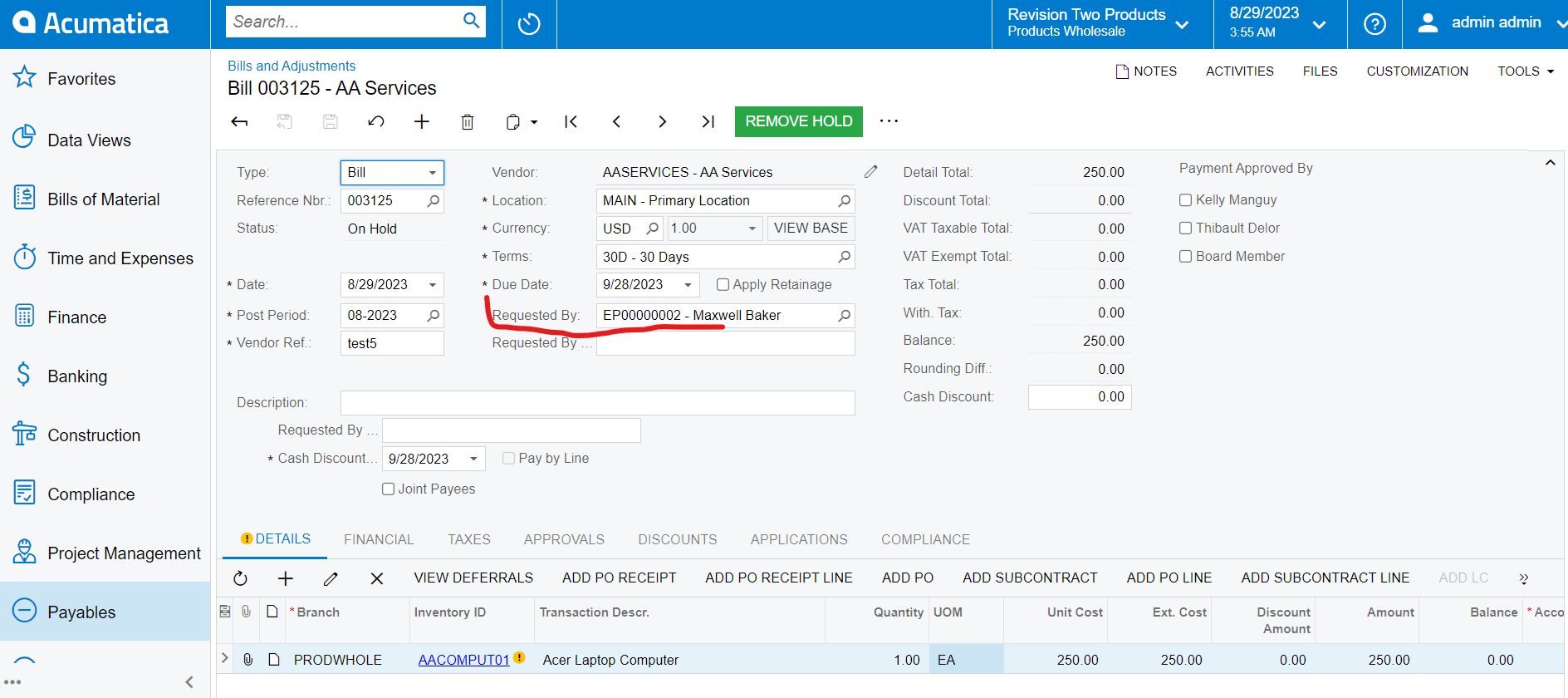
I have created custom field for Bills and Adjustments screen to approve the AP Bill.
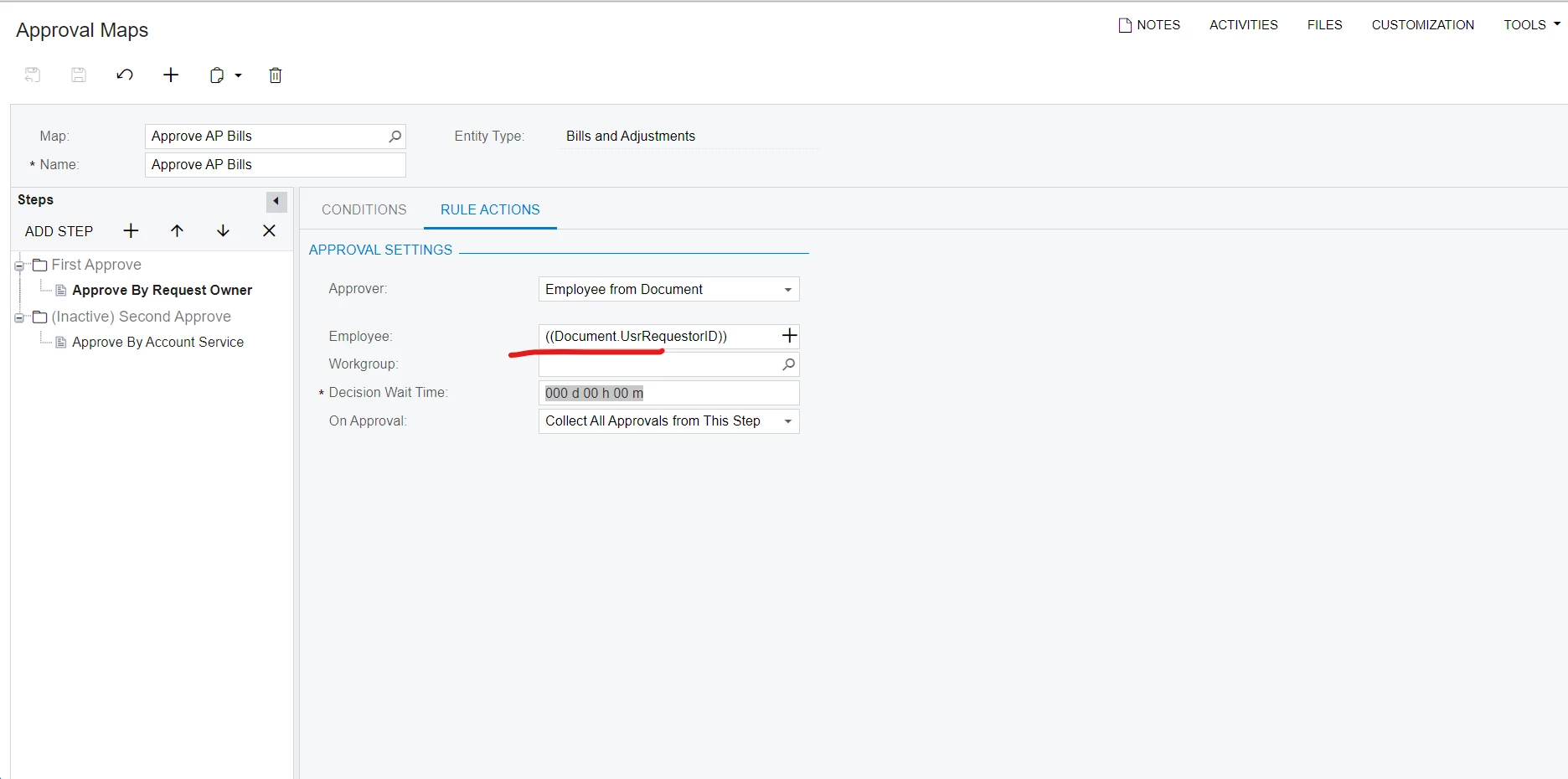
So then after I set the field to the Approve map as belows.
but it didn't work for me. Anyone know what else should I do to work for this. I used acumatica version 22 R1.
Best answer by sweta68
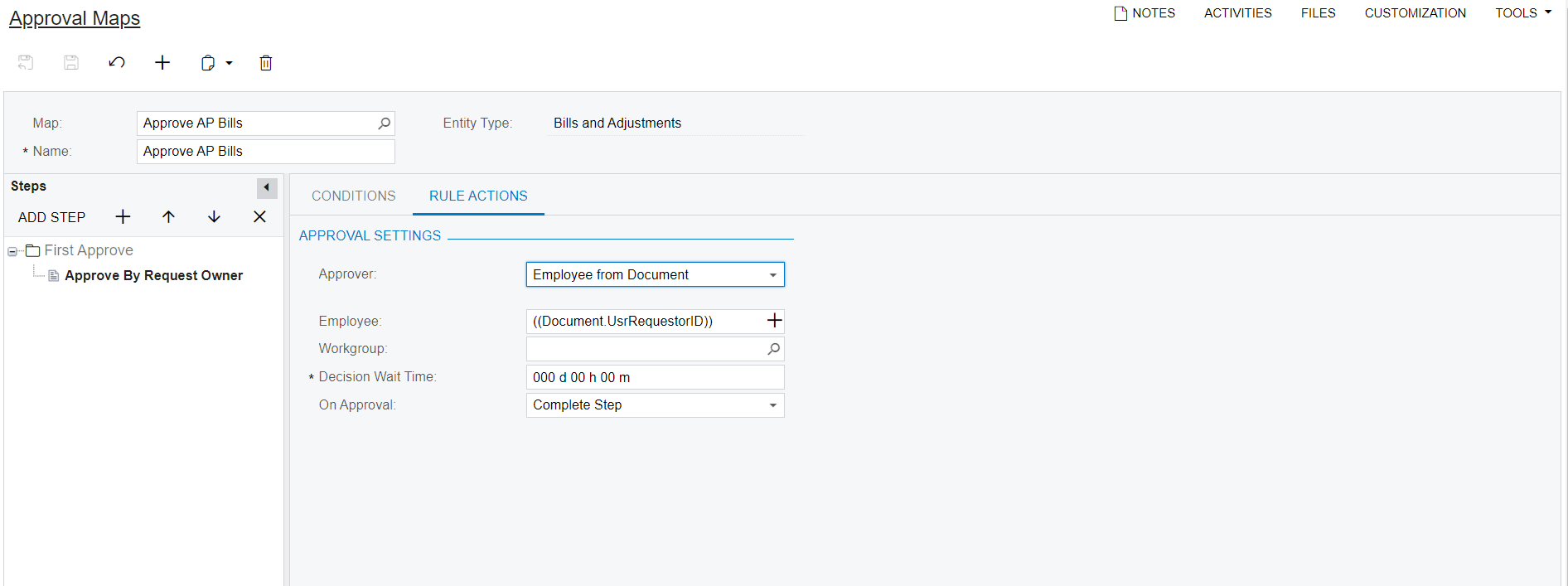
@Lalith , In latest screen shot you have just one Approver. could you please try using Approve Document in setting.
Also I think you are missing some steps. could you please go through with below Blog: Approval Blog there is steps to add your approval workflow in preferences screen.
I have reviewed your screenshot, and it appears to be correct. However, I noticed that you have included two steps in your approval process.
I think you need to set On Approval setting as “Complete step”. Then it first get approved by Requested by and wait for 2nd approver to completely approve the document.
I have reviewed your screenshot, and it appears to be correct. However, I noticed that you have included two steps in your approval process.
I think you need to set On Approval setting as “Complete step”. Then it first get approved by Requested by and wait for 2nd approver to completely approve the document.
Regards, Sweta
Hi @sweta68, Thanks for your respond. I have done as you said. But badly doesn't work for me.
@Lalith , In latest screen shot you have just one Approver. could you please try using Approve Document in setting.
Also I think you are missing some steps. could you please go through with below Blog: Approval Blog there is steps to add your approval workflow in preferences screen.