Solved

Join inventory item table multiple times to a view

  • December 18, 2025
  • 6 replies
  • 35 views

Forum|alt.badge.img

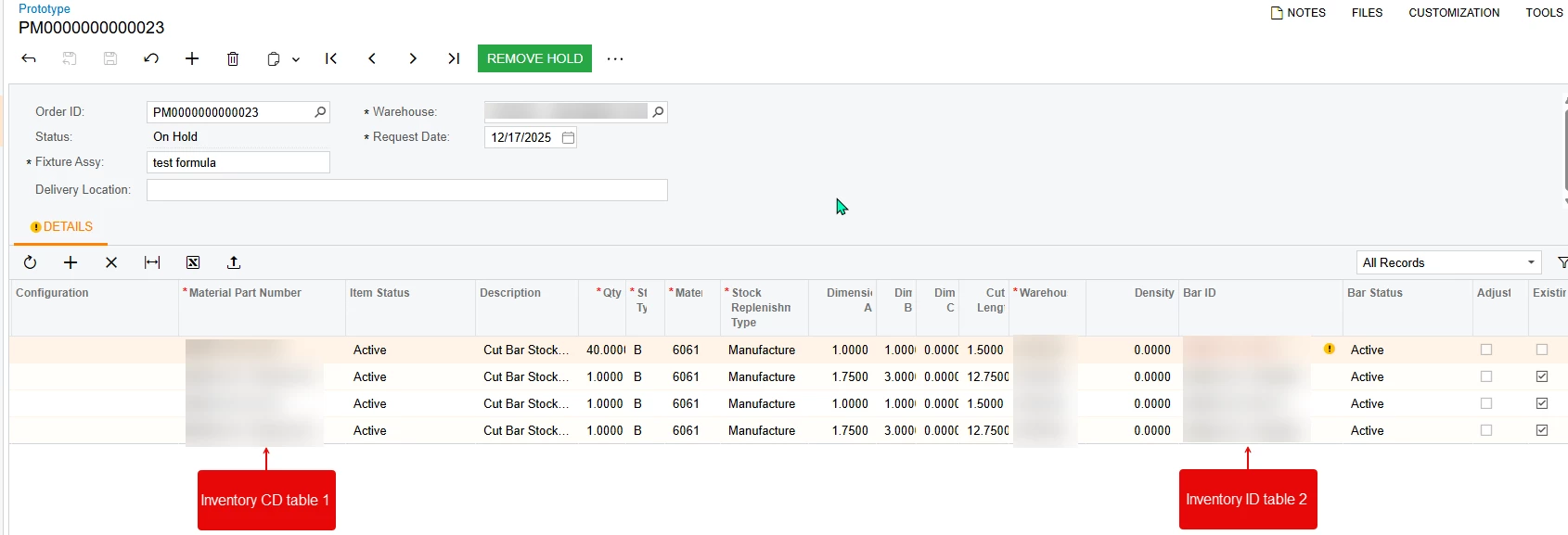
I am trying to add the inventory item table into the view for a new screen twice for two different fields. i want to pull the status of the 2 different inventory items that are on the below screen. I found a couple of articles that i tried, but when i add the table a second time with an alias, it is pulling all of the inventoryitems instead of just the one on the line item. I tried adding .fromCurrent in there and it didnt duplicate, but it didnt pull the information either. What am i doing wrong on this?

notes- the material id field is a free form text field so i have to use inventorycd for it. the barid field uses inventoryid in the table.
 

  public SelectFrom<ProtoCutLine>
.LeftJoin<InventoryItem>
.On<ProtoCutLine.materialID.IsEqual<InventoryItem.inventoryCD>>
.InnerJoin<InventoryItemTwo>
.On<ProtoCutLine.barID.IsEqual<InventoryItemTwo.inventoryID>>
.Where<ProtoCutLine.orderID.IsEqual<ProtoCut.orderID.FromCurrent>>
.View ProtoLine;

public class InventoryItemTwo : InventoryItem
{
}


https://stackoverflow.com/questions/35368268/acumatica-bql-query-with-the-same-table-more-than-once/35369326#35369326


https://stackoverflow.com/questions/36881652/how-to-join-same-table-twice-using-pxselectjoinorderby

Best answer by darylbowman

Ok, it’s complaining that it’s not the new way of defining BQL fields.

Try this:

public class InventoryItemTwo : InventoryItem
{
public new abstract class inventoryID : BqlInt.Field<inventoryID> { }
public new abstract class inventoryCD : BqlString.Field<inventoryCD> { }
}


6 replies

darylbowman
Captain II
Forum|alt.badge.img+15

Is the LeftJoin / InnerJoin purposeful? I believe it will exclude any rows that don’t have a match in the second join.


darylbowman
Captain II
Forum|alt.badge.img+15

This post states the following:

You also need to override the parameters that will be used for the comparison so the system can bound them.


I think you need something like:

public class InventoryItemTwo : InventoryItem
{
public new class inventoryID : IBqlField{}
public new class inventoryCD : IBqlField{}
}

And possibly a separate first type as well:

public class InventoryItemOne : InventoryItem
{
public new class inventoryID : IBqlField{}
public new class inventoryCD : IBqlField{}
}


Forum|alt.badge.img
  • Author
  • Varsity III
  • December 18, 2025

Is the LeftJoin / InnerJoin purposeful? I believe it will exclude any rows that don’t have a match in the second join.

i had started out with left join on both and it still did it. I tried to change it to inner join to see if that would fix it but it did not.


Forum|alt.badge.img
  • Author
  • Varsity III
  • December 18, 2025

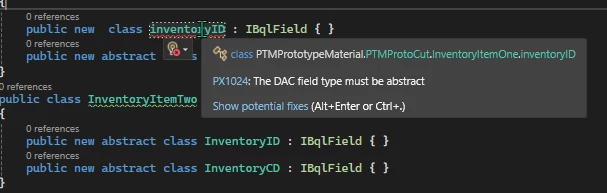
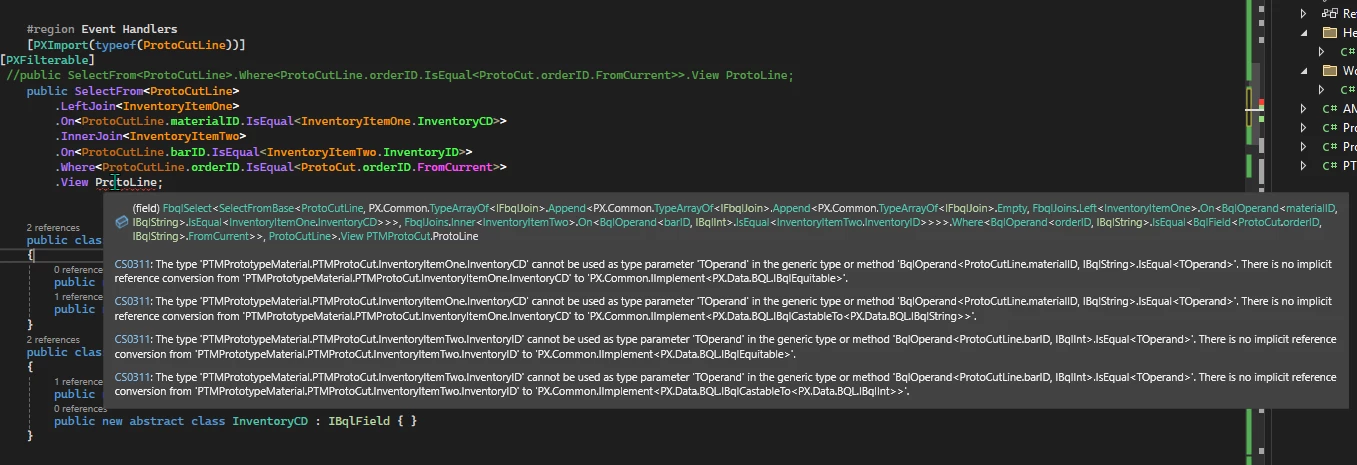
@darylbowman i added that in there and i got several errors. first it gave me errors saying it needs to be abstract. so i added that. then it gave me the below error on the view name. i changed the “inventoryID” to “InventoryID” but when i build it i get an error in the screen. when i tried it with just inventoryitemtwo, i got it to load but it was still duplicating. when i did it with one and two it also didnt work.


darylbowman
Captain II
Forum|alt.badge.img+15
  • Answer
  • December 18, 2025

Ok, it’s complaining that it’s not the new way of defining BQL fields.

Try this:

public class InventoryItemTwo : InventoryItem
{
public new abstract class inventoryID : BqlInt.Field<inventoryID> { }
public new abstract class inventoryCD : BqlString.Field<inventoryCD> { }
}


Forum|alt.badge.img
  • Author
  • Varsity III
  • December 18, 2025

@darylbowman that did it. Thank you very much!