Hello All,
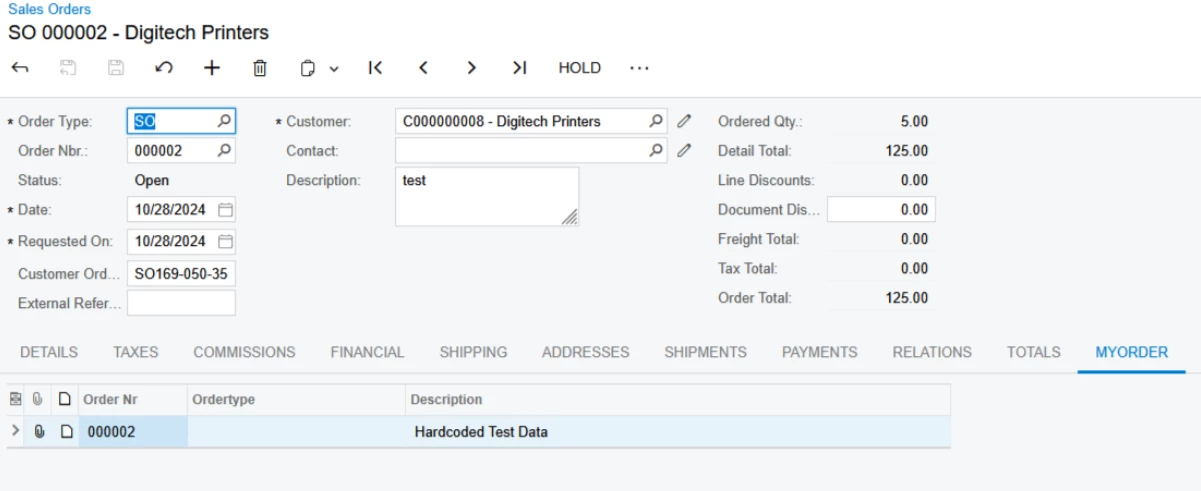
I have a scenario where I created a new tab called “MyOrder” on the Sales Order screen (SO301000) using a Customization Project. Inside this tab, I have a grid bound to a custom table (MyOrder) that has a foreign key relationship with SOOrder (OrderType and OrderNbr).
The grid correctly shows the data after I insert records inside the RowPersisted event of SOOrderEntry. The data comes from an API call (currently hardcoded for testing). Here is a simplified version of my code:
public class SOOrderEntry_Extension : PXGraphExtension<SOOrderEntry>
{
public PXSelect<MyOrder,
Where<MyOrder.ordertype, Equal<Current<SOOrder.orderType>>,
And<MyOrder.orderNr, Equal<Current<SOOrder.orderNbr>>>>>
MYOrder;
protected void _(Events.RowPersisted<SOOrder> e)
{
SOOrder row = (SOOrder)e.Row;
if (row == null) return;
if (e.TranStatus.ToString() == "Completed")
{
var graph = PXGraph.CreateInstance<SOOrderEntry>();
var myorder = new MyOrder
{
Ordertype = row.OrderType,
OrderNr = row.OrderNbr,
Description = "Hardcoded Test Data"
};
graph.Caches<MyOrder>().Insert(myorder);
graph.Actions.PressSave();
}
}
}
Problem:
- After clicking Save, the data appears in the grid immediately
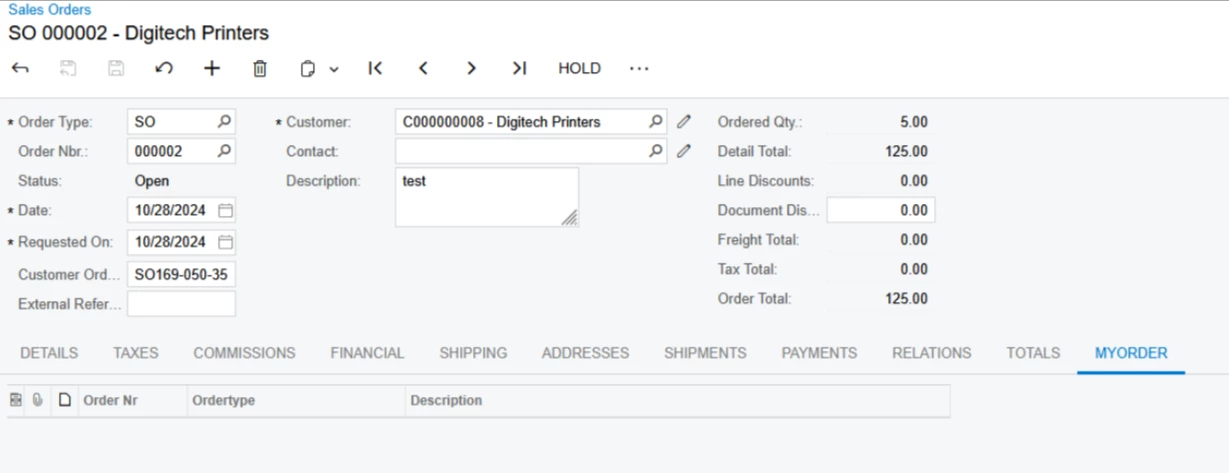
- However, if I hover the mouse over the grid header, the grid becomes empty.
- On reload the screen manually then the data is shown in the grid and it stay there even after the mouse over .
- On checking the database, the data is correctly inserted after save.
How can I ensure the grid retains the inserted data in the UI after save without disappearing on hover?
Any best practice advice for handling API-based data inserts in relation to the UI grid would be really helpful!
Thank you!