Question

Is there a way to dynamically query ANY table via API without creating multiple Generic Inquiries?

  • May 29, 2026
  • 5 replies
  • 25 views

I am currently working on an integration where I need to extract data from various tables in Acumatica. Right now, my process heavily relies on using OData via Generic Inquiries (GIs) or configuring Contract-Based REST API Endpoints.

While this works, it is becoming very inconvenient and hard to maintain. Every time there is a new requirement to get data from a new table, I have to go back into Acumatica, create a new GI (or add the table to an existing one), expose it, and publish the project.

I am looking for a much more dynamic approach.

My ideal scenario is to have a single API setup where I can just pass the target Table Name (e.g., SOOrder or InventoryItem) and the Fields I want to retrieve as parameters in the request, and have Acumatica return the data. I want to build/configure it just once and use it universally for any table in the future.

Has anyone encountered this requirement before? Is there any alternative approach, hidden feature, or a more dynamic solution to achieve this without relying on static GIs?

Any ideas, workarounds, or guidance would be greatly appreciated!

Thank you!

5 replies

Dmitrii Naumov
Acumatica Moderator
Forum|alt.badge.img+7

Adding to Dmitrii's answer (OData v4 direct DAC access). A few practical gotchas:

  1. Permissions: verify behavior in your instance before exposing DACs that contain sensitive data (Vendor with bank info, EPEmployee with personal data, etc.). Test with a low-privilege role to confirm what's filtered.
  2. Computed fields may not materialize. [PXFormula] attributes, fields populated in RowSelected, and projection-only fields can come back null on raw DAC queries. OData reads the cache snapshot, not graph behavior. Anything derived at runtime by graph logic will be missing.
  3. $select is not optional in practice. Without it, the response includes every column on the DAC (50+ on master DACs like ARInvoice, SOOrder, InventoryItem, including audit fields and BLOBs). Always list the fields you need; payload and latency drop significantly.
  4. $expand only follows declared navigation properties. Ad-hoc joins across DACs not related via [PXSelector] or [PXParent] need either client-side stitching or a GI.
  5. Large detail tables hurt. Pulling SOLine or ARTran for a wide date range without $top and a tight $filter is a fast way to time out.

Auth: OAuth2 for production integrations; Basic for quick experiments; cookie auth via /entity/auth/login works but session lifetime is shorter.


  • Author
  • Freshman II
  • May 30, 2026


Adding to Dmitrii's answer (OData v4 direct DAC access). A few practical gotchas:

  1. Permissions: verify behavior in your instance before exposing DACs that contain sensitive data (Vendor with bank info, EPEmployee with personal data, etc.). Test with a low-privilege role to confirm what's filtered.
  2. Computed fields may not materialize. [PXFormula] attributes, fields populated in RowSelected, and projection-only fields can come back null on raw DAC queries. OData reads the cache snapshot, not graph behavior. Anything derived at runtime by graph logic will be missing.
  3. $select is not optional in practice. Without it, the response includes every column on the DAC (50+ on master DACs like ARInvoice, SOOrder, InventoryItem, including audit fields and BLOBs). Always list the fields you need; payload and latency drop significantly.
  4. $expand only follows declared navigation properties. Ad-hoc joins across DACs not related via [PXSelector] or [PXParent] need either client-side stitching or a GI.
  5. Large detail tables hurt. Pulling SOLine or ARTran for a wide date range without $top and a tight $filter is a fast way to time out.

Auth: OAuth2 for production integrations; Basic for quick experiments; cookie auth via /entity/auth/login works but session lifetime is shorter.

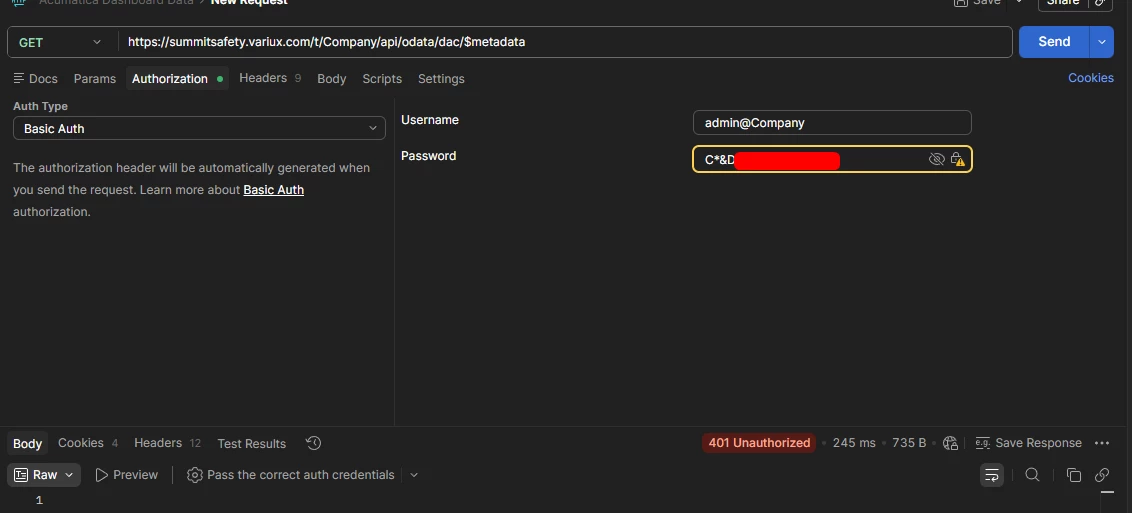
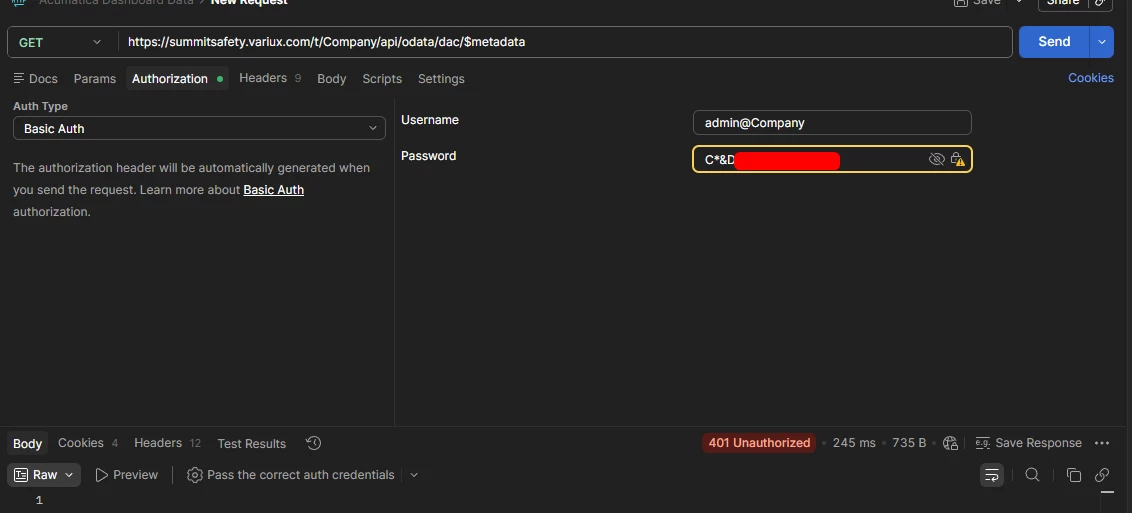
I'm trying to access DACs directly through OData v4 in Acumatica 24R2 by following the official documentation, but I keep getting a 401 Unauthorized error in Postman. I am using Basic Authentication.

I have verified the following, but the issue persists:

  1. URL Structure: I am using the new routing for 24R2: https://[my-domain]/t/Company/api/odata/dac/$metadata


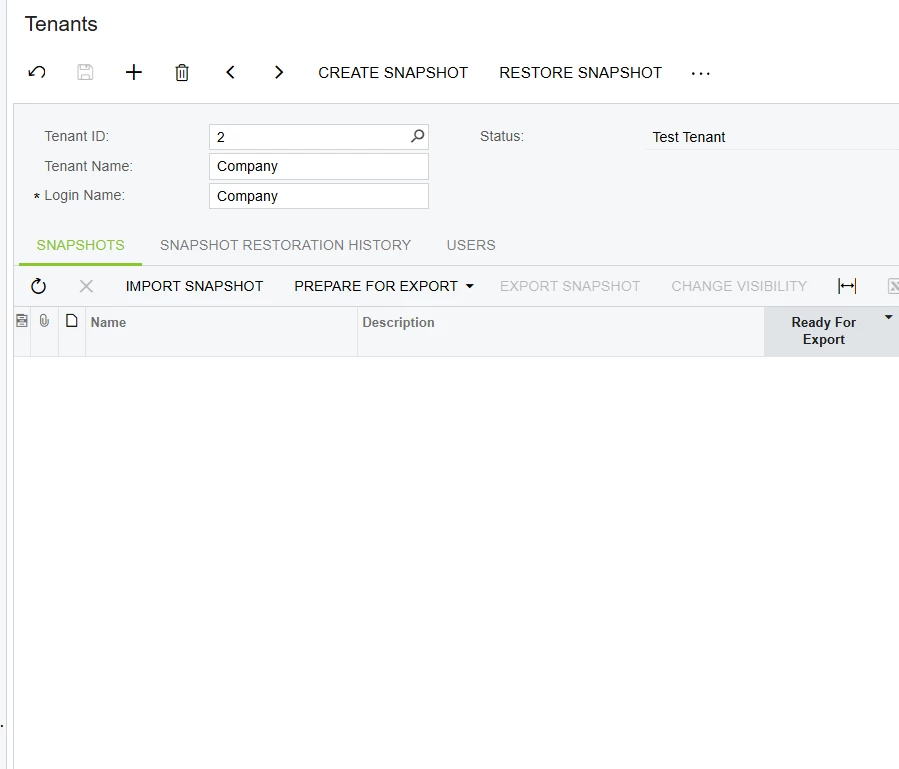
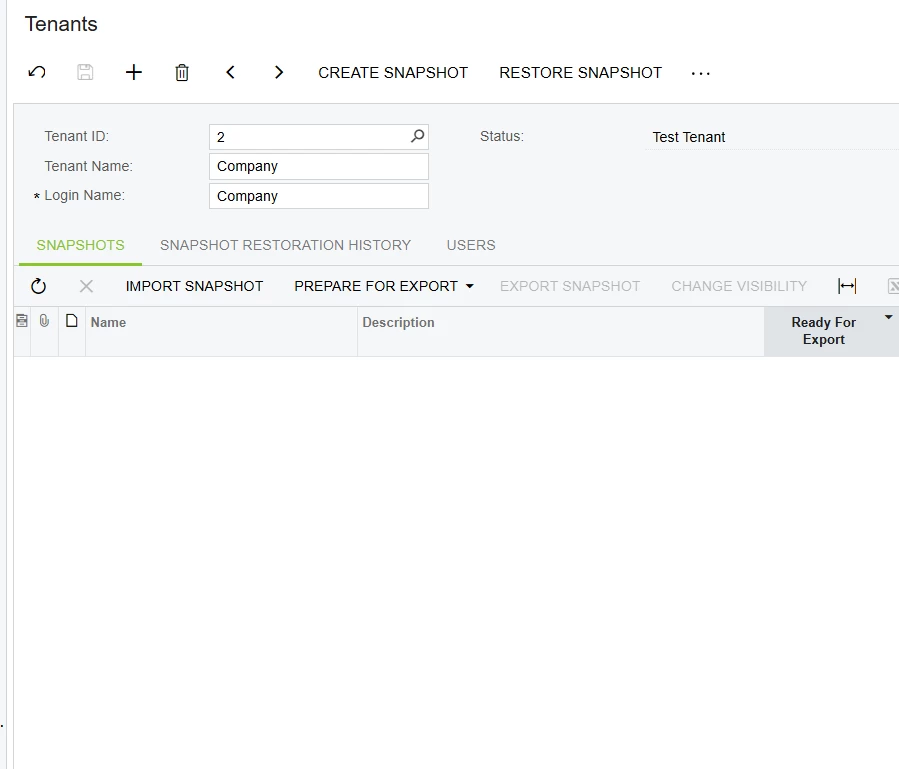
  2. Credentials in Postman: My Acumatica instance only has a single tenant named "Company". I have tried passing the username as just admin, as well as admin@Company (matching the exact Login Name of the Tenant). I provided the correct password in both attempts, but both still resulted in the same 401 Unauthorized error.


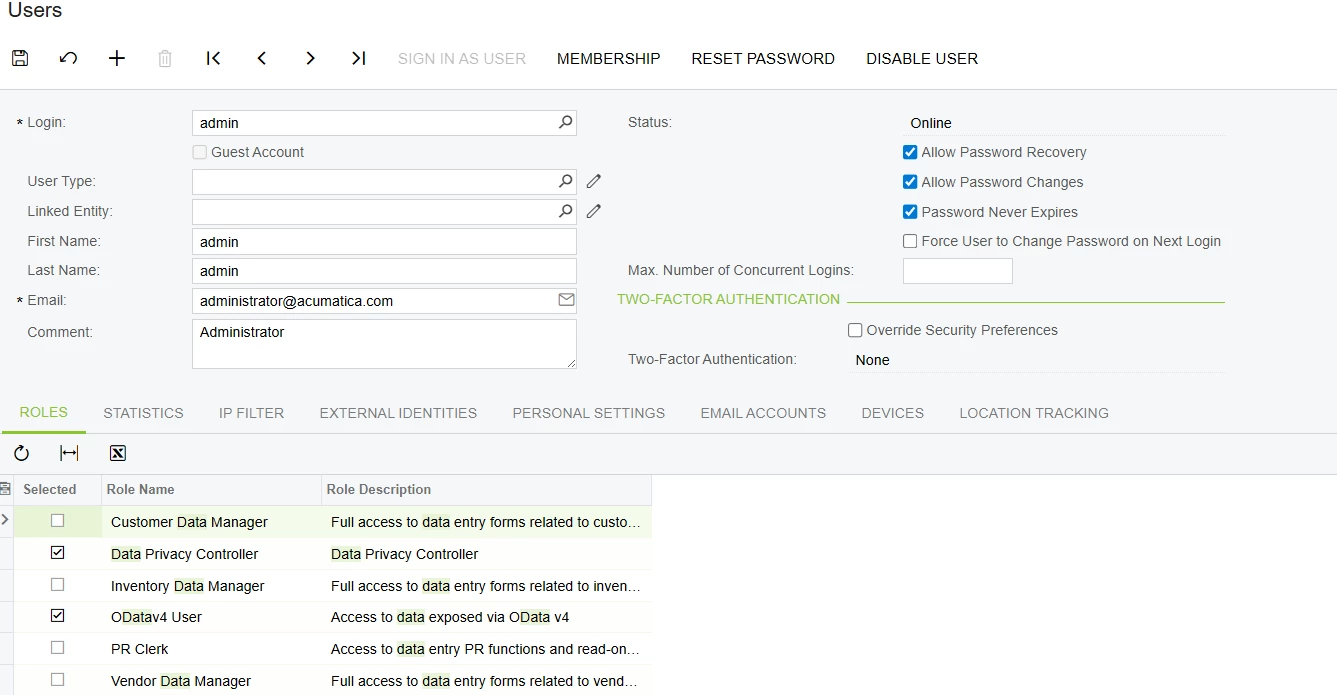
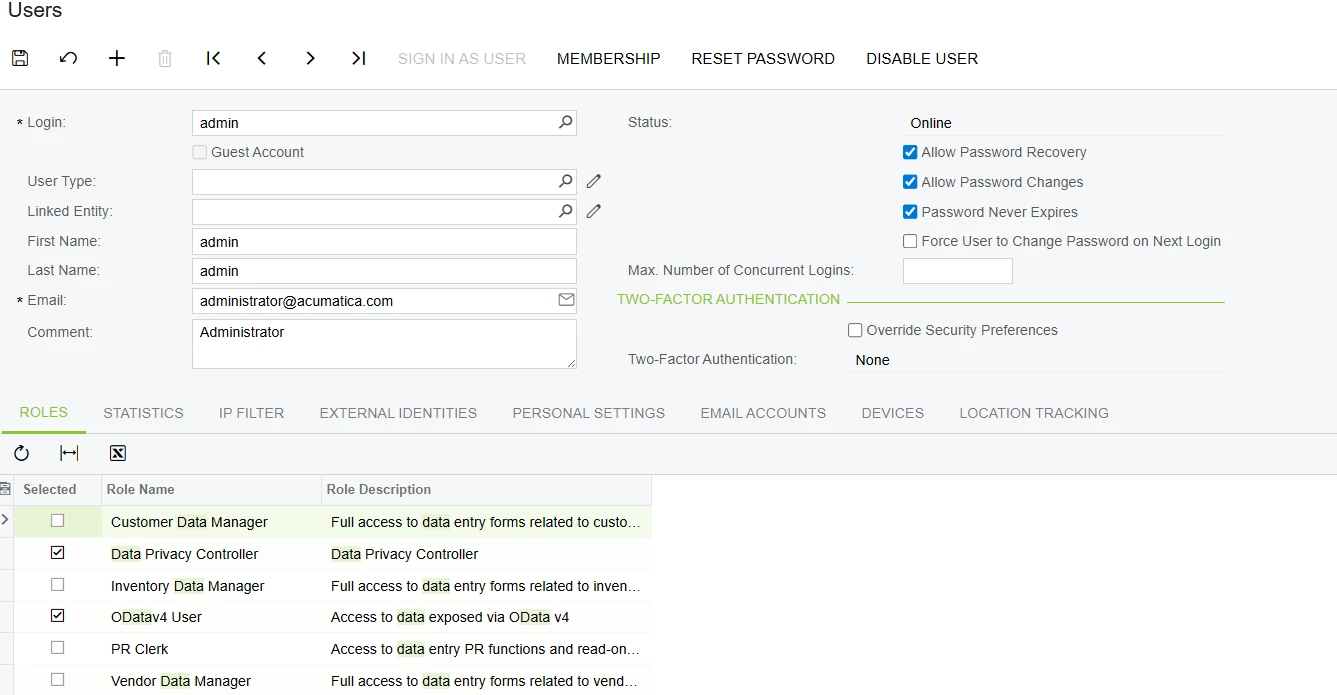
  3. User Roles: My admin user has the ODatav4 User role assigned.


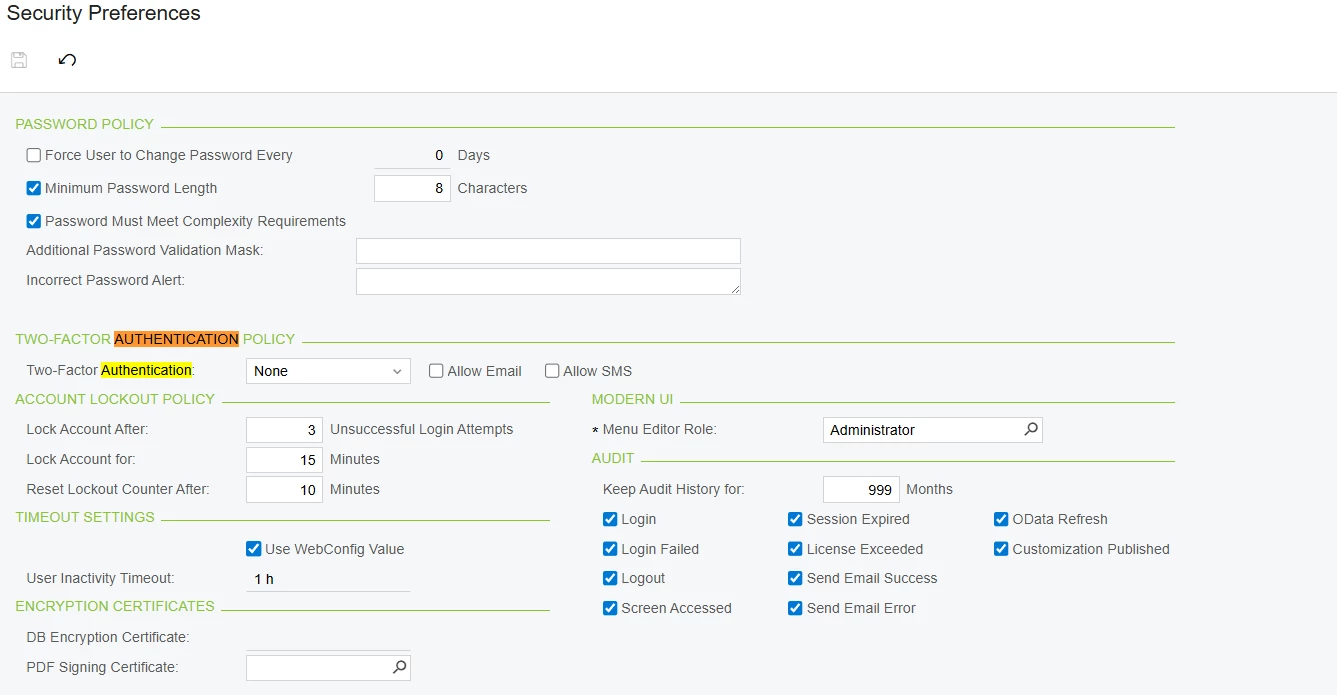
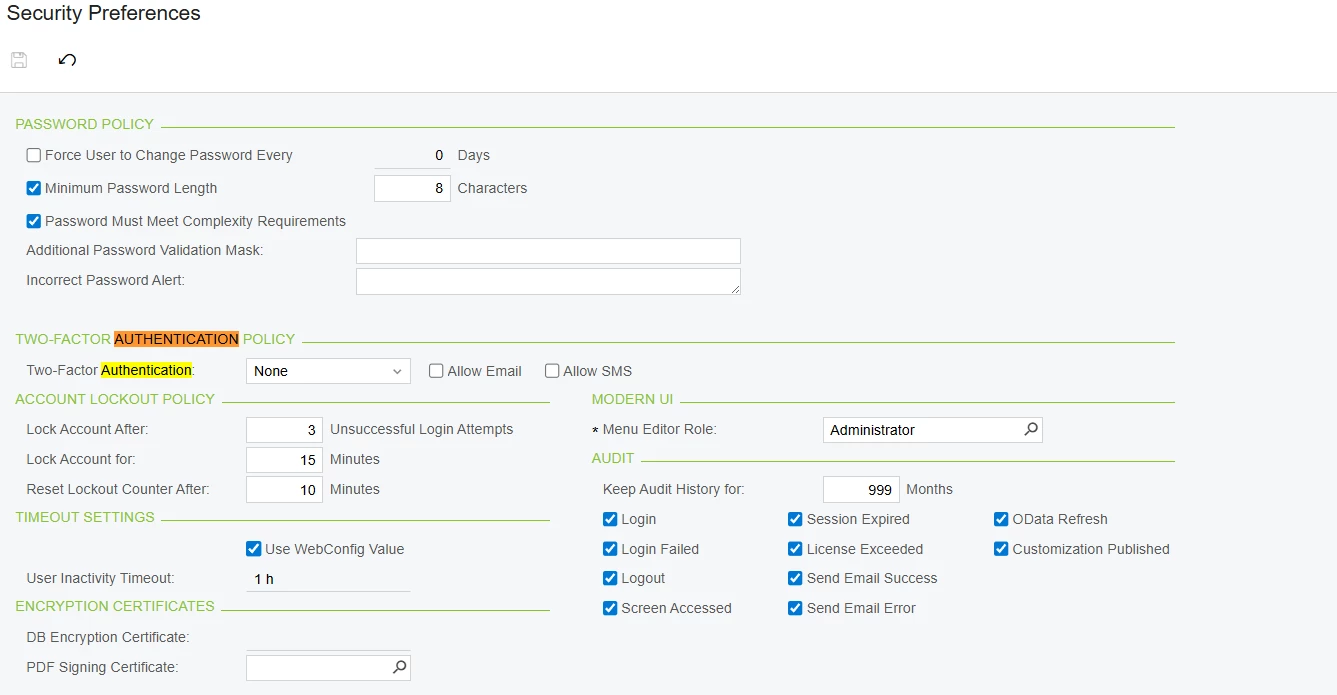
  4. Two-Factor Authentication (2FA): 2FA is set to "None" both at the User level and in Security Preferences.


  5. Basic Authentication: There is no setting in my Security Preferences that explicitly disables Basic Authentication (I attached the screenshot below).


I have attached screenshots of my Tenant configuration, User configuration (Roles & 2FA), Security Preferences, and the Postman request for your reference.

Are there any breaking changes, hidden settings, or specific requirements in 24R2 regarding Basic Auth for OData DAC access that I am missing? Should I completely switch to OAuth2 for this version?

Any advice or guidance would be greatly appreciated. Thank you!


  • Author
  • Freshman II
  • May 30, 2026

I'm trying to access DACs directly through OData v4 in Acumatica 24R2 by following the official documentation, but I keep getting a 401 Unauthorized error in Postman. I am using Basic Authentication.

I have verified the following, but the issue persists:

  1. URL Structure: I am using the new routing for 24R2: https://[my-domain]/t/Company/api/odata/dac/$metadata


  2. Credentials in Postman: My Acumatica instance only has a single tenant named "Company". I have tried passing the username as just admin, as well as admin@Company (matching the exact Login Name of the Tenant). I provided the correct password in both attempts, but both still resulted in the same 401 Unauthorized error.


  3. User Roles: My admin user has the ODatav4 User role assigned.


  4. Two-Factor Authentication (2FA): 2FA is set to "None" both at the User level and in Security Preferences.


  5. Basic Authentication: There is no setting in my Security Preferences that explicitly disables Basic Authentication (I attached the screenshot below).

I have attached screenshots of my Tenant configuration, User configuration (Roles & 2FA), Security Preferences, and the Postman request for your reference.

Are there any breaking changes, hidden settings, or specific requirements in 24R2 regarding Basic Auth for OData DAC access that I am missing? Should I completely switch to OAuth2 for this version?

Any advice or guidance would be greatly appreciated. Thank you!


  • Jr Varsity I
  • May 30, 2026

I was able to reproduce your exact scenario on a local 24R2 instance and isolate the cause:

The URL /t/Company/api/odata/dac/$metadata is correct for 24R2. The 401 is coming from the username format, not the route, not the role, not the tenant flag.

Concretely, against the same URL with the same password:

- username admin@Company -> HTTP 401 Unauthorized

- username admin -> HTTP 200 OK, EDMX returned

When /t/{TenantLoginName}/ is already in the URL, the username should be plain admin without the @Company suffix. Adding @Company while the tenant is also in the URL path is what triggers the 401 in 24R2.

In Postman, on the Authorization tab, set Username to admin (just admin, no suffix) and keep Password as-is. The Tenant in the Tenants screen (Login Name = Company) maps to the /t/Company/ segment in the URL, so you do not need to repeat it in the username.

The Test Tenant flag and the role list you posted (Data Privacy Controller + ODatav4 User) are not the cause here. Once the username is plain admin, the $metadata call succeeds even with those two roles only.

If you want to confirm against your instance, I am attaching a Postman collection with 4 requests that isolate this. Fill in baseUrl, tenant, username, password on the Variables tab and run top-to-bottom. Request 2 reproduces the 401 with admin@Company, request 3 shows the same URL flipping to 200 with plain admin, request 4 runs an actual DAC query as a final sanity check.

On your OAuth2 question: still a good idea for production integrations, but for current debugging Basic Auth is fine. The username format is the only fix you need today.