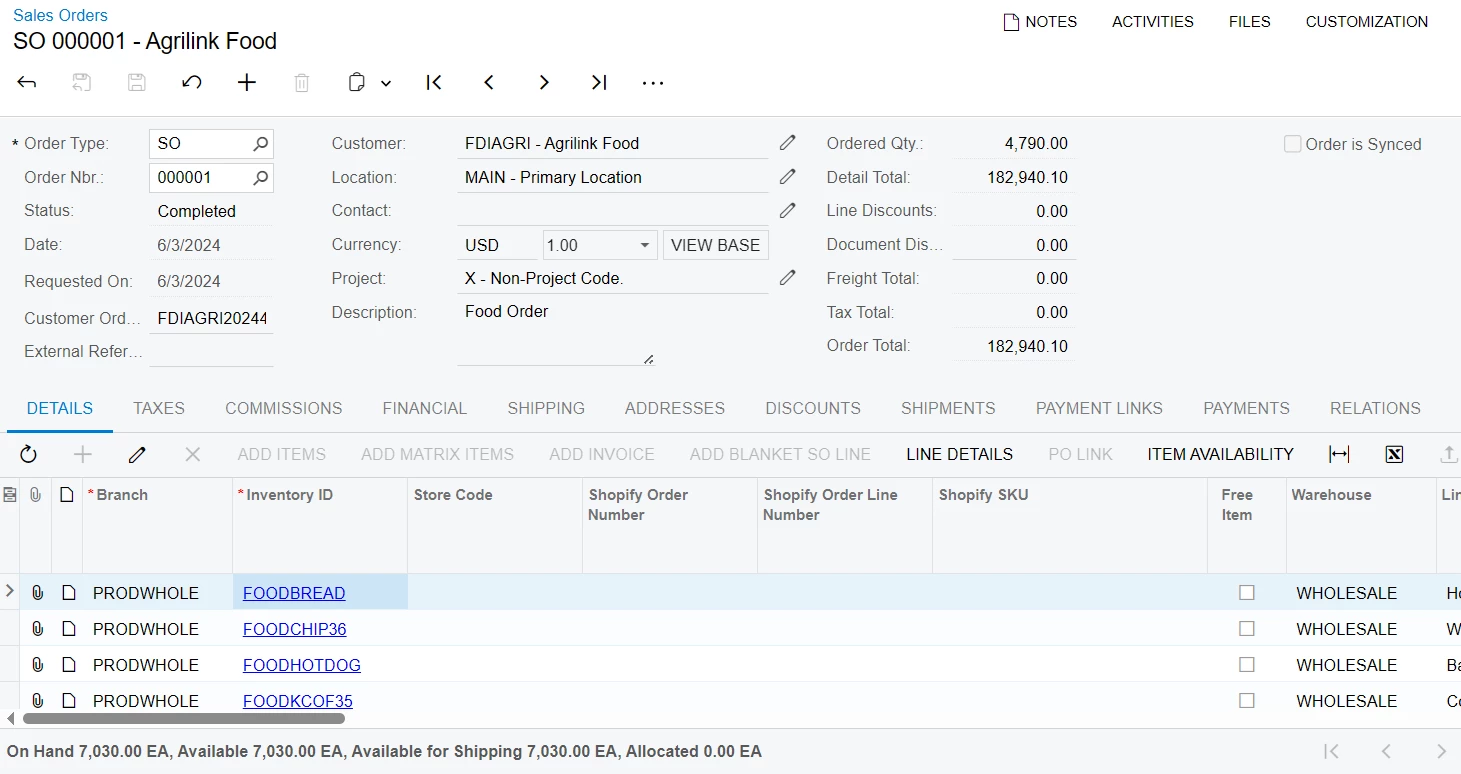
Sales Orders screen has Inventory’s availability calculation on the screen’s bottom part. How can I add that line of On Hand, Available, Available for Shipping and Allocated values on another Acumatica screen where again a Stock Items are visible?
I need to add it on Purchase Orders screen. Would I need to create an extension or only editing the Screen Editor would be enough?
Best answer by darylbowman
It really depends how deep you want to go on this.
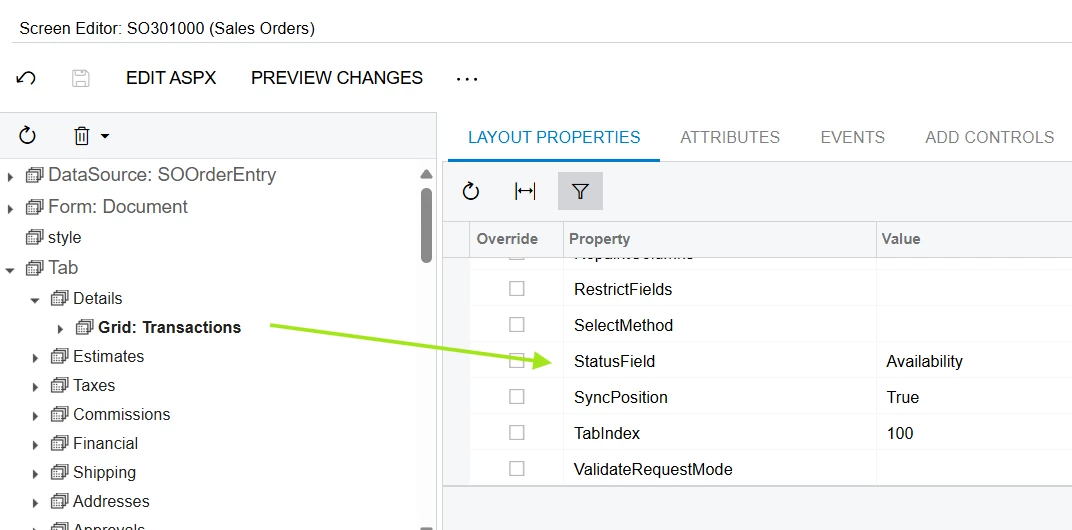
The field containing the grid footer text can be configured in the Screen Editor:
It would be easy enough to simply add a custom unbound field to POLine and set the value during FieldSelecting (DAC and field are placeholders)
protected virtual void _(Events.FieldSelecting<DAC, DAC.field> e)
{
    DAC row = e.Row;
    if (row is null) return;

    e.ReturnValue = "some status text";
}
If you’re asking how to come up with the values, that’s much more complicated (in the case of Sales Orders). The mechanism works the same way, but it’s buried in layers of abstraction (SOOrderItemAvailabilityExtension → SOBaseItemAvailabilityExtension → ItemAvailabilityExtension). To replicate the exact behavior, you’d need to implement ItemAvailabilityExtension for POOrder, which I actually wouldn’t know how to do, since it requires a ‘split’ and I’m not aware of a POLineSplit.
I’d check out the ‘GetStatus’ method override in SOOrderItemAvailabilityExtension follow the chain of logic to see how it gets the availability and maybe it’s simple enough to replicate in your own way.
It really depends how deep you want to go on this.
The field containing the grid footer text can be configured in the Screen Editor:
It would be easy enough to simply add a custom unbound field to POLine and set the value during FieldSelecting (DAC and field are placeholders)
protected virtual void _(Events.FieldSelecting<DAC, DAC.field> e)
{
    DAC row = e.Row;
    if (row is null) return;

    e.ReturnValue = "some status text";
}
If you’re asking how to come up with the values, that’s much more complicated (in the case of Sales Orders). The mechanism works the same way, but it’s buried in layers of abstraction (SOOrderItemAvailabilityExtension → SOBaseItemAvailabilityExtension → ItemAvailabilityExtension). To replicate the exact behavior, you’d need to implement ItemAvailabilityExtension for POOrder, which I actually wouldn’t know how to do, since it requires a ‘split’ and I’m not aware of a POLineSplit.
I’d check out the ‘GetStatus’ method override in SOOrderItemAvailabilityExtension follow the chain of logic to see how it gets the availability and maybe it’s simple enough to replicate in your own way.