

Solved

Import Scenario for customized Screen

  • November 10, 2025
  • 2 replies
  • 56 views

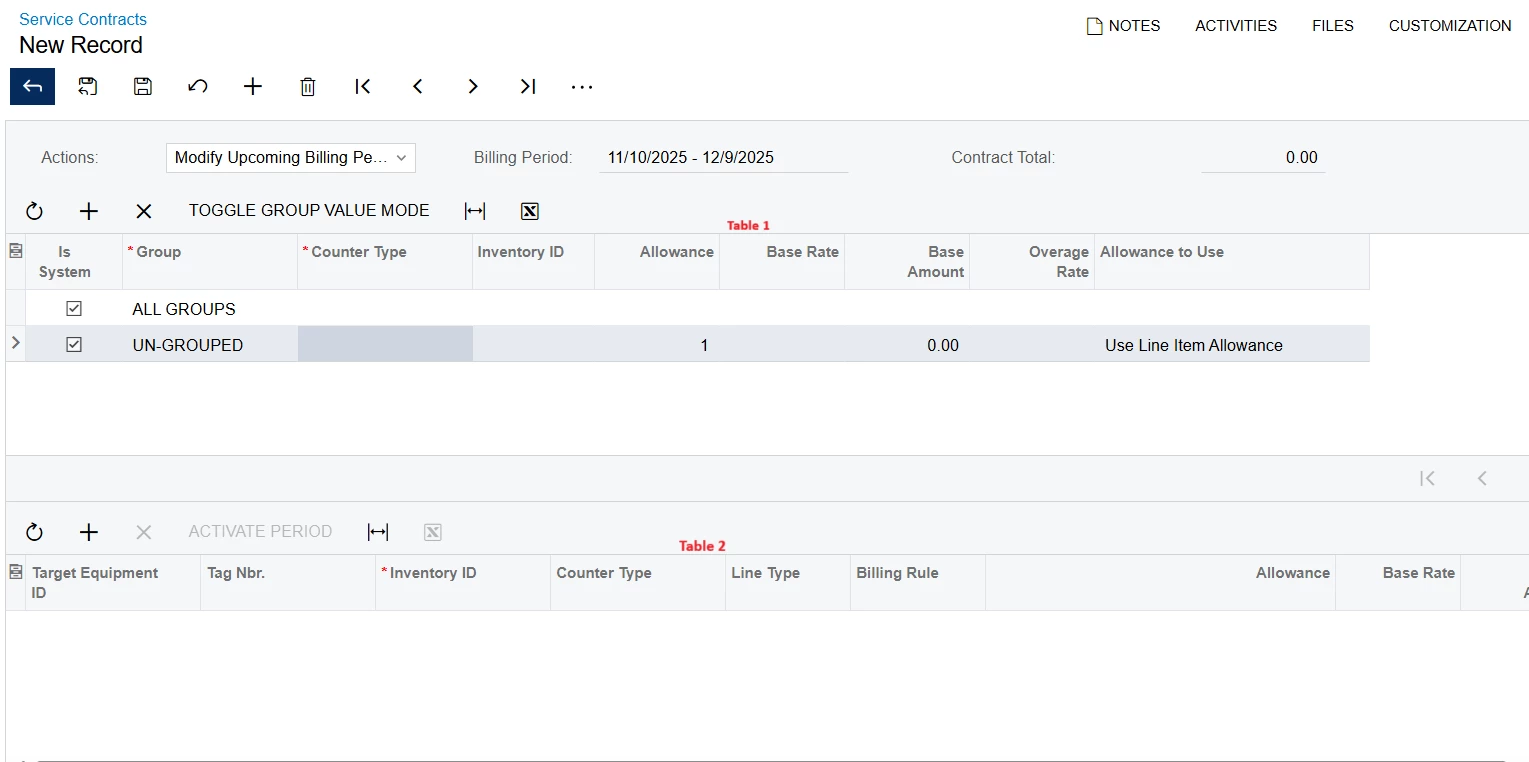
I need a help creating an import scenario for service contracts. We have a custom screen where attributes are defined in Table 1. I want to upload corresponding records into Table 2, which is dependent on Table 1.

For example:

  • Table 1 contains groups such as Group 1, Group 2, Group 3.

  • Table 2 contains equipment entries such as Equipment 1, Equipment 2, Equipment 3.

The requirement is to upload data into Table 2 using an import scenario so that:

  • When Group 1 is selected in Table 1, Equipment 2 details are displayed in Table 2.

  • When Group 2 is selected, Equipment 1 details are shown, and so on.

Please help me design an import scenario to achieve this setup.
Best answer by bwhite49

Hi Karthik,

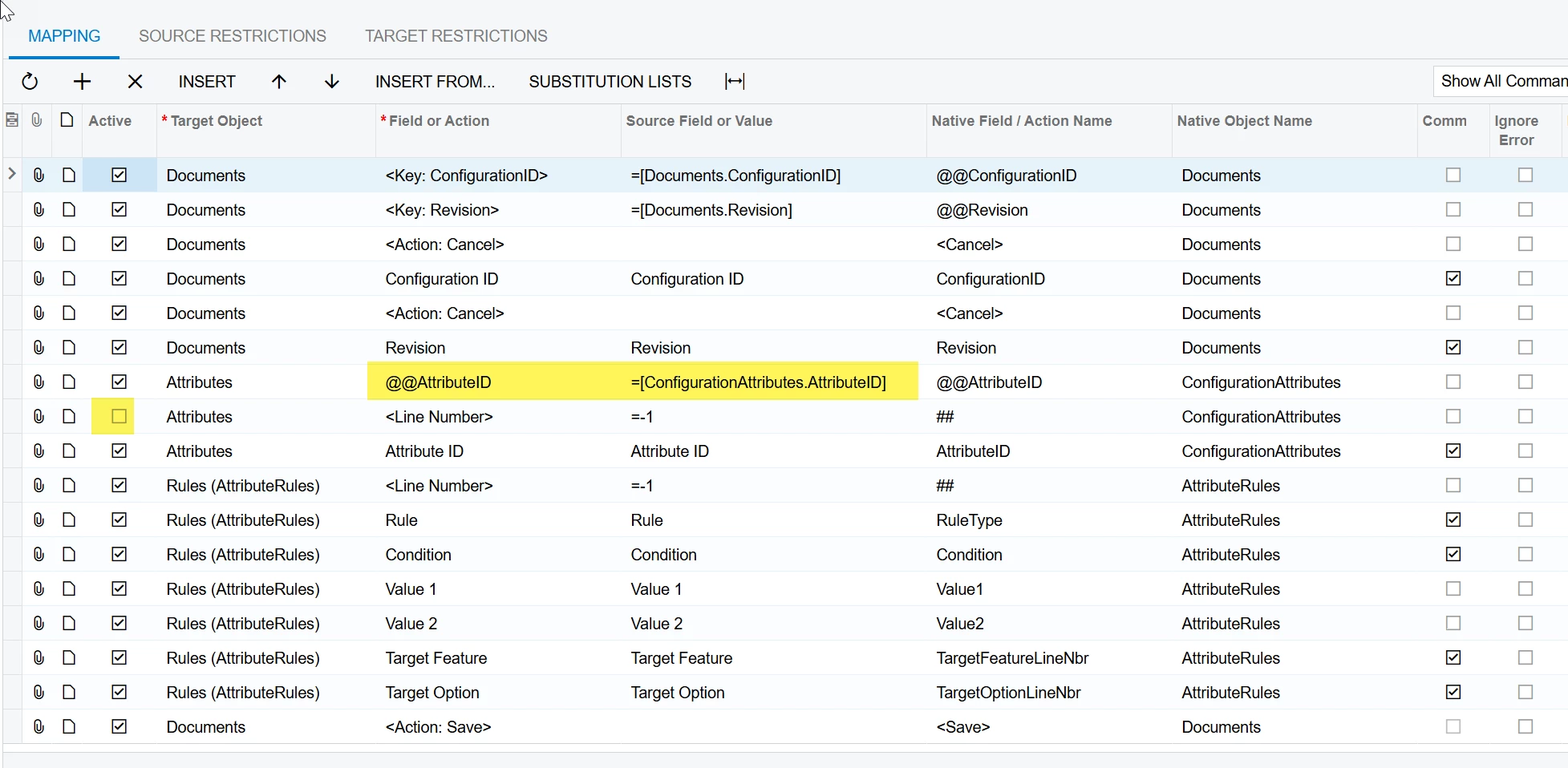
It’s hard to design an import scenario as we don’t have the field names required for the import scenario. Below is a similar import scenario for the configuration maintenance screen which is very similar to what you need (same table structures) just the wrong fields.

You need to turn off line-numbering and define the GroupID as a key field for table 1 (Attributes). So in the below example, @@GroupID, would be your key instead of @@AttributeID. AttributeRules would be your table 2.

Hopefully this makes sense.

2 replies

bwhite49
Captain II
Forum|alt.badge.img+12
  • Captain II
  • Answer
  • November 10, 2025

Hi Karthik,

It’s hard to design an import scenario as we don’t have the field names required for the import scenario. Below is a similar import scenario for the configuration maintenance screen which is very similar to what you need (same table structures) just the wrong fields.

You need to turn off line-numbering and define the GroupID as a key field for table 1 (Attributes). So in the below example, @@GroupID, would be your key instead of @@AttributeID. AttributeRules would be your table 2.

Hopefully this makes sense.


  • Author
  • Freshman I
  • November 11, 2025

Hi Karthik,

It’s hard to design an import scenario as we don’t have the field names required for the import scenario. Below is a similar import scenario for the configuration maintenance screen which is very similar to what you need (same table structures) just the wrong fields.

You need to turn off line-numbering and define the GroupID as a key field for table 1 (Attributes). So in the below example, @@GroupID, would be your key instead of @@AttributeID. AttributeRules would be your table 2.

Hopefully this makes sense.

Thank you for your response. I appreciate it a lot

