Question

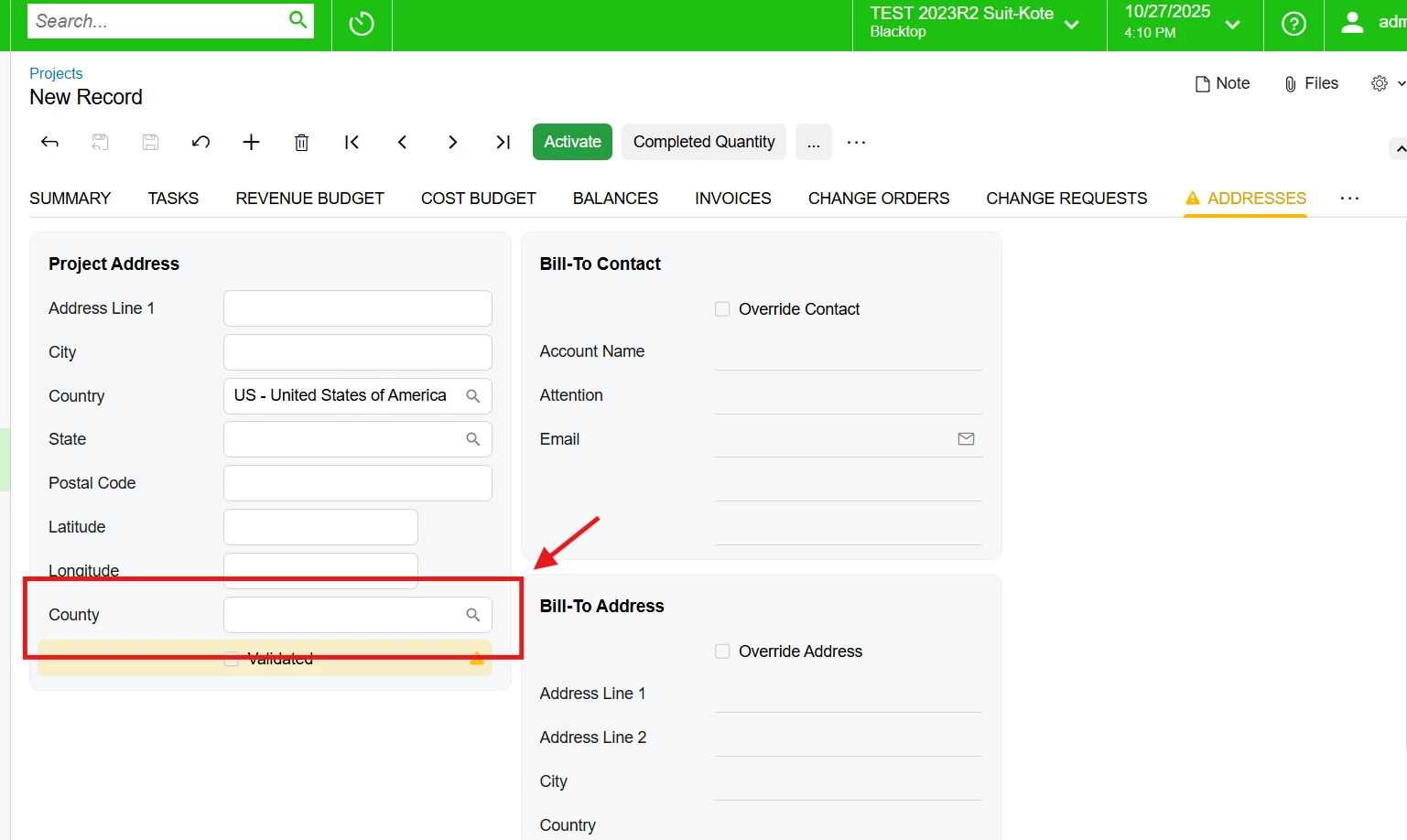
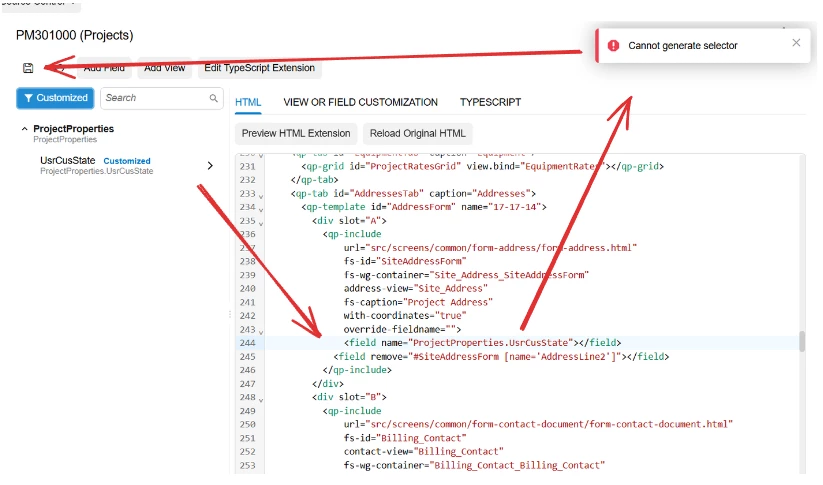
I tried to add a new field near Address, but it doesn’t let me save the field in 25R2.

  • October 24, 2025
  • 8 replies
  • 142 views

Forum|alt.badge.img

I also tried to do it manually, and although it lets me add it, the screen shows an “ID does not exist” error and doesn’t display correctly.

8 replies

Forum|alt.badge.img+3

Try this approach — I’ve tested it, and it works.

Create the extension files (.html and .ts) for your screen. For example:
EP203000_MyCustomization.html and EP203000_MyCustomization.ts
in the following path:
FrontendSources\screen\src\development\screens\EP\EP203000\extensions

Define your field in the .ts file as follows:

import { Address } from "src/screens/common/form-address/form-address";

export interface Address_MyCustomization extends Address { }

export class Address_MyCustomization {
    UsrField: PXFieldState;
}

And in the .html file:
<template>
    <field after="#tabGeneral_AddressInfo [name='AddressLine2']" name="UsrField"></field>
</template>
Here, tabGeneral_AddressInfo is the ID of the HTML control where you want to insert your field, and AddressLine2 is the field after which it will appear.

Include these files in your customization under the Modern UI Files node, then publish the customization.

Hope this helps!


Forum|alt.badge.img

Thank you for your response ​@aleksandrsechin 
I’ve done this before, and it does work.


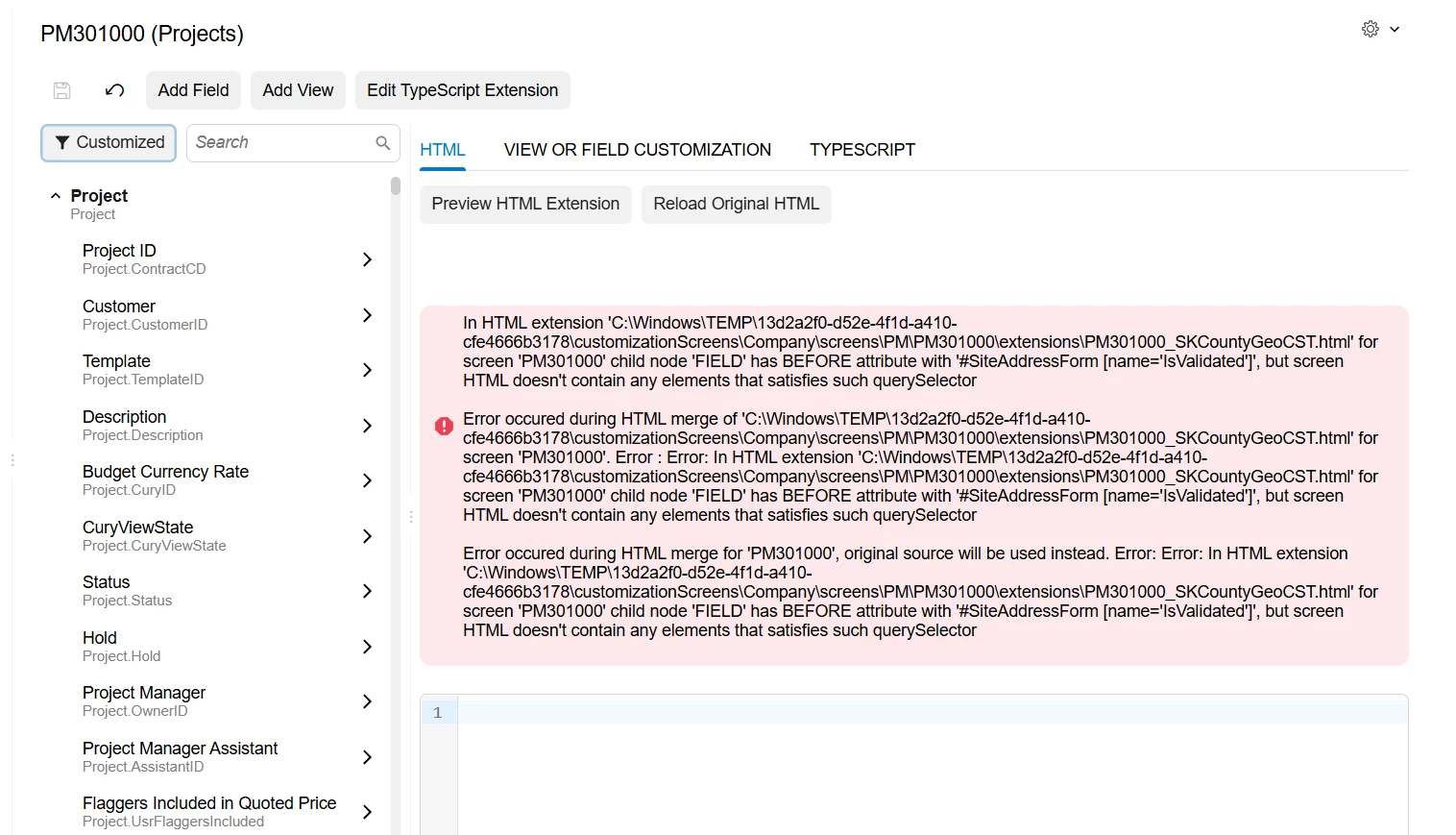
After that, the following error appears in all the projects that use this screen.


darylbowman
Captain II
Forum|alt.badge.img+15

I added an ‘attention’ field on this screen before ‘Address Line 1’ with this CSS selector:

<template>
<field
after="#SiteAddressForm [name='AddressLookupButtons']"
name="UsrShipToAttn"
></field>
</template>


Forum|alt.badge.img+7
  • Captain II
  • October 27, 2025

@rodolfobarrios52 - do you have a customization installed that is adding the Is Validated field to the address block? Perhaps Avalara?

I believe, if the Level of your customization project is larger than another one that is referencing the same screen, then your code should see the code of all of the customization projects with a lower Level number.

I’m just wondering because the error messages all indicate that they cannot see the IsValidated field but your screen shot shows that it is there.


Forum|alt.badge.img

@darylbowman 
This is the code I have, which shows that error but still works by adding the field in the interface.

<template>
<field
before="#SiteAddressForm [name='IsValidated']" name="ProjectProperties.UsrCounty"
></field>
</template>


Forum|alt.badge.img

@Django 

IsValidated exists as a standard field in Acumatica, but this field comes from “qp-included,” which brings in a form with various fields, including “IsValidated.”
Something similar happens to me when I use a field from another project.
What seems to be happening is that it can’t recognize other HTML files that aren’t defined in the main Acumatica HTML page, while the extensions and qp-included, being instructions to create these fields, cause the error that usually appears.
If this is the case, what action should I take?


darylbowman
Captain II
Forum|alt.badge.img+15

I believe this is a situation where if your files are named to alphabetically appear after the referenced files, they should see them, provided they are 'there' and published and whatnot.


Chris Hackett
Community Manager
Forum|alt.badge.img
  • Acumatica Community Manager
  • November 6, 2025

Hi ​@rodolfobarrios52 were you able to find a solution? Thank you!