

Answer

I set value to custom field but it's not save until I change ui and save

  • June 11, 2024
  • 6 replies
  • 188 views

Forum|alt.badge.img

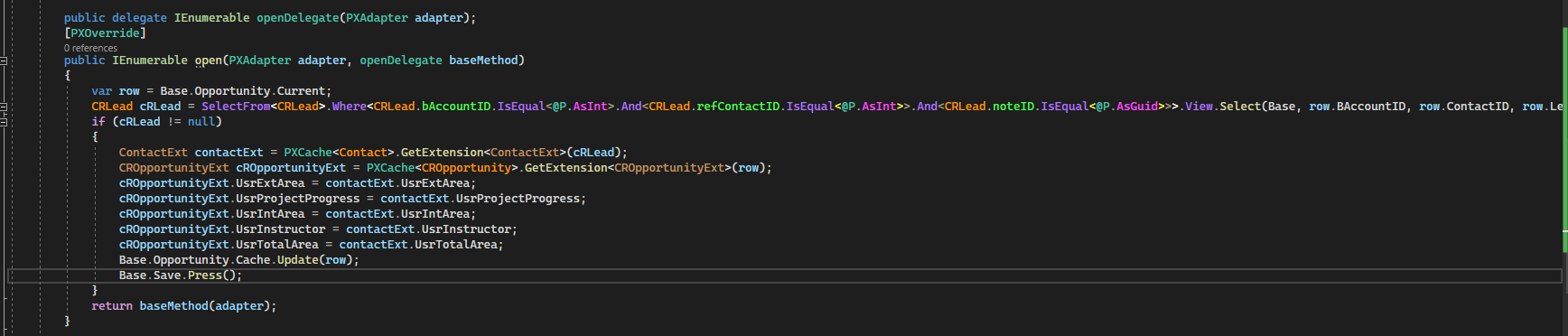
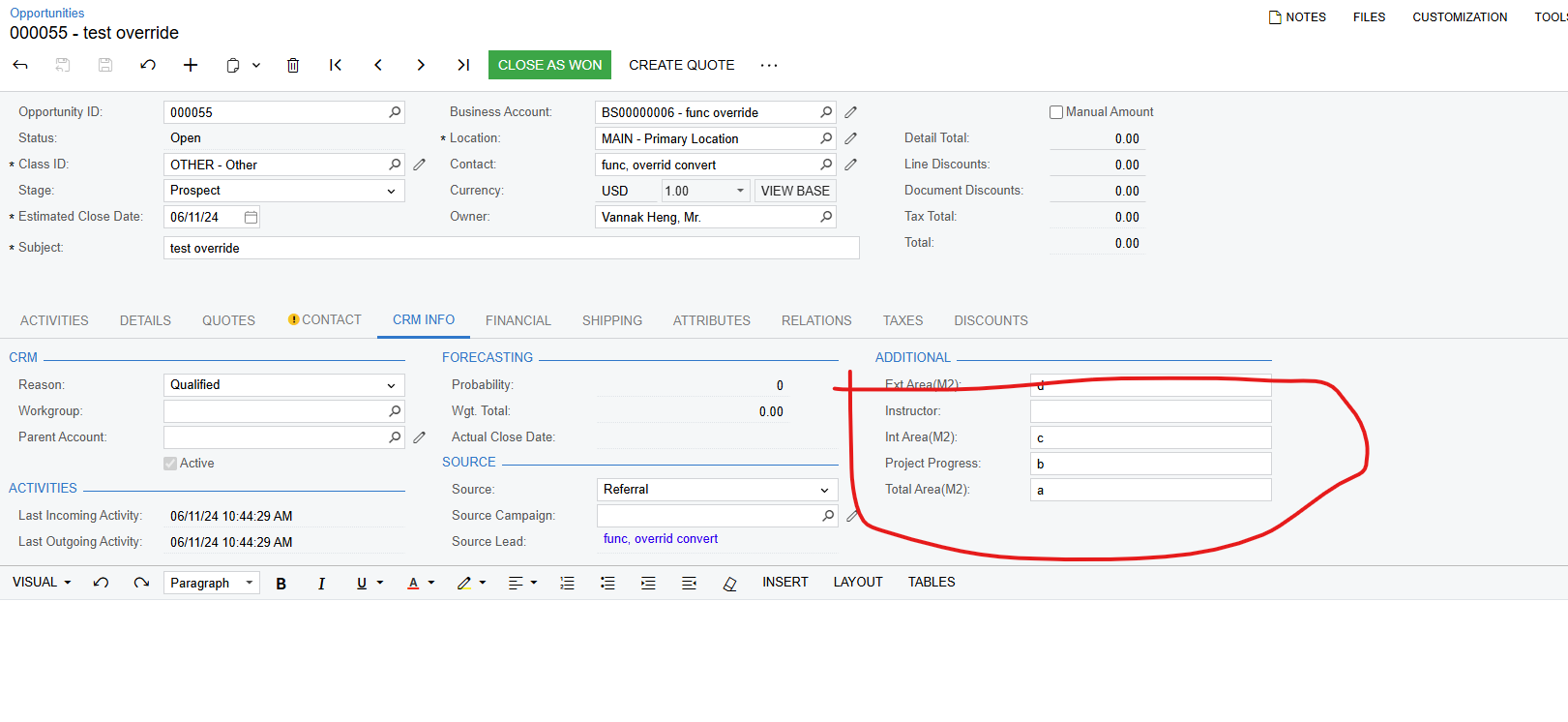
this is my code in open opportunity screen. I can get on screen but it doesn’t save until change value in ui. if I don’t change any value on screen and leave the screen, the data is gone
 

Best answer by vannakheng66

Hi @vannakheng66 , Can you share how you solved it? Thank you!

In Opportunity we have projection so we need to extend that project class more.

6 replies

Forum|alt.badge.img+1
  • Jr Varsity I
  • June 11, 2024

Have you tried setting the value like this?
Base.Opportunity.SetValueExt<CROpportunityExt.usrExtArea>(row, contactExt.UsrExtArea);


Forum|alt.badge.img+1
  • Semi-Pro III
  • June 12, 2024

Have you tried using the following code?

Base.Actions.PressSave(); instead of Base.Save.Press();


darylbowman
Captain II
Forum|alt.badge.img+15

I don’t see any issues with your code. There are multiple ways you could be doing it, but it looks fine to me. I wonder if you’re not fighting the workflow engine, since the Open action is a workflow action. Have you tried executing the baseMethod before your code?

public IEnumerable open(PXAdapter adapter, openDelegate baseMethod)
{
var row = Base.Opportunity.Current;

var result = baseMethod(adapter);

// Your code

return result;
}


Forum|alt.badge.img
  • Author
  • Freshman II
  • June 13, 2024

thank you all I solve it. 


Chris Hackett
Community Manager
Forum|alt.badge.img
  • Acumatica Community Manager
  • June 13, 2024

Hi @vannakheng66 , Can you share how you solved it? Thank you!


Forum|alt.badge.img
  • Author
  • Freshman II
  • Answer
  • June 17, 2024

Hi @vannakheng66 , Can you share how you solved it? Thank you!

In Opportunity we have projection so we need to extend that project class more.


