Solved

I’m facing an issue with my migration from Classic UI to Modern UI in build 25.201.0213. for use colors in Grids

  • February 12, 2026
  • 5 replies
  • 0 views

In the Classic screen, I use an action to highlight (change the row color of) records in the grid based on the value of the UsrFRCanShip field. When I click the action, the row colors update as expected (see the screenshot below).
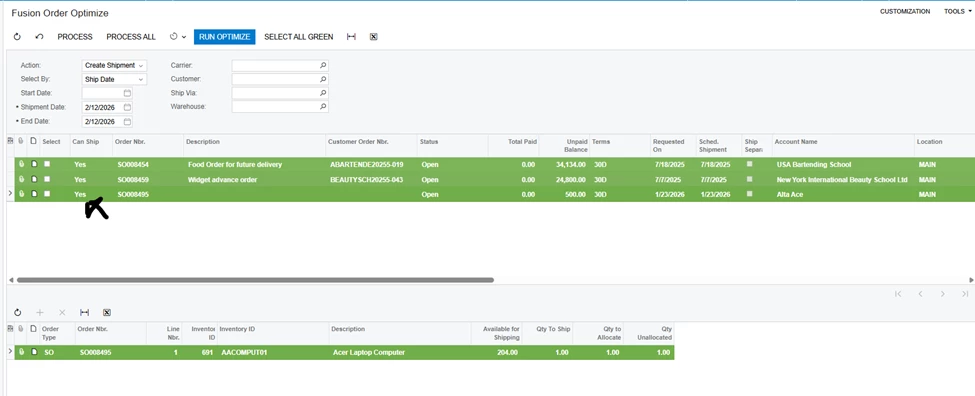


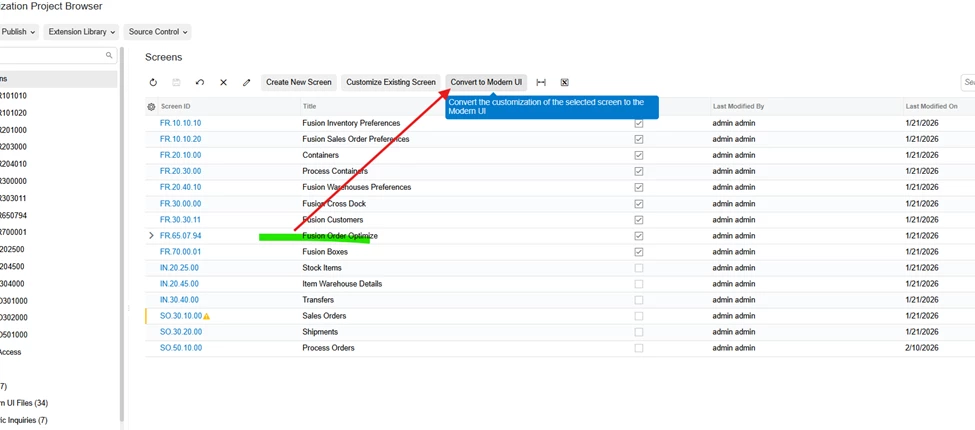
After migrating the screen using the conversion tools:


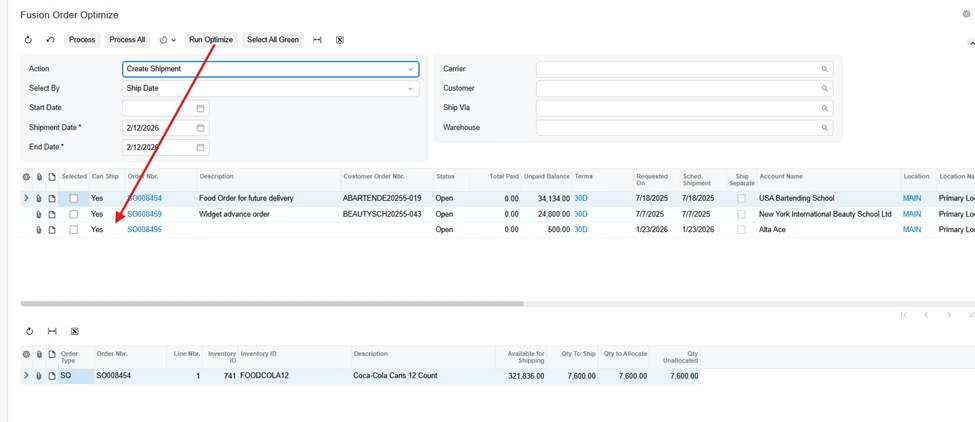
The screen loads correctly in Modern UI, but the action no longer applies the row coloring in the grid.


Could you please advise how to implement this grid row coloring behavior in Modern UI?

 

Best answer by arpine08

Hi jquintal63,

You can use the following example to implement grid row coloring in the Modern UI:

CSS→ IGXX5099.css

.green-row {
color: green !important;
}

HTML→ IGXX5099.html

<template>
    <require from="./IGXX5099.css"></require>
    .................

</template>

TS→ IGXX5099.ts

export class IGXX5099 extends PXScreen {

/*..........................*/

static getRowCss(args: RowCssHandlerArgs) {
const row = args?.selector?.row;
if (row && row?.IsColor?.value > 0) {
return "green-row";
}
return undefined;
}

@handleEvent(CustomEventType.GetRowCss, { view: "ResultPreview" })
getResultPreviewRowCss(args: RowCssHandlerArgs) {
return IGXX5099.getRowCss(args);
}

}// Views

In my example, IsColor is a boolean DAC field that determines whether the grid row should be highlighted

5 replies

abhimanyuprajapati52
Jr Varsity I
Forum|alt.badge.img

Hi ​@jquintal63,

To implement row coloring in Modern UI:

  1. Add an unbound DAC field (for example, UsrRowClass) that determines the row state based on UsrFRCanShip.

  2. Set its value in RowSelected.

  3. Bind that field to a CSS class or conditional formatting in the Modern UI grid.

Row styling in Modern UI must be data-driven, not applied dynamically through UI attribute calls like in Classic UI.

It requires manual reimplementation after conversion.


arpine08
Jr Varsity I
Forum|alt.badge.img+1
  • Jr Varsity I
  • Answer
  • February 12, 2026

Hi jquintal63,

You can use the following example to implement grid row coloring in the Modern UI:

CSS→ IGXX5099.css

.green-row {
color: green !important;
}

HTML→ IGXX5099.html

<template>
    <require from="./IGXX5099.css"></require>
    .................

</template>

TS→ IGXX5099.ts

export class IGXX5099 extends PXScreen {

/*..........................*/

static getRowCss(args: RowCssHandlerArgs) {
const row = args?.selector?.row;
if (row && row?.IsColor?.value > 0) {
return "green-row";
}
return undefined;
}

@handleEvent(CustomEventType.GetRowCss, { view: "ResultPreview" })
getResultPreviewRowCss(args: RowCssHandlerArgs) {
return IGXX5099.getRowCss(args);
}

}// Views

In my example, IsColor is a boolean DAC field that determines whether the grid row should be highlighted


  • Author
  • Freshman I
  • February 13, 2026

Hi jquintal63,

You can use the following example to implement grid row coloring in the Modern UI:

CSS→ IGXX5099.css

.green-row {
color: green !important;
}

HTML→ IGXX5099.html

<template>
    <require from="./IGXX5099.css"></require>
    .................

</template>

TS→ IGXX5099.ts

export class IGXX5099 extends PXScreen {

/*..........................*/

static getRowCss(args: RowCssHandlerArgs) {
const row = args?.selector?.row;
if (row && row?.IsColor?.value > 0) {
return "green-row";
}
return undefined;
}

@handleEvent(CustomEventType.GetRowCss, { view: "ResultPreview" })
getResultPreviewRowCss(args: RowCssHandlerArgs) {
return IGXX5099.getRowCss(args);
}

}// Views

In my example, IsColor is a boolean DAC field that determines whether the grid row should be highlighted

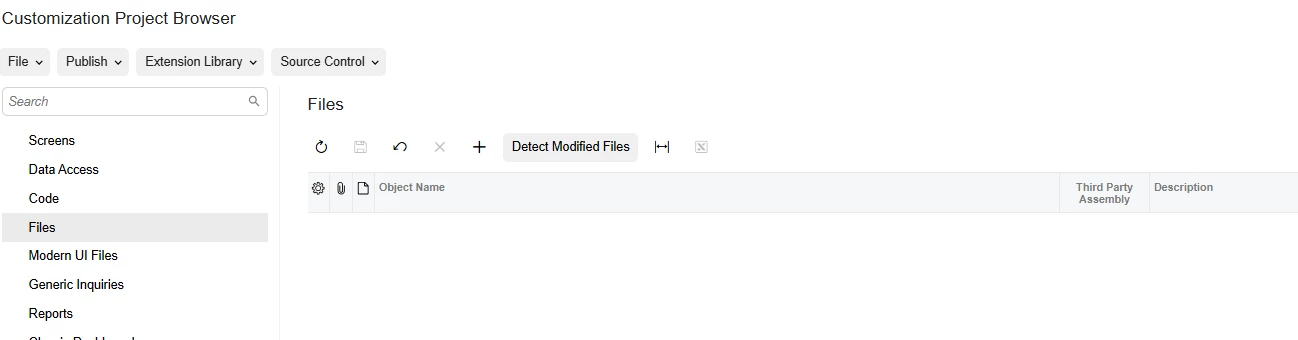
Hi, thank you for your help. I just have one more question regarding the custom CSS file that I want to include in my customization project.

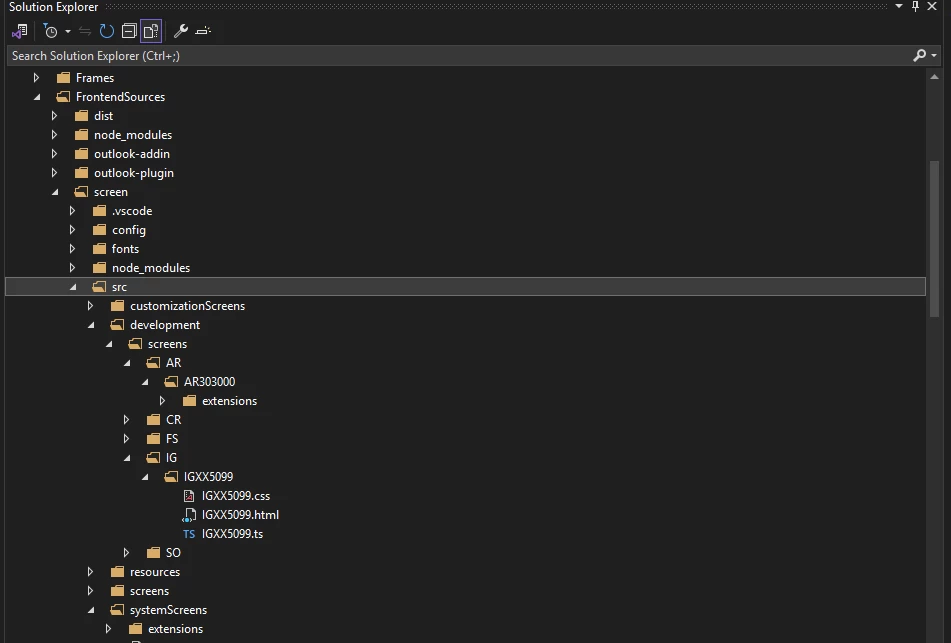
Should I add it through the Files section in the Customization Project Browser? If so, what is the correct physical path where the file should be stored so that Acumatica recognizes and loads it properly?


arpine08
Jr Varsity I
Forum|alt.badge.img+1
  • Jr Varsity I
  • February 13, 2026

Hi jquintal63,

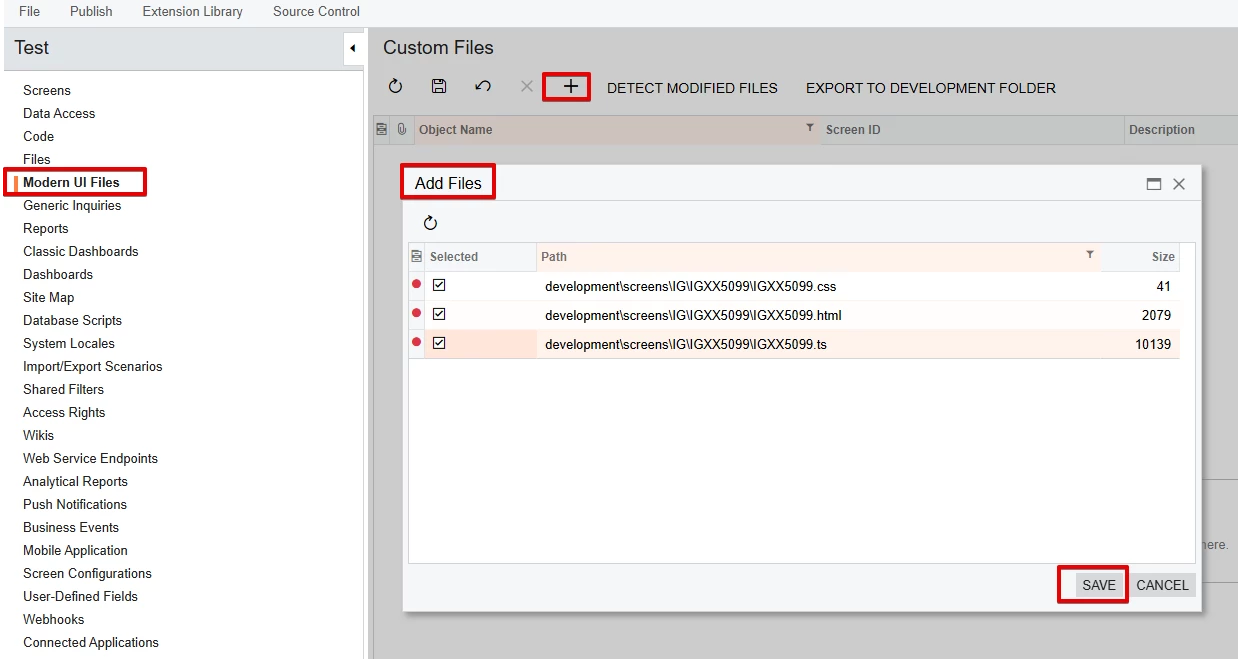
Here is the physical file location for custom CSS, HTML, and TypeScript files:


Customization Project→ Modern UI Files section:


  • Author
  • Freshman I
  • February 13, 2026

@arpine08 Hello, thank you. After trying it that way, for some reason I couldn’t get Acumatica to load the CSS. It may be because this screen is a process screen and behaves differently.

As an alternative, I injected the CSS directly into the TS file, and that approach worked. I’m sharing how I implemented it in case someone else needs another option.  


import {

  PXFieldState,

  PXFieldOptions,

  placeAfterProperty,

  viewInfo,

  columnConfig,

  handleEvent,

  CustomEventType,


} from "client-controls";

import { SO501000, Filter, Orders } from "src/screens/SO/SO501000/SO501000";


export interface SO501000_converted extends SO501000 { }


export class SO501000_converted {

  @viewInfo({ containerName: "Items" })


  @handleEvent(CustomEventType.GetRowCss, { view: "Orders" })

  getOrdersRowCss(args: any) {

    const row = args?.selector?.row;


    // Inject styles if they don't exist

    this._injectStyles();


    if (!row) return '';


    // calculated field or extension field might be directly on row or inside an extension object

    const field = row.UsrCanShip;

    if (!field) return '';


    const val = field.value;


    if (val === 'N' || val === 'No' || val === false || val === 0 || val === 'false') return 'red-cell';

    if (val === 'Y' || val === 'Yes' || val === true || val === 1 || val === 'true') return 'green-cell';

    if (val === 'P' || val === 'Partial') return 'yellow-cell';


    return '';

  }


  private _injectStyles() {

    if (document.getElementById('custom-row-styles')) return;


    const style = document.createElement('style');

    style.id = 'custom-row-styles';

    style.innerHTML = `

      .red-cell td { background-color: #e62121ff !important; color: black !important; }

      .green-cell td { background-color: #7EB559 !important; color: black !important; }

      .yellow-cell td { background-color: #fafa54ff !important; color: black !important; }

    `;

    document.head.appendChild(style);

  }

}


export interface SO501000_converted extends Orders { }

export class SO501000_converted {

  CustomerID: PXFieldState<PXFieldOptions.Disabled>;


  @placeAfterProperty("OrderDesc")

  @columnConfig({

    width: 70,

  })

  UsrCanShip: PXFieldState;


  @placeAfterProperty("UsrCanShip")

  Selected: PXFieldState;


  @placeAfterProperty("ShipSeparately")

  CustomerID_BAccountR_acctName: PXFieldState;

}