Dictionary<String, String> parameters = new Dictionary<String, String>();
parameters["OrderType"] = Base.Document.Current.OrderType;
parameters["RefNbr"] = Base.Document.Current.OrderNbr;
//Report Processing
PXReportSettings settings = new PXReportSettings(rowExt.UsrDefReport);
PX.Reports.Controls.Report _report = ReportLoader.CheckIfNull(nameof(ReportLoader)).LoadReport(rowExt.UsrDefReport, null);
ReportLoader.InitReportParameters(_report, parameters, settings, false);
PX.Reports.Data.ReportNode reportNode = ReportDataBinder.CheckIfNull(nameof(ReportDataBinder)).ProcessReportDataBinding(_report);
//Generation PDF
byte[] data = PX.Reports.Mail.Message.GenerateReport(reportNode, RenderType.FilterPdf).First();
if (!salesPersonExt.UsrBotID.IsNullOrEmpty())
{
Helper.SendByTelegramWithFile(salesPersonExt.UsrBotID, data, Base.Document.Current.OrderNbr, "Sales Order: " + Base.Document.Current.OrderNbr);
}
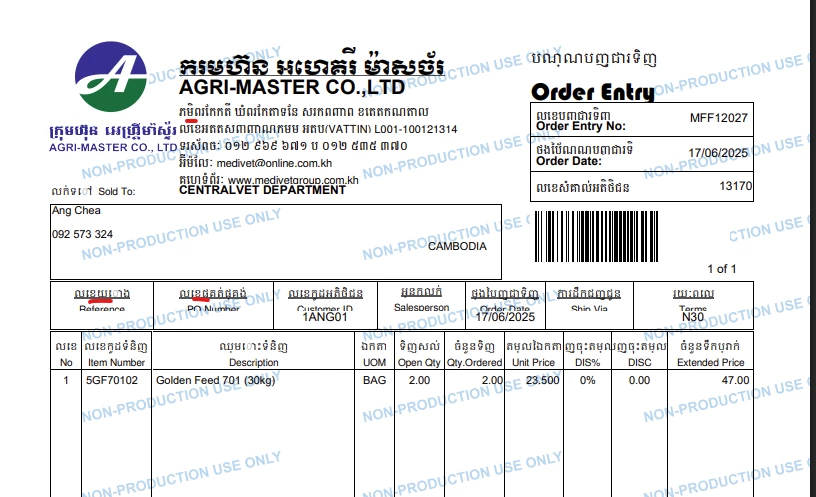
but print report in ui show correctly display