Answer

how to set decimal

  • January 12, 2023
  • 4 replies
  • 1096 views

Forum|alt.badge.img+1

Hi all,

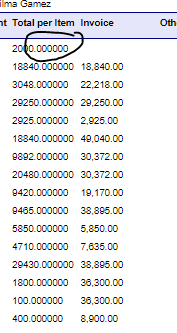
where can I format this to lessen decimal nos.? Thanks!

Best answer by aaghaei

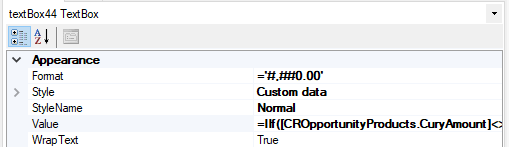
@paula012 Open the report in Report Designer and set the field number format to  #,##0.00  for example if you want 2 digit decimal 

Also see below post for reference 


4 replies

aaghaei
Captain II
Forum|alt.badge.img+10
  • Captain II
  • Answer
  • January 12, 2023

@paula012 Open the report in Report Designer and set the field number format to  #,##0.00  for example if you want 2 digit decimal 

Also see below post for reference 


Forum|alt.badge.img
  • Varsity I
  • February 26, 2024

@aaghaei I’m needing to do the same thing but can’t seem to get it to work in report designer. 

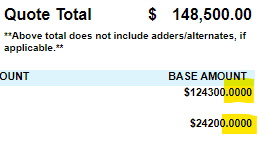
For system settings, the decimal places under companies and currencies are both set to 2. In my project quote, the quote total pulls only two places, but my line items all pull four. 

Here’s the formula for the field value: 

=IIf([CROpportunityProducts.CuryAmount]<> 0.00, '$' + [CROpportunityProducts.CuryAmount], '') which I believe is the out of box Acumatica coding. 

I entered #,##0.00, as mentioned above for the appearance formatting, but it still isn’t pulling correctly. Any ideas? 


aaghaei
Captain II
Forum|alt.badge.img+10
  • Captain II
  • February 26, 2024

When a string character like ‘$’ is added the returned value becomes a string and number formatting won’t work. Either remove ‘$’ + or encapsulate the value into the Round function and set the desired number of decimal something like Round(FieldName, 2)


Forum|alt.badge.img
  • Varsity I
  • February 26, 2024

@aaghaei Thank you so much!