Answer

How to link custom table to existing screen?

  • January 9, 2024
  • 2 replies
  • 336 views

Forum|alt.badge.img

Hello,


Is it possible to link a custom table to an existing screen in Acumatica? I am aware of creating custom fields and adding to existing screens, but wondering if we can add fields from a custom table. I am trying to add a new tab item for the Inventory Maintenance screen and add new options that are in a custom table.


Best answer by Leonardo Justiniano

Hi @vineela95 


I suggest you take a look to the training course:

T220 Data Entry and Setup Forms 2023 R2 (acumatica.com)


In a nutshell you need:

  • DAC to map your table
  • Through the screen editor add a new screen. It will create a Graph in the code section.
  • Publish
  • Define a public view querying your table (BQL) in the graph
  • Specify the name of the view on the screen
  • Add fields and or a grid (what ever is your design)
  • Publish

Obviously is more than this and you need to go through the training.

Create a screen


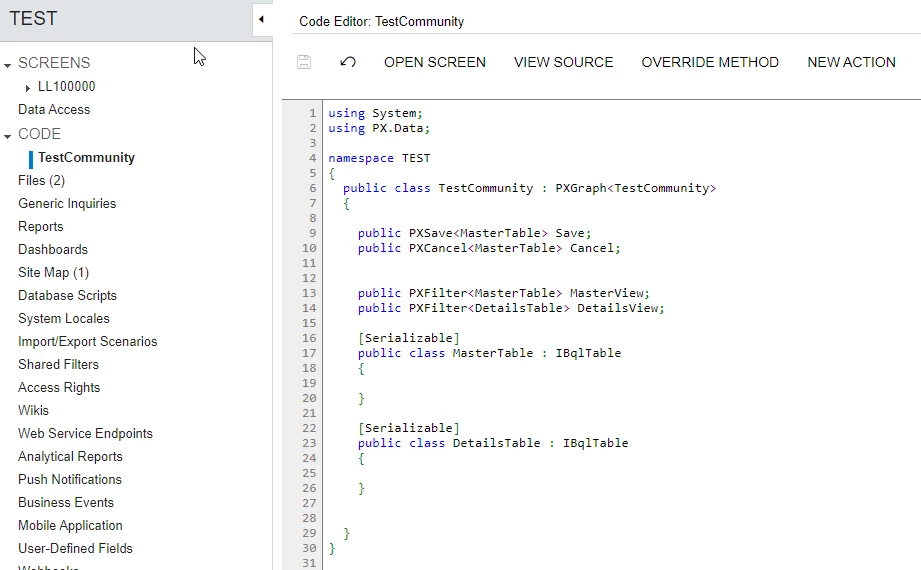
Graph after saving new created screen
Once you code your BQL on the graph and have a public view.


Good luck!

2 replies

Leonardo Justiniano
Jr Varsity II
Forum|alt.badge.img+4

Hi @vineela95 


I suggest you take a look to the training course:

T220 Data Entry and Setup Forms 2023 R2 (acumatica.com)


In a nutshell you need:

  • DAC to map your table
  • Through the screen editor add a new screen. It will create a Graph in the code section.
  • Publish
  • Define a public view querying your table (BQL) in the graph
  • Specify the name of the view on the screen
  • Add fields and or a grid (what ever is your design)
  • Publish

Obviously is more than this and you need to go through the training.

Create a screen


Graph after saving new created screen
Once you code your BQL on the graph and have a public view.


Good luck!


Vignesh Ponnusamy
Acumatica Moderator
Forum|alt.badge.img+5

@vineela95,

Also, you can check the example by @Naveen Boga if in the following discussion,

Good Luck,