


Hi Good night.
I need to do the following.
When selecting one or clicking on a row of the grid, obtain the value of the selected Id (current).
- The grid has a “SelectedRow” event?
- in test mode. I created a Button (AddSelected). When i select a row and then i push de button, I need to get the value (Id) of the current row. (now i am obtain only the value of the first row (Id = 86)
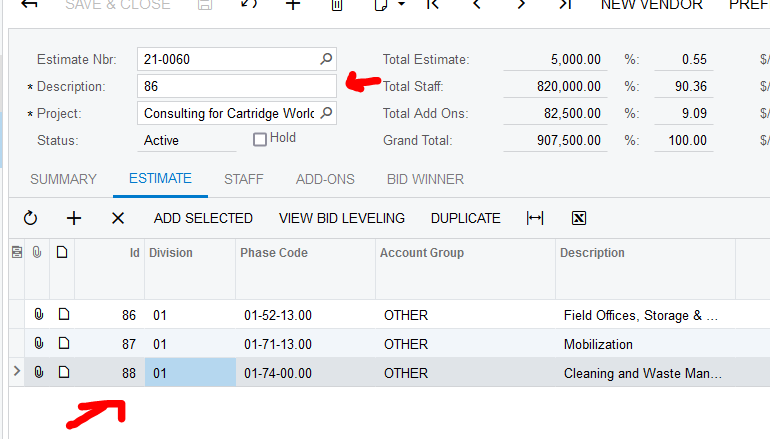
i put the code of the Add Selected button.
    public PXAction<CEEstimate> AddSelected;
    [PXButton(CommitChanges=true)]
    [PXUIField(DisplayName = "Add Selected")]
    protected virtual void addSelected()
    {
      CEEstimate row = viewCEEstimate.Current;
      CEEstimateEstimate rowd = viewCEEstimateEstimates.Current;
      //row.Description = CEEstimateEstimate.Current.Id.ToString();
      row.Description = rowd.Id.ToString();
    }
CEEstimate (viewCEEstimate) is the header and CEEstimateEstimate and viewCEEstimateEstimates is the detail
cna you helpme please



