Question

How to focus cursor on grid cell

  • December 10, 2025
  • 2 replies
  • 59 views

I have a custom smart panel with a grid inside it, and I need to focus the cursor on a specific field in the first row of this grid when the panel opens, as if I had clicked on that field. Does anyone know if this is possible to implement?

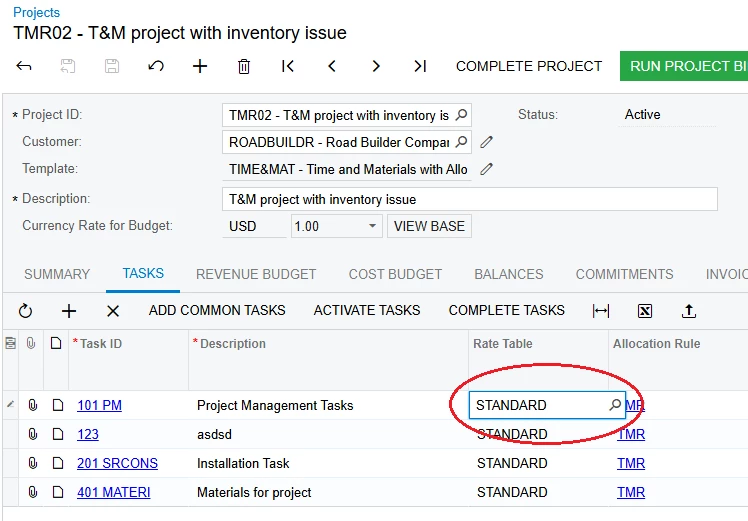
To be more specific, let’s take the grid on the TASKS tab from the PM301000 screen as an example. Is it possible to make it so that when this tab is opened, the system automatically behaves as if the first row’s Rate Table column has been clicked, just like in the screenshot?
 

2 replies

Forum|alt.badge.img+2

Hello ​@IlliaSheinAuditSoft Check-out this :
Post Link 


I hope it helps!


Hello ​@IlliaSheinAuditSoft Check-out this :
Post Link 


I hope it helps!


Thank you for the response.

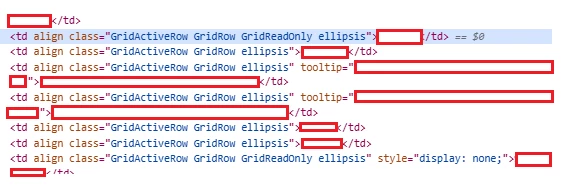
I’ve seen that post, but unfortunately the solutions described there don’t work for me. The issue is that I’m dealing with a grid cell which, essentially, isn’t defined anywhere in Acumatica. And even if I try to set the column’s “DefaultControlID = true”, nothing happens. The option of using a JavaScript script is also not possible, because an individual grid cell in Acumatica doesn’t have any identifiers, so it’s impossible to locate the specific one you need.

Here is what the table cells looks like in HTML.