Answer

How to export Modern UI from a screen created from scratch in 25R2

  • October 9, 2025
  • 5 replies
  • 162 views

Forum|alt.badge.img

When I package a file located in “FrontendSources\screen\src\development\tenant\screens\”, it appears in “Modern UI Files.”
The recommendation for new screens that are converted is to place the .ts and .html files in “FrontendSources\screen\src\screens”, but these files do not appear in “Modern UI Files” due to their location.
If I move the .ts and .html files of these new screens to “FrontendSources\screen\src\development\tenant\screens\XX/XX000000” and publish them in another instance, the screen is not recognized, and the issue is that after publishing, the screen appears blank.

Best answer by Vignesh Ponnusamy

Hi ​@rodolfobarrios52,

In 25R2, to be able to add the files to the Customization project you have to have the Modern UI files in the following path, FrontendSources\screen\src\development

When you publish the package in another the Modern UI files will be automatically placed in the following path, FrontendSources\screen\src\customizationScreens\{tenantName}screens\{Module}\{ScreenID}

From you comments, I see you have the tenant folder within the development folder which might be causing the issue here.

Few other recommendation you can review,

  1. If you are developing an extension for existing Acumatica screen. The files should be placed in the extensions folder of that respective screen. For example, if you are developing an extension for RQ301000 screen then the files should go in the below path
    • FrontendSources\screen\src\development\screens\RQ\RQ301000\extensions
  2. If you are developing a custom screen in a custom module, make sure you have two character folder name for the module. For example, right structure will be
    • FrontendSources\screen\src\development\screens\TT and not FrontendSources\screen\src\development\screens\TTT

Hope that help! Please feel free to back post if you have any question! Thanks,

5 replies

darylbowman
Captain II
Forum|alt.badge.img+15

If I move [them] and publish them in another instance, the screen is not recognized, and the issue is that after publishing, the screen appears blank.

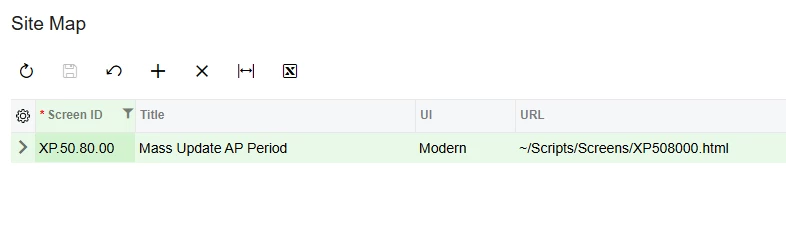
Have you checked the site map to make sure that screen is configured to use the Modern UI? If you have no ASPX files, it may appear blank. As far as I know, customizations use the Classic UI by default.


Forum|alt.badge.img

How can I make this screen appear in Modern UI Files if the .ts and .html files are located in FrontendSources\screen\src\screens?


darylbowman
Captain II
Forum|alt.badge.img+15

You can’t. From what I’ve gathered, you’re expected to develop them in /src/screens/ and then when they’re ready, move them to /src/development/screens/


Vignesh Ponnusamy
Acumatica Moderator
Forum|alt.badge.img+5

Hi ​@rodolfobarrios52,

In 25R2, to be able to add the files to the Customization project you have to have the Modern UI files in the following path, FrontendSources\screen\src\development

When you publish the package in another the Modern UI files will be automatically placed in the following path, FrontendSources\screen\src\customizationScreens\{tenantName}screens\{Module}\{ScreenID}

From you comments, I see you have the tenant folder within the development folder which might be causing the issue here.

Few other recommendation you can review,

  1. If you are developing an extension for existing Acumatica screen. The files should be placed in the extensions folder of that respective screen. For example, if you are developing an extension for RQ301000 screen then the files should go in the below path
    • FrontendSources\screen\src\development\screens\RQ\RQ301000\extensions
  2. If you are developing a custom screen in a custom module, make sure you have two character folder name for the module. For example, right structure will be
    • FrontendSources\screen\src\development\screens\TT and not FrontendSources\screen\src\development\screens\TTT

Hope that help! Please feel free to back post if you have any question! Thanks,


Vignesh Ponnusamy
Acumatica Moderator
Forum|alt.badge.img+5

@rodolfobarrios52, More details and steps on how to add the Modern UI files to the Customization project is available in, https://help.acumatica.com/(W(6))/Help?ScreenId=ShowWiki&pageid=aa97eea3-3fe8-48db-a03d-ba268dee140