


Answer

How to embed value on Customer record in Sales Order - The field I placed only shows when screen calls back

  • February 13, 2024
  • 4 replies
  • 72 views

Forum|alt.badge.img+1


I added a field on a customer record to the SO header.
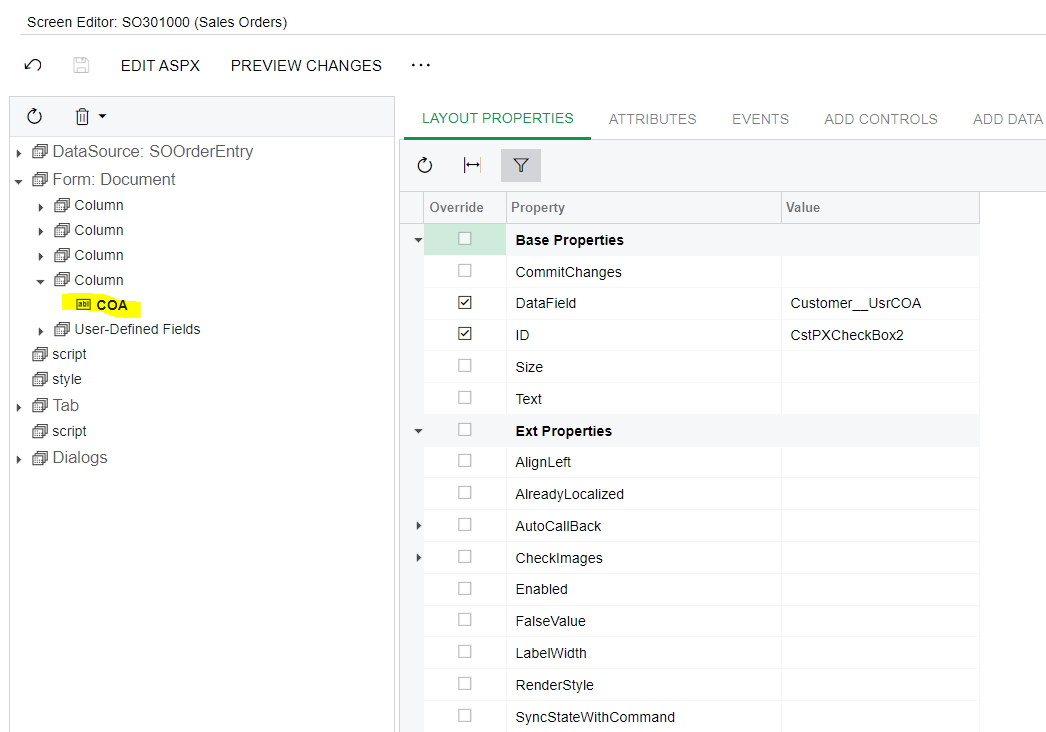


When I add this customer to the SO the field appears as does the value on the customer record.
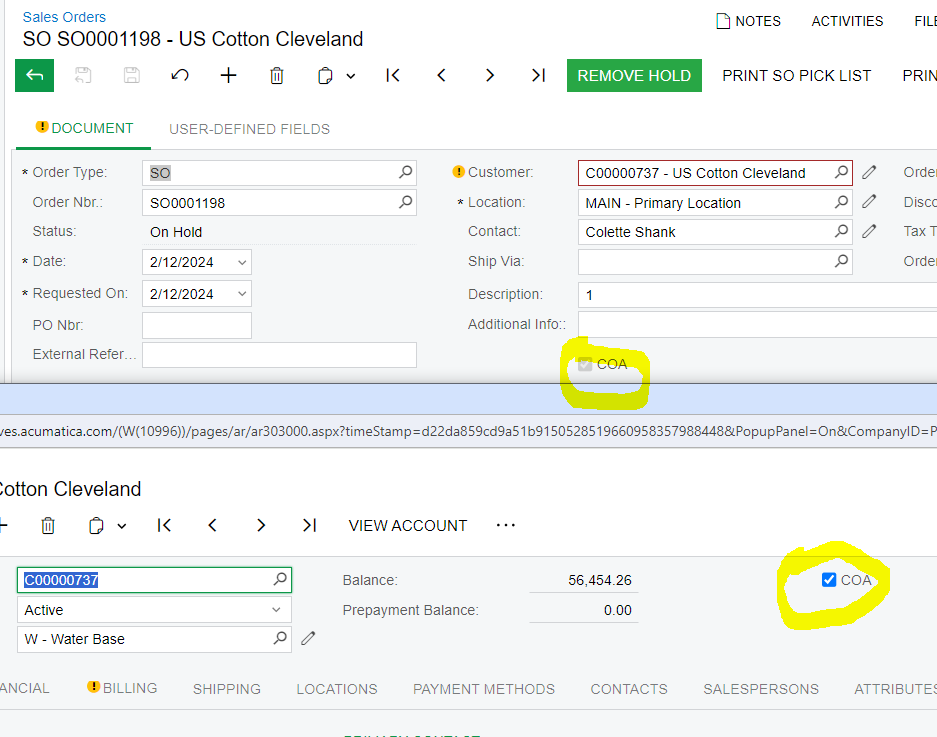
 

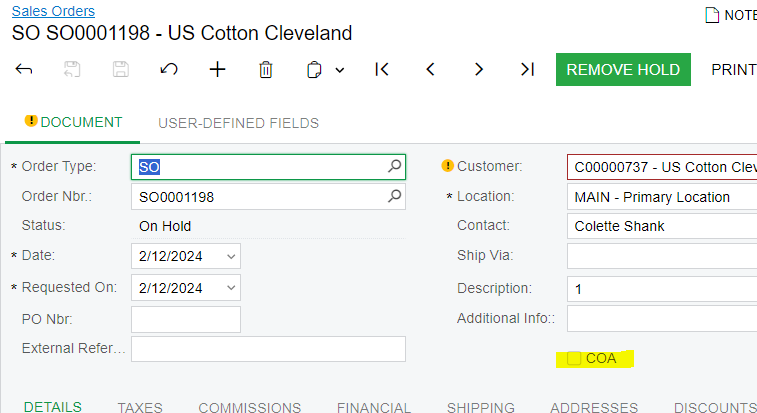
However, when I close the record and return to it later the value disappears.  If I do something in this record and save it again the value will reappear.  Below is the attribute...do I need to add something here?  I have tried to commit the changes but that does not work.  Advise would be appreciated.


[PXDBBool]
[PXUIField(DisplayName="COA")]


Best answer by Naveen Boga

@dgross Write a field updated event for the CUSTOMER ID in the Sales Order screen to fetch the COA field value from the Customers screen and assign it in the Sales Order screen custom COA field.

Here is the sample code for your reference.


 public class SOOrdeEntryExt : PXGraphExtension<SOOrderEntry>
{

protected virtual void SOOrder_CustomerID_FieldUpdated(PXCache cache, PXFieldUpdatedEventArgs e, PXFieldUpdated InvokeBaseHandler)
{
InvokeBaseHandler?.Invoke(cache, e);
SOOrder row = e.Row as SOOrder;
if (row != null)
{
Customer objCustomer = Customer.PK.Find(Base, row.CustomerID);
SOOrderExt rowExt = row.GetExtension<SOOrderExt>();
CustomerExt CustomerExt = objCustomer.GetExtension<CustomerExt>();
if (objCustomer != null)
{
rowExt.usrCOA = CustomerExt.usrCOA;
}
}
}

}


4 replies

Naveen Boga
Captain II
Forum|alt.badge.img+19
  • Captain II
  • Answer
  • February 13, 2024

@dgross Write a field updated event for the CUSTOMER ID in the Sales Order screen to fetch the COA field value from the Customers screen and assign it in the Sales Order screen custom COA field.

Here is the sample code for your reference.


 public class SOOrdeEntryExt : PXGraphExtension<SOOrderEntry>
{

protected virtual void SOOrder_CustomerID_FieldUpdated(PXCache cache, PXFieldUpdatedEventArgs e, PXFieldUpdated InvokeBaseHandler)
{
InvokeBaseHandler?.Invoke(cache, e);
SOOrder row = e.Row as SOOrder;
if (row != null)
{
Customer objCustomer = Customer.PK.Find(Base, row.CustomerID);
SOOrderExt rowExt = row.GetExtension<SOOrderExt>();
CustomerExt CustomerExt = objCustomer.GetExtension<CustomerExt>();
if (objCustomer != null)
{
rowExt.usrCOA = CustomerExt.usrCOA;
}
}
}

}


Forum|alt.badge.img+1
  • Author
  • Jr Varsity II
  • February 13, 2024

HI Naveen, thanks for the quick response.   I am, however,  looking for a non-coding kind of answer.  Is there nothing in the Layout properties or Attribute that will accomplish this or is the only option to add code?  


Naveen Boga
Captain II
Forum|alt.badge.img+19
  • Captain II
  • February 13, 2024

Yes, it requires code level customization.


@Naveen Boga 

I’m getting an error because it can find the type CustomerExt. How can I include that type?

