Answer

How to duplicate an existing screen (Customer Contracts) to a new screen (Vendor Contracts)

  • July 6, 2021
  • 4 replies
  • 622 views

Good Day,

This is my first time to post here in the site, please bear with me. :)

One of the requirements of our project is to duplicate an existing screen (Customer Contracts) into a new screen (Vendor Contracts) imitating the existing screen. I already saw one approach that the asp files can be copied and renamed but that is possible only for the ASP files.

  1. Could this be possible?
  2. If so, are there other things to consider (graphs, DACs of the existing screen to be duplicated as well?)
  3. Are there other ways to achieve this?

I'm still new to acumatica btw. Any responses are very much appreciated.

Thanks and stay safe.

Best answer by Hughes Beausejour

If it’s a perfect copy you can use the same graph.

If not you can create a new graph class that inherits from the original to extend it:
public class NewGraph : ExistingGraph
{

}

In ASPX file you will need to change TypeName property of PXDataSource element to reference the new graph:
<px:PXDataSource ID="ds" runat="server" PrimaryView="Document" TypeName="MyNamespace.NewGraph">

For DAC you can extend them with a DAC extension:
public class DacExtension : PXCacheExtension<DAC>
{

}

And you can use CacheAttached mechanism to redefine DAC field only for the target graph:

public class NewGraph : ExistingGraph
{

         // Change DAC field label only for the target graph
        [PXMergeAttributes(Method = MergeMethod.Merge)]
        [PXUIField(DisplayName = "My Display Name")]
        protected virtual void NotificationRecipient_Email_CacheAttached(PXCache sender)
        {
        }

}
 

4 replies

Naveen Boga
Captain II
Forum|alt.badge.img+19
  • Captain II
  • July 6, 2021

Hi @jesusetable50   Welcome to community :)

You can find the solution of your question here and let me know if you have any further queries


Hughes Beausejour
Acumatica Employee
Forum|alt.badge.img+2
  • Acumatica Developer Support Team
  • Answer
  • July 6, 2021

If it’s a perfect copy you can use the same graph.

If not you can create a new graph class that inherits from the original to extend it:
public class NewGraph : ExistingGraph
{

}

In ASPX file you will need to change TypeName property of PXDataSource element to reference the new graph:
<px:PXDataSource ID="ds" runat="server" PrimaryView="Document" TypeName="MyNamespace.NewGraph">

For DAC you can extend them with a DAC extension:
public class DacExtension : PXCacheExtension<DAC>
{

}

And you can use CacheAttached mechanism to redefine DAC field only for the target graph:

public class NewGraph : ExistingGraph
{

         // Change DAC field label only for the target graph
        [PXMergeAttributes(Method = MergeMethod.Merge)]
        [PXUIField(DisplayName = "My Display Name")]
        protected virtual void NotificationRecipient_Email_CacheAttached(PXCache sender)
        {
        }

}


bjeter78
Freshman II
Forum|alt.badge.img
  • Freshman II
  • February 25, 2022

Hello,

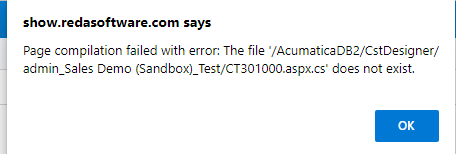
I am trying to do what you were asking, copy the Customer Contracts over to Vendor Contracts. I think a lot of Customers will need this feature as I did in the past. I got the files copied over and the site map setup. It looks like a perfect copy. When I go into customize, I am getting an error from the test environment that is reverting back to the original aspx file. I did not make any changes to the aspx file, is this my problem? I am going to want the page to pull information from the vendors and not the customers, can you please help direct me to complete this task? CT301000 is the original screen I copied from. Also, when I copy over the pages in the server, do I put the new copies in the page folder of the workspace I want it in, like the AP folder or leave it in the CT folder? Currently, I left them in the CT folder and mapped the site map to there or does it not matter?


Thank you,

Barbie Jeter


arun83
Jr Varsity II
Forum|alt.badge.img
  • Jr Varsity II
  • September 27, 2022

If it’s a perfect copy you can use the same graph.

If not you can create a new graph class that inherits from the original to extend it:
public class NewGraph : ExistingGraph
{

}

In ASPX file you will need to change TypeName property of PXDataSource element to reference the new graph:
<px:PXDataSource ID="ds" runat="server" PrimaryView="Document" TypeName="MyNamespace.NewGraph">

For DAC you can extend them with a DAC extension:
public class DacExtension : PXCacheExtension<DAC>
{

}

And you can use CacheAttached mechanism to redefine DAC field only for the target graph:

public class NewGraph : ExistingGraph
{

         // Change DAC field label only for the target graph
        [PXMergeAttributes(Method = MergeMethod.Merge)]
        [PXUIField(DisplayName = "My Display Name")]
        protected virtual void NotificationRecipient_Email_CacheAttached(PXCache sender)
        {
        }

}
 

 All my Actions and workflow missing if i do custom Graph with inherit Existing screen graph.  Any solutions for this issue?