Answer

How to display the attribute description in Line details pop up box

  • August 27, 2025
  • 1 reply
  • 51 views

Forum|alt.badge.img+2

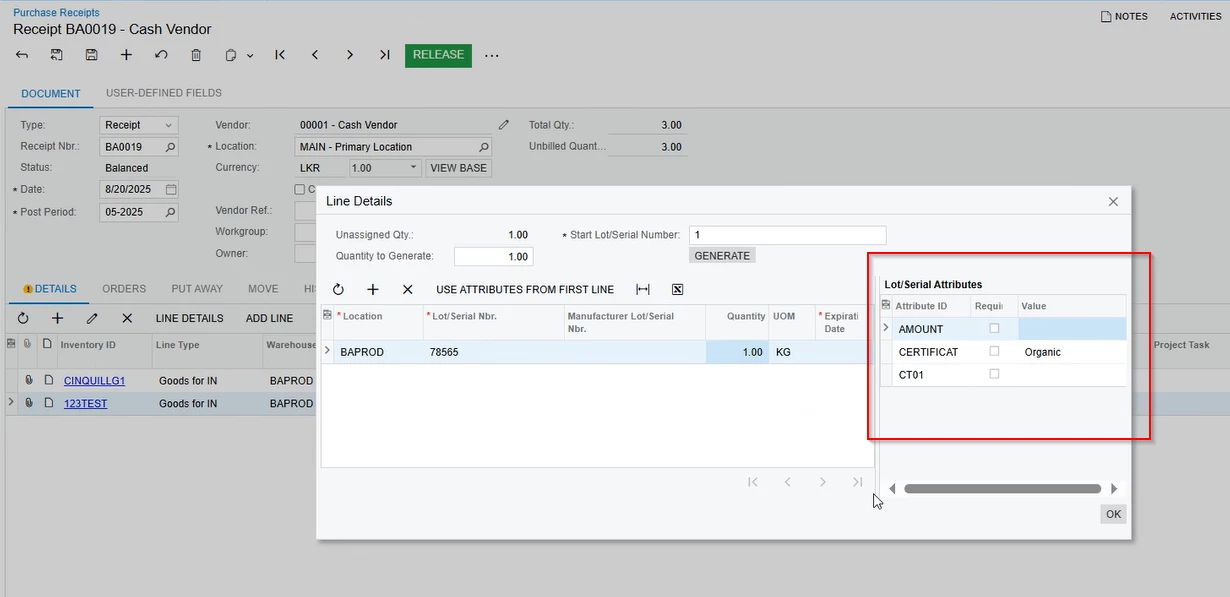
I need to show the attribute description in the grid on the Line Details popup of the Purchase Receipts screen (screenshot attached). I tried adding the description field via customization, but it’s not available there. From what I can see, the description comes from INLotSerClassAttribute. Do I need to override the grid’s view to include it? If so, what’s the best approach?


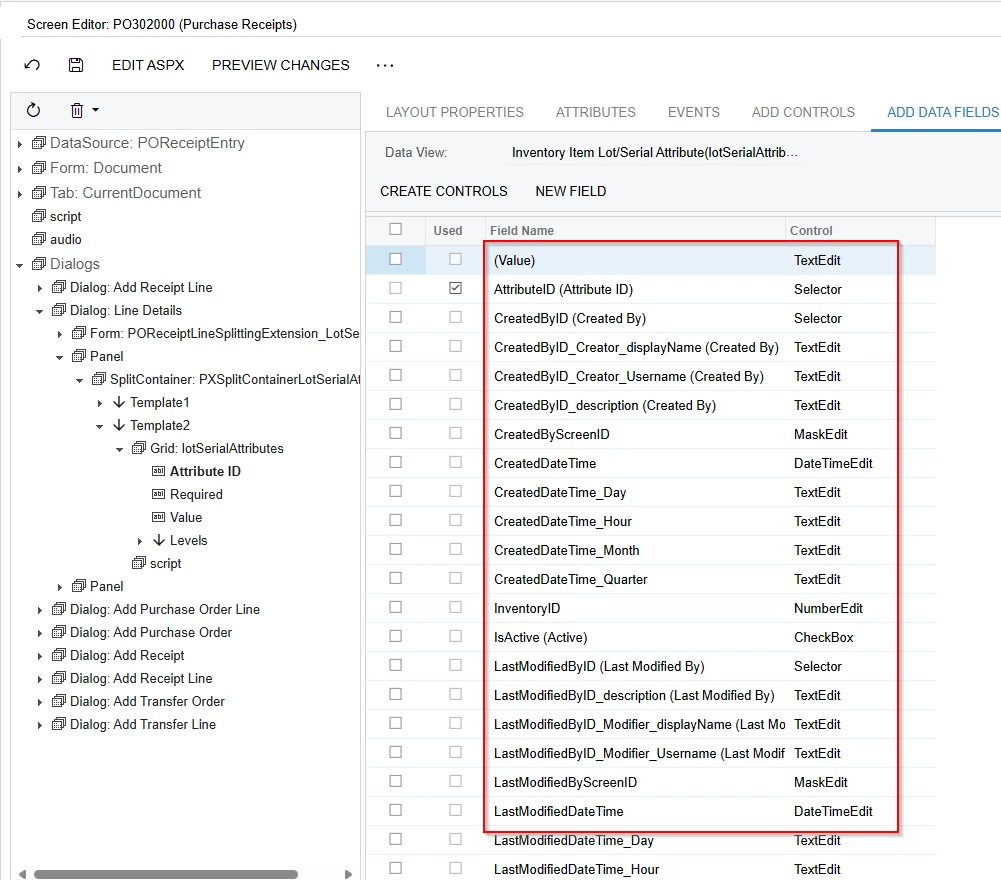
Here the Description is not available.


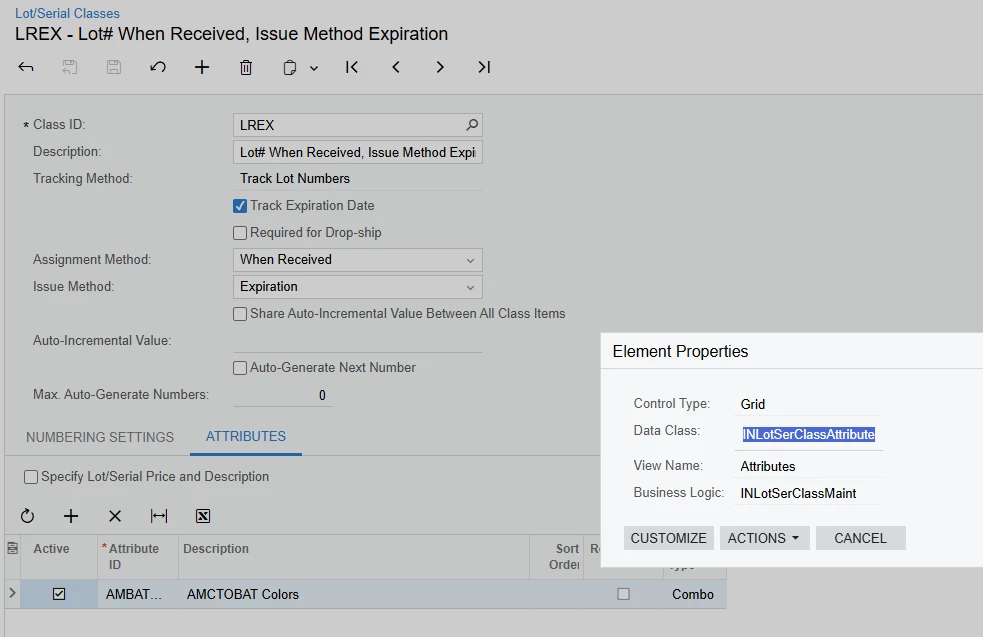
Lot Serial Class Screen


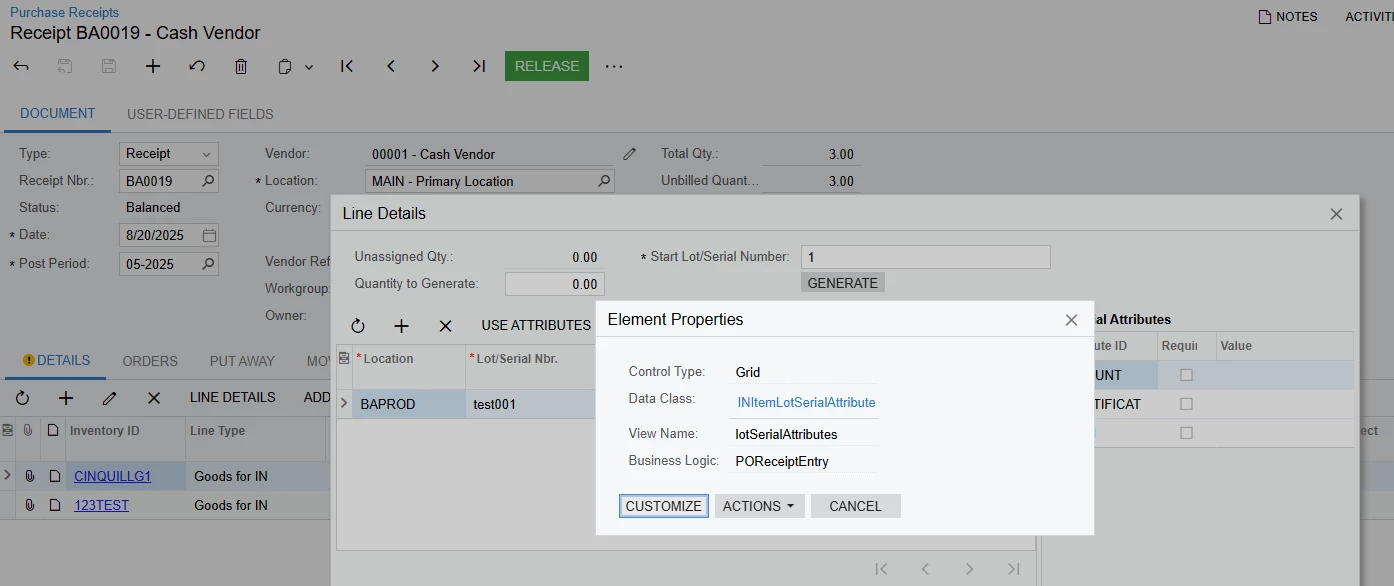
Purchase Receipts Screen


Best answer by Django

I commented on your other question but I figured I’d respond to this one with some more specifics.

That pop-up’s view for that grid is defined in LotSerialAttributeExt.cs as follows:

public
SelectFrom<INItemLotSerialAttribute>
.Where<
INItemLotSerialAttribute.inventoryID.
IsEqual<POReceiptLineSplit.inventoryID.FromCurrent.NoDefault>
.And<INItemLotSerialAttribute.isActive.IsEqual<True>>
.And<POReceiptLineSplit.lotSerialNbr.FromCurrent.NoDefault.IsNotNull>>
.OrderBy<INItemLotSerialAttribute.sortOrder.Asc>
.View lotSerialAttributes;

INItemLotSerialAttribute DAC shows that it only has the AttributeID, not the description. The description will be in the CSAttribute table.

There are a few ways to approach this. One way might be to create your own extension of the LotSerialAttributeExt which would allow you to override the view, above, to include an Inner Join to the CSAttribute table. That would then give you access to the description of the attribute in the designer. And, because you’re using key fields, the impact on the speed of the query would be negligible.

You could also extend the INItemLotSerialAttribute DAC to add a column for the description field of the attribute as a PXString (not PXDBString) and using PXScalar to grab the description. The advantage to this is that you’re not having to create an extension of an extension (which isn’t a bid deal) and it makes that description field available wherever the INItemLotSerialAttribute DAC is used.


1 reply

Forum|alt.badge.img+7
  • Captain II
  • Answer
  • August 27, 2025

I commented on your other question but I figured I’d respond to this one with some more specifics.

That pop-up’s view for that grid is defined in LotSerialAttributeExt.cs as follows:

public
SelectFrom<INItemLotSerialAttribute>
.Where<
INItemLotSerialAttribute.inventoryID.
IsEqual<POReceiptLineSplit.inventoryID.FromCurrent.NoDefault>
.And<INItemLotSerialAttribute.isActive.IsEqual<True>>
.And<POReceiptLineSplit.lotSerialNbr.FromCurrent.NoDefault.IsNotNull>>
.OrderBy<INItemLotSerialAttribute.sortOrder.Asc>
.View lotSerialAttributes;

INItemLotSerialAttribute DAC shows that it only has the AttributeID, not the description. The description will be in the CSAttribute table.

There are a few ways to approach this. One way might be to create your own extension of the LotSerialAttributeExt which would allow you to override the view, above, to include an Inner Join to the CSAttribute table. That would then give you access to the description of the attribute in the designer. And, because you’re using key fields, the impact on the speed of the query would be negligible.

You could also extend the INItemLotSerialAttribute DAC to add a column for the description field of the attribute as a PXString (not PXDBString) and using PXScalar to grab the description. The advantage to this is that you’re not having to create an extension of an extension (which isn’t a bid deal) and it makes that description field available wherever the INItemLotSerialAttribute DAC is used.