



Hi,I developed a custom screen as below.
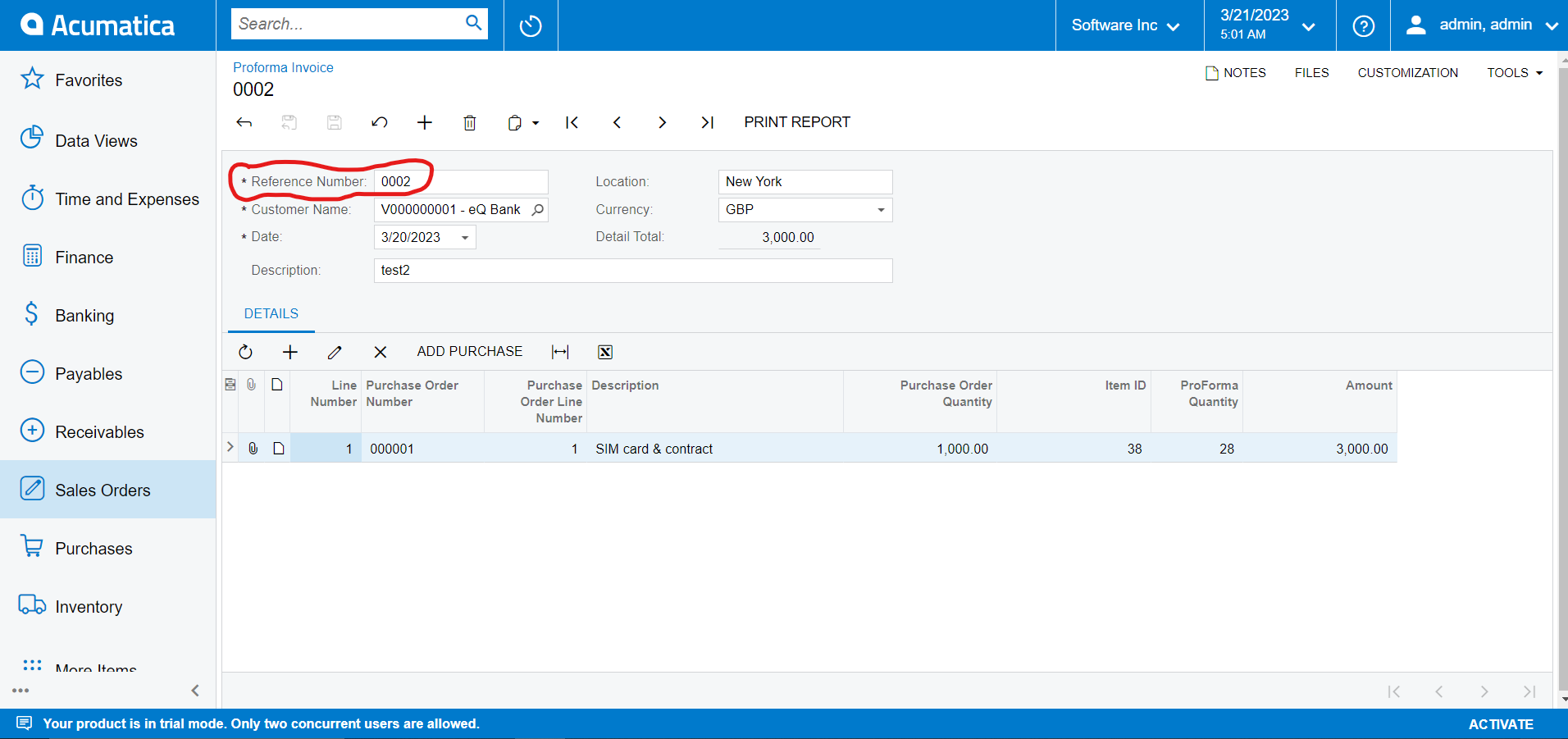
As you can see in the above screen shot, I have already saved some records to the database for the above mentioned reference number. After adding and saving record to the database as above, i need to keep the all fillable fields as non editable.
I tried to accomplish this task by putting the following event handler.
protected void APProforma_RowSelected(PXCache cache, PXRowSelectedEventArgs e)
        {

            var row = (APProforma)e.Row;

                APProforma item = SelectFrom<APProforma>.Where<APProforma.refNbr.IsEqual<APProforma.refNbr>>.View.Select(this, row.RefNbr);

                if (item.RefNbr != null)
                {
                //row.Currency = item.RefNbr;
                    APProformas.AllowInsert = false;
                    APProformas.AllowSelect = false;
                    APProformas.AllowDelete = false;
                    APProformas.AllowUpdate = false;
                APProformaItems.AllowInsert = false;
                APProformaItems.AllowSelect = false;
                APProformaItems.AllowDelete = false;
                APProformaItems.AllowUpdate = false;

            }
                else
                {
                    APProformas.AllowInsert = true;
                    APProformas.AllowSelect = true;
                    APProformas.AllowDelete = true;
                    APProformas.AllowUpdate = true;
                APProformaItems.AllowInsert = true;
                APProformaItems.AllowSelect = true;
                APProformaItems.AllowDelete = true;
                APProformaItems.AllowUpdate = true;

            }

        }
But this time when i’m going to create a record for a new reference number, after filling the reference number field, all the other fields are also becoming non editable at once.
So, can someone help me to solve this issue?
For your reference:
APProforma = DAC for the form view.
APProformas = View for the form view.
APProformaItems = View for the grid of the screen.


