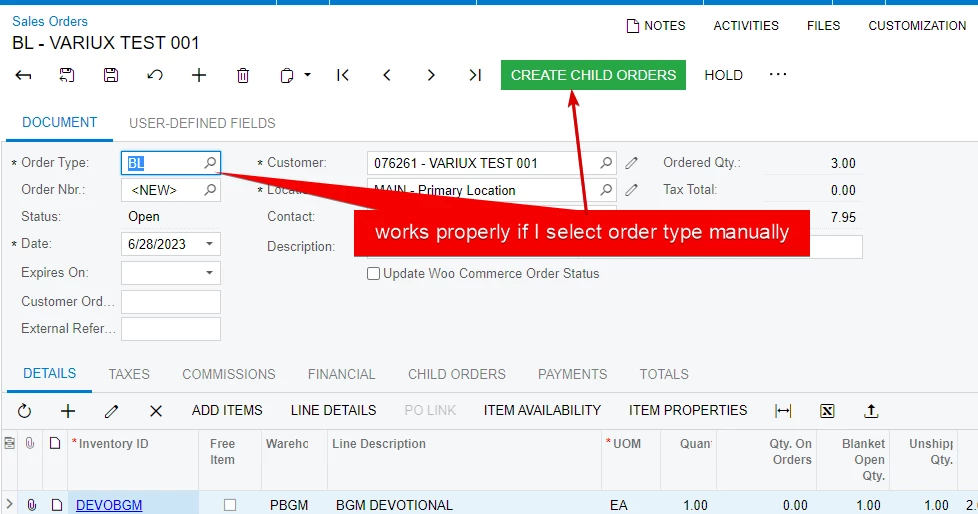
How do I create a shortcuts for Create Blanket Sales Order on the Sales Order Menu and on the Customers three dots menu? I’m trying to easily go from creating a customer to creating a blanket sales order in a single click.
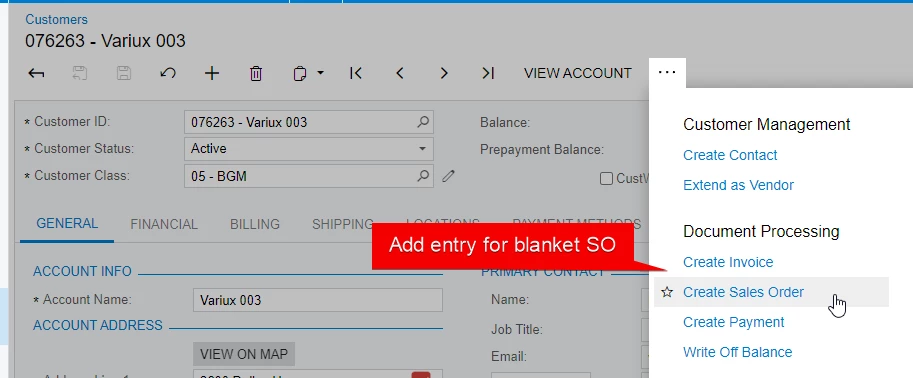



How do I create a shortcuts for Create Blanket Sales Order on the Sales Order Menu and on the Customers three dots menu? I’m trying to easily go from creating a customer to creating a blanket sales order in a single click.
Best answer by Vignesh Ponnusamy
	public class CustomerMaint_Extension : PXGraphExtension<PX.Objects.AR.CustomerMaint>
	{
		#region Event Handlers
		public PXAction<Customer> newBlanketSalesOrder;
		[PXUIField(DisplayName = "Create Blanket Sales Order", MapEnableRights = PXCacheRights.Select, MapViewRights = PXCacheRights.Select)]
		[PXButton()]
		public virtual IEnumerable NewBlanketSalesOrder(PXAdapter adapter)
		{
			Customer customer = Base.BAccount.Current;
			if (customer != null && customer.BAccountID > 0L)
			{
				SOOrderEntry soEntry = PXGraph.CreateInstance<SOOrderEntry>();
				soEntry.Clear();
				SOOrder newDoc = (SOOrder)soEntry.Document.Cache.Insert();
				newDoc.BranchID = null;
				soEntry.Document.Cache.SetValueExt<SOOrder.customerID>(newDoc, customer.BAccountID);
				soEntry.Document.Cache.SetValueExt<SOOrder.orderType>(newDoc, "BL"); //Set SOOrder Type here
				newDoc.ContactID = customer.PrimaryContactID < 0L ? null : customer.PrimaryContactID;
				soEntry.customer.Current.CreditRule = customer.CreditRule;
				if (soEntry.Document.Current.FreightTaxCategoryID != null)
				{
					SOOrder createdOrder = (SOOrder)soEntry.Document.Cache.CreateCopy(soEntry.Document.Current);
					soEntry.Document.Current.FreightTaxCategoryID = null;
					soEntry.Document.Update(createdOrder);
				}

				throw new PXRedirectRequiredException(soEntry, "SOOrderEntry");
			}
			return adapter.Get();
		}
		#endregion
	}
Hope that helps. Feel free to post if you have any questions. Good Luck.!
Enter your E-mail address. We'll send you an e-mail with instructions to reset your password.