Answer

How to change DisplayName of Contact field on Cases screen?

  • November 28, 2023
  • 4 replies
  • 133 views

nhatnghetinh
Captain II
Forum|alt.badge.img+11

Dear Team,

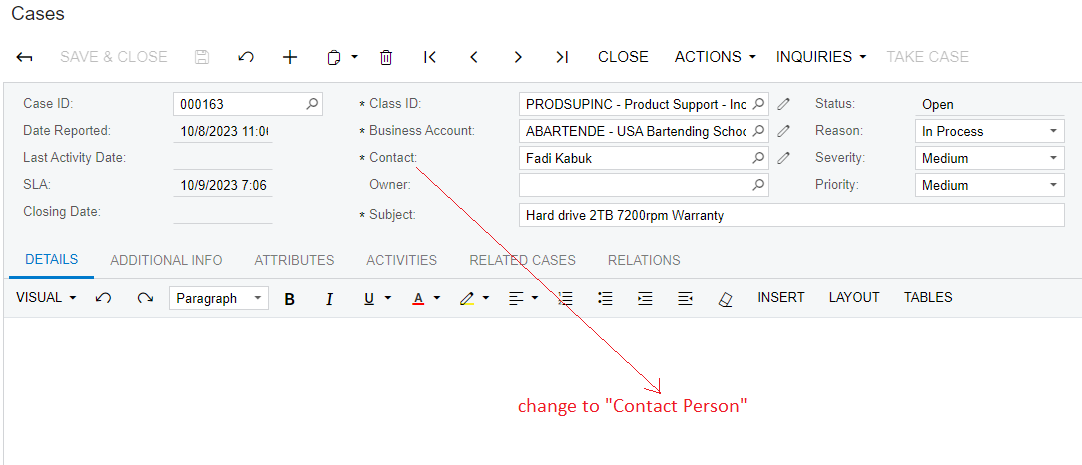
I tried changing the DisplayName of the Contact field on the Case screen by doing it on “Customize Attributes”. But it didn't work.

[PXUIField(DisplayName = "Contact", Visibility = PXUIVisibility.Visible)]

Change to [PXUIField(DisplayName = "Contact Person")]
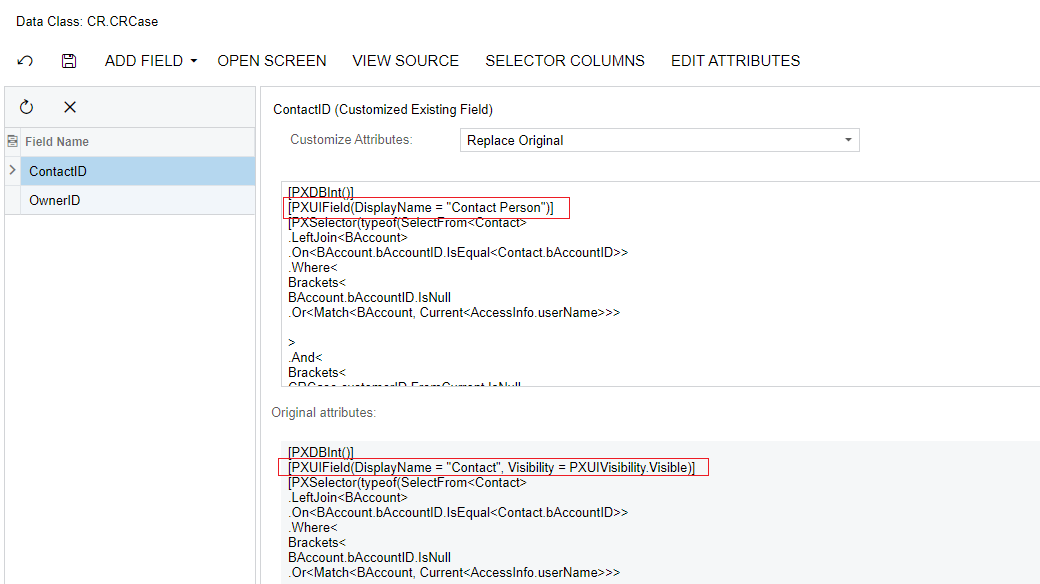


Please help me the solution !


Note: Acumatica Version 2020 R1


Best Regards,

NNT

Best answer by Sagar Greytrix

Hi @nhatnghetinh ,

You can change field display name without coding. Find the below Screenshot.


Go to Customization Editor →  Click on Screens → Add cases screen → under the Screens Section click on Fields → Add the Contact Field and Change the display name as you want.

Hope, it helps!

Regards,

Sagar

4 replies

Sagar Greytrix
Captain II
Forum|alt.badge.img+3
  • Captain II
  • Answer
  • November 28, 2023

Hi @nhatnghetinh ,

You can change field display name without coding. Find the below Screenshot.


Go to Customization Editor →  Click on Screens → Add cases screen → under the Screens Section click on Fields → Add the Contact Field and Change the display name as you want.

Hope, it helps!

Regards,

Sagar


nhatnghetinh
Captain II
Forum|alt.badge.img+11
  • Author
  • Captain II
  • November 28, 2023

Hi @sagar07,

The attached Screenshot looks like something went wrong. Cannot be viewed.


Best Regards,

NNT


nhatnghetinh
Captain II
Forum|alt.badge.img+11
  • Author
  • Captain II
  • November 28, 2023

Thank you @sagar07,

It's already done as you instructed.

However, I still wonder why it cannot be done using “Customize Attributes” with Contact field. While other fields (Owner, Subject,...) can still be done using the “Customize Attributes” method ?


Best Regards,

NNT


Naveen Boga
Captain II
Forum|alt.badge.img+19
  • Captain II
  • November 28, 2023

@nhatnghetinh  Yes, I have also observed the same behavior a way long time ago that REPLACE ORIGINAL Attributes is not replacing the Display Name.

The easiest way to do this is from the Customization Editor like Sagar suggested above or else we can also do with the Cache Attached event.