Answer

How to Change Display name of the "Notes" section.

  • May 23, 2024
  • 2 replies
  • 153 views

Forum|alt.badge.img

Hello Everyone,

We have a requirement to change the display name of the “Notes” button on one specific screen.
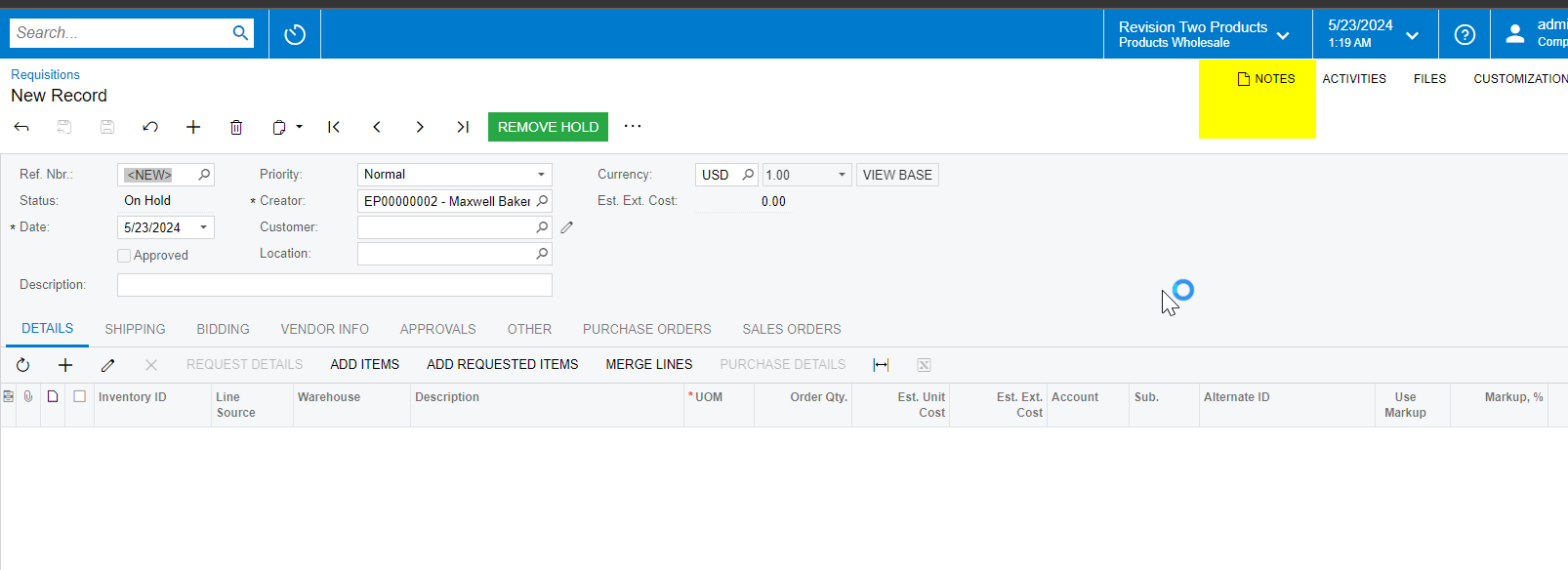
 

We tried using CacheAttached on NOTEID and performed SetDisplayName in the RowSelected event and the initializer, but we were unable to change the name through the customization.

We also considered using translation to change the name, but this method changes the Notes label on every screen, whereas we only want to change the label on one screen and we have custom field on the detail section with “Notes” as a display name and it is also converting as translation label name.  

How can we achieve this? Please suggest.


public class RequisitionEntryExt1 : PXGraphExtension<RQRequisitionEntry>
{
public static bool IsActive() => true;

public override void Initialize()
{
base.Initialize();
PXUIFieldAttribute.SetDisplayName<RQRequisition.noteID>(Base.Caches[typeof(RQRequisition)], "Justification Notes");
}


[PXMergeAttributes(Method = MergeMethod.Append)]
[PXUIField(DisplayName = "Quick Notes")]
protected virtual void RQRequisition_NoteID_CacheAttached(PXCache sender)
{
}
}



Best answer by Zoltan Febert

Actually It is very easy to do with JavaScript.
You just need to add a JavaScript control to your screen with the following script:

document.addEventListener('DOMContentLoaded', function() {   
const notesElement = document.querySelector('#ctl00_usrCaption_tlbDataView_ul .toolsBtn[data-cmd="NoteShow"] .toolBtnNormal');
if (notesElement) {
notesElement.lastChild.textContent = 'New Text';
}
});

The query selector is very strict, if it doesn’t work for some reason, you can use ‘.toolsBtn[data-cmd="NoteShow"] .toolBtnNormal’
I tried it on 23R2, on the Service Order entry screen.

2 replies

RohitRattan88
Acumatica Moderator
Forum|alt.badge.img+4
  • Acumatica Moderator
  • May 23, 2024

@rajeshvemunoori31 

this seems to be action(NoteShow), rather than field. Seems like, this top bar(Notes, Activies, etc..) is the part of Framework Actions(Events). Any action on DAC noteID is not gonna change it. Label comes from global variable, hence changing it via Translation Dictionary seems to change it for all screens.

Lastly, I could not find a way to access/change it via customization/code in any way. maybe because it is framework component.

Not an answer but wanted to share my findings.


Zoltan Febert
Jr Varsity I
Forum|alt.badge.img+3
  • Jr Varsity I
  • Answer
  • May 24, 2024

Actually It is very easy to do with JavaScript.
You just need to add a JavaScript control to your screen with the following script:

document.addEventListener('DOMContentLoaded', function() {   
const notesElement = document.querySelector('#ctl00_usrCaption_tlbDataView_ul .toolsBtn[data-cmd="NoteShow"] .toolBtnNormal');
if (notesElement) {
notesElement.lastChild.textContent = 'New Text';
}
});

The query selector is very strict, if it doesn’t work for some reason, you can use ‘.toolsBtn[data-cmd="NoteShow"] .toolBtnNormal’
I tried it on 23R2, on the Service Order entry screen.