Answer

How to Assign Multiple Serial Numbers at Once (Screen: Receive and Put Away)

  • July 4, 2025
  • 2 replies
  • 130 views

FinnSystemAG
Freshman II
Forum|alt.badge.img

Hello everyone,

I would like to enter multiple serial numbers at once in the screen Receive and Put Away (PO302020), for example, separated by a semicolon.

For instance, if I order 100 pieces of "002092 Testarticle", I don’t want to manually enter each serial number one by one. Instead, I would like to scan or input a barcode that contains all the serial numbers and have them automatically assigned.

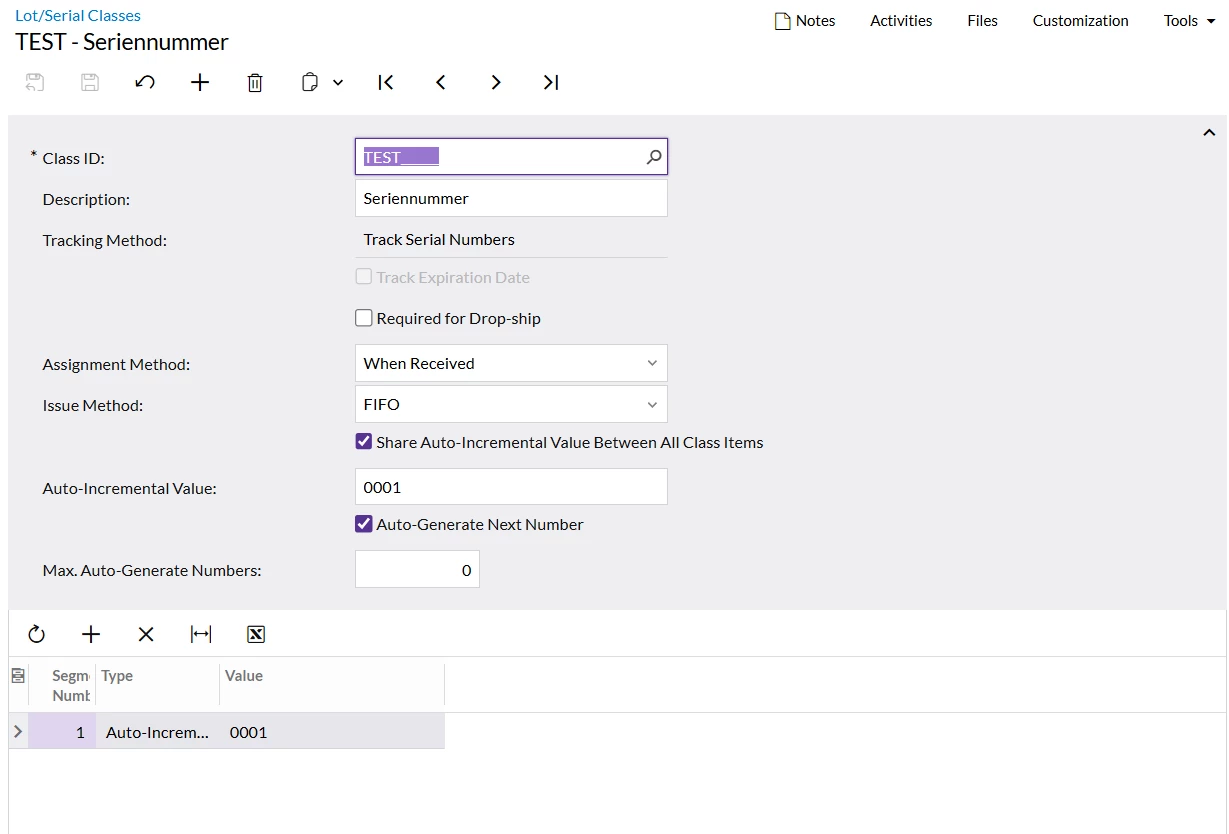
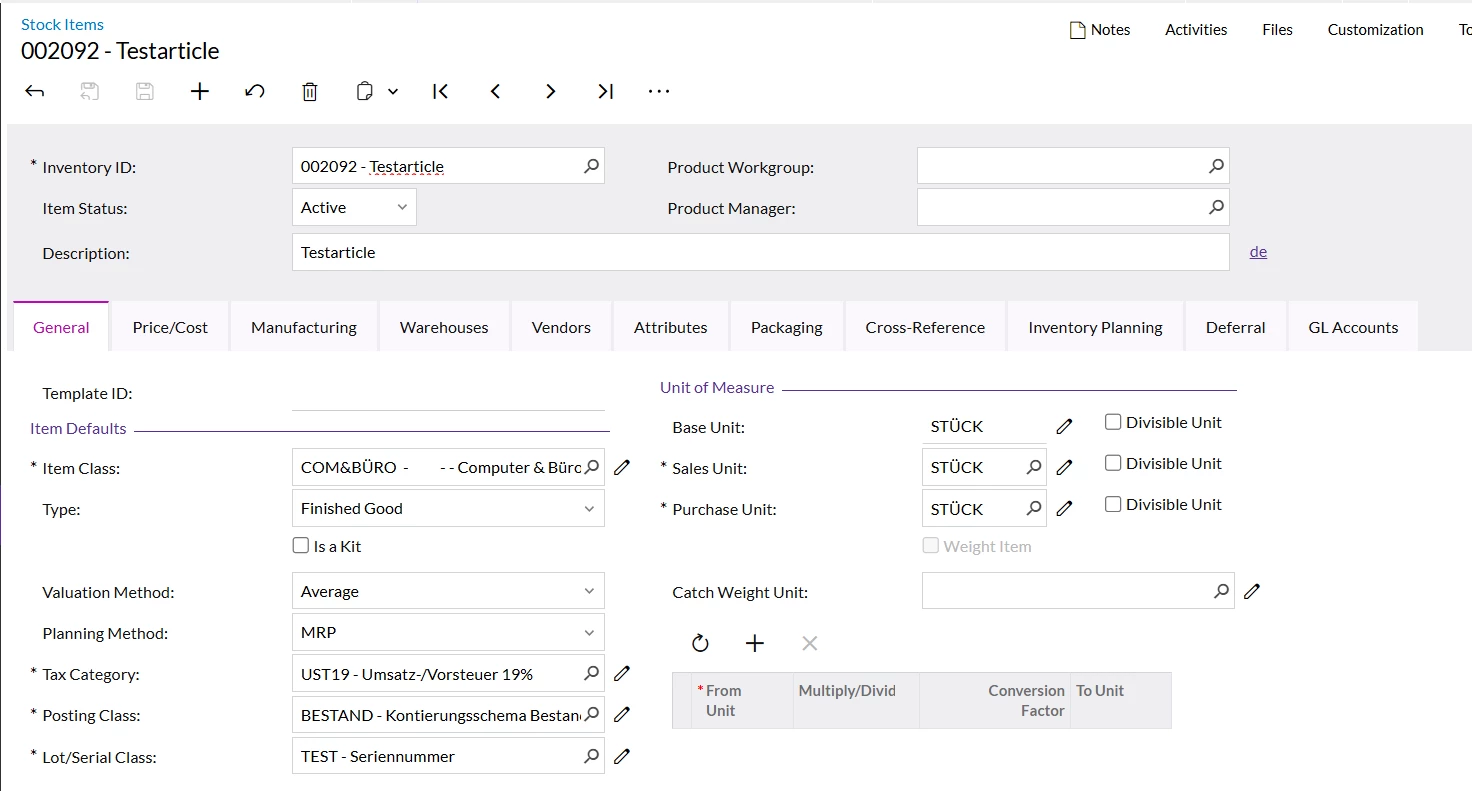
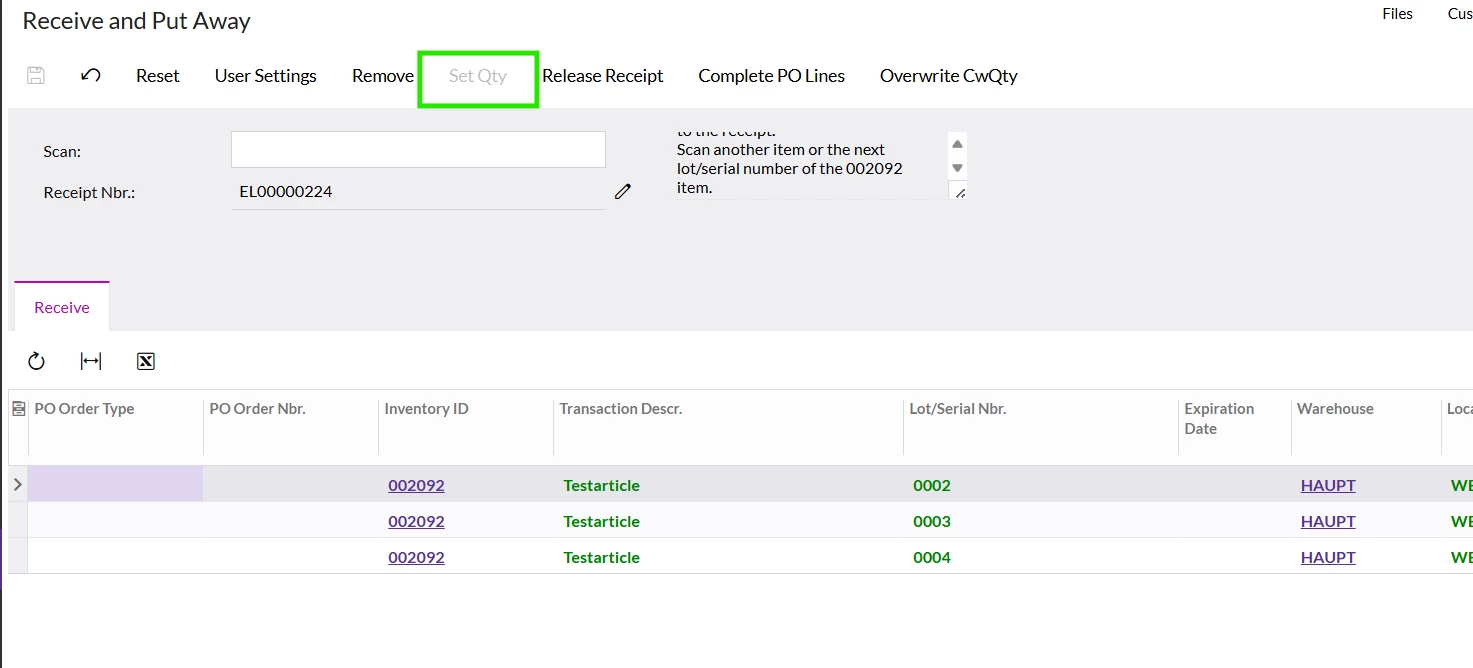
In my specific example (as shown in the attached images), I ordered 4 pieces, but I still have to input each serial number individually or assign them one by one. I would like to have a way to process all serial numbers at once instead of doing it manually for each item.


Hope you can help me.
 

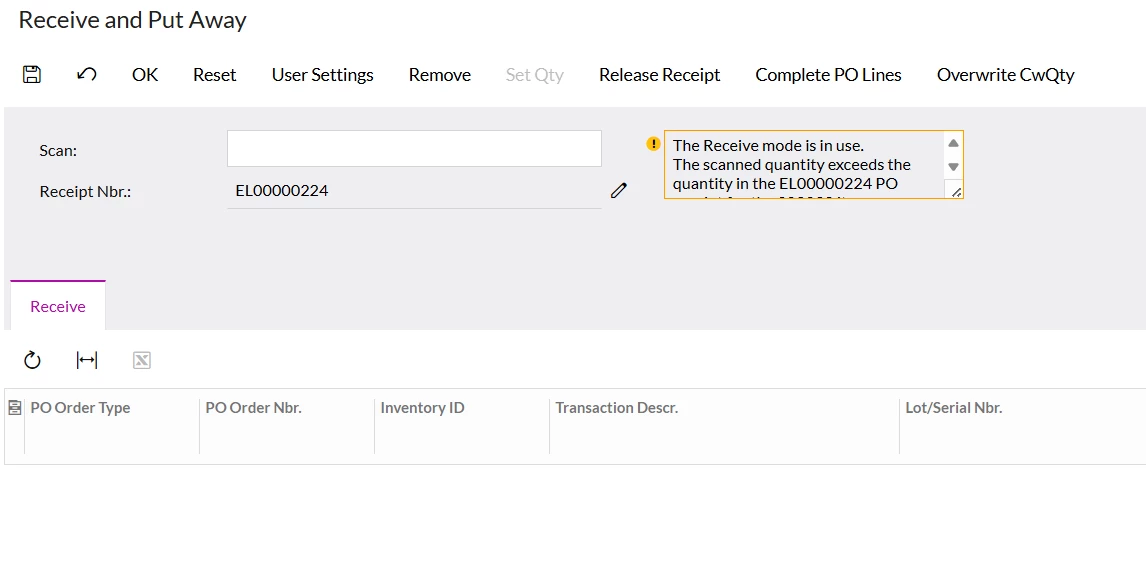
The Receive mode is in use.
The scanned quantity exceeds the quantity in the EL00000224 PO receipt for the 002092 item.
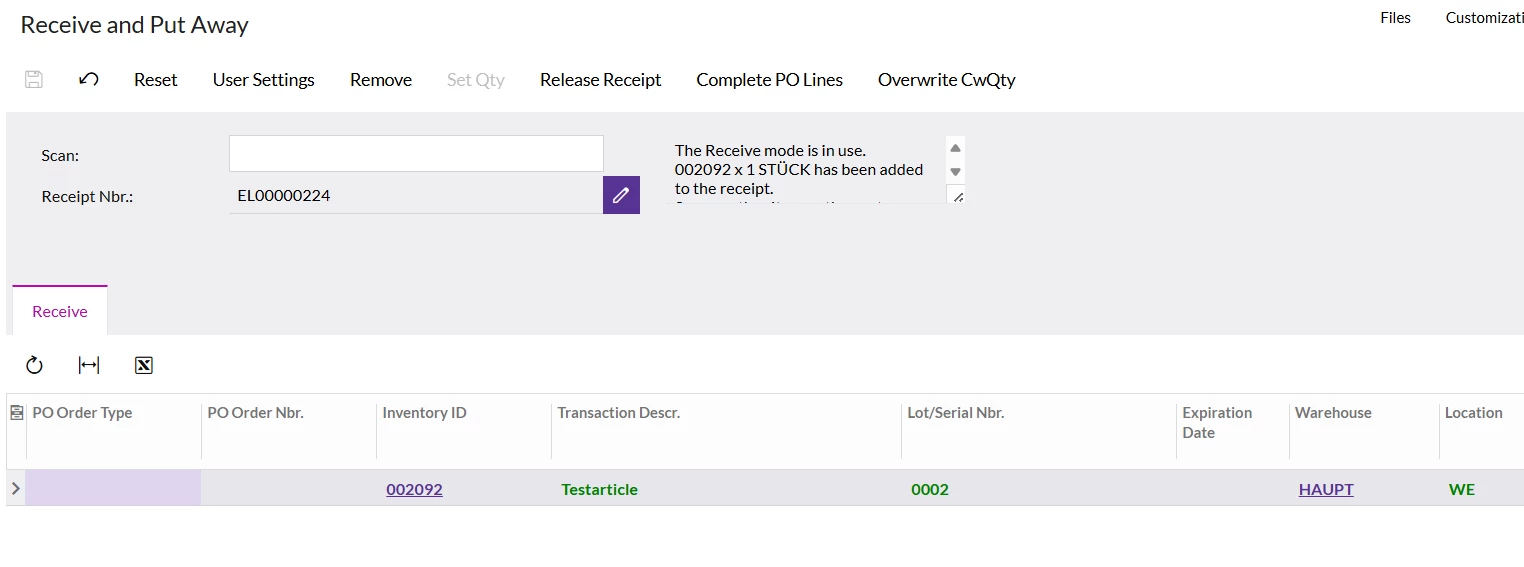
Confirm receiving 002092 x 1 STÜCK. The following quantity of the item will be added to a receipt line that is not linked to a purchase order: 1 STÜCK. To confirm, click OK.


When I click on the "OK" field, it assigns a serial number to my item. However, I have to enter my item number multiple times for it to do so. I don’t have the option to click on "Quantity." I believe that could solve the issue.
 

Best answer by aiwan

@FinnSystemAG 


You could potentially add a new scan command which would do this for you to minimise the scans but that would still mean 100 scans…. 
 

Or add a scan state which adds the lot nbrs to an array, then iterate through that array via a scan command to add Basis.InventoryID as the InvItemState value, then the next item in the array as the  LotSerialNbrState value.


If I think of any other ways I will update :)


Aleks

2 replies

Forum|alt.badge.img+8
  • Captain II
  • Answer
  • July 11, 2025

@FinnSystemAG 


You could potentially add a new scan command which would do this for you to minimise the scans but that would still mean 100 scans…. 
 

Or add a scan state which adds the lot nbrs to an array, then iterate through that array via a scan command to add Basis.InventoryID as the InvItemState value, then the next item in the array as the  LotSerialNbrState value.


If I think of any other ways I will update :)


Aleks


valentynbeznosiuk
Jr Varsity I
Forum|alt.badge.img+3

Hi ​@FinnSystemAG,

I wanted only to confirm that this is feasible to achieve through customization. I had similar projects in my practice, so I would suggest contacting your VAR for assistance to improve this process for you.