

Hello Everyone,
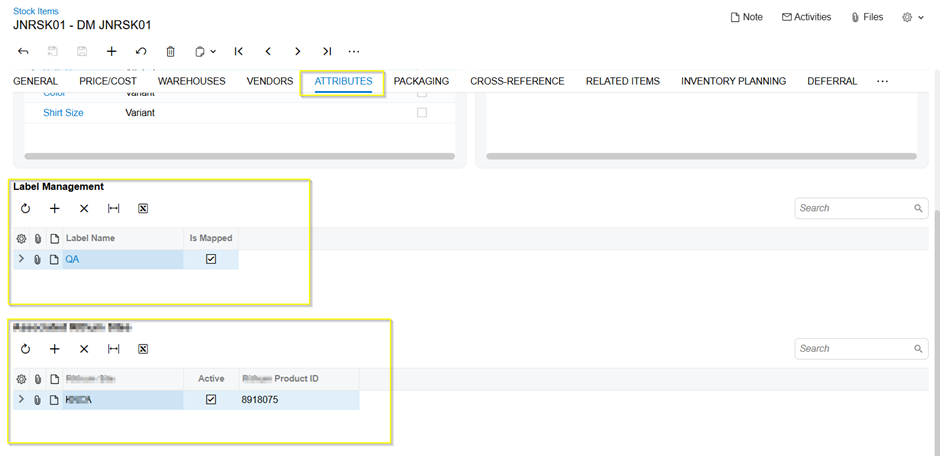
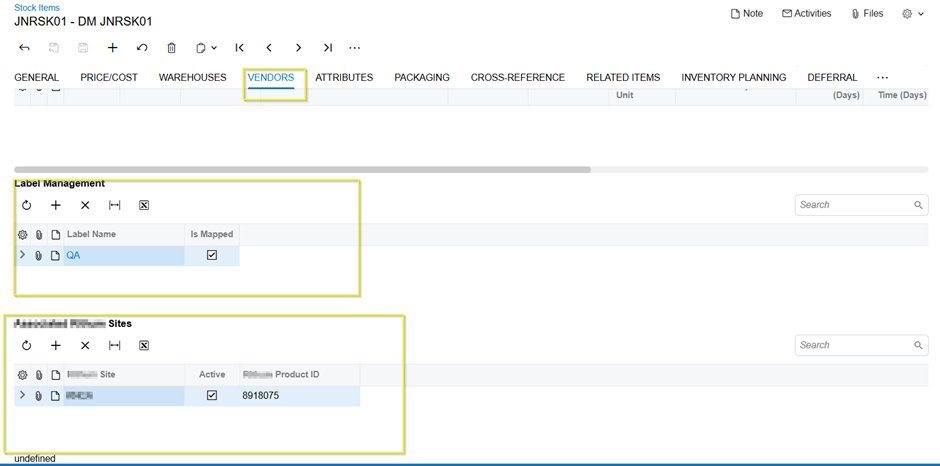
In the recent Modern UI update, we added custom grids to the Stock Item Attributes tab. While the grids have been successfully added, they are currently displaying in the All tabs of the Stock Item screen instead of the intended tab. We have implemented the code changes in the HTML and TypeScript extension files. Please review the changes and suggest a solution.
Please find the screenshots for reference:
Screenshot 1:
Screenshot 2:
HTML:
<template>
<field after="#fsColumnA-StockItem [name='Descr']" name="UsrEnableSiteID"></field>
<qp-template id="temp-Enable">
<div id="div-SiteContainer" class="grid-container">
<div data-bind="grid: LableSite">
<qp-grid id="gridAnswers-LabelMangement" view.bind="LableSite" caption="Label Management" wg-container="LableSites_PXGridItemLabels"></qp-grid>
</div>
</div>
<div id="SitesContainer" class="grid-container">
<div data-bind="grid: Configsites">
<qp-grid id="gridAnswers-EnbSites" view.bind="Configsites" caption="Associated Sites" wg-container="EnbSites_PXGridAdvisorSites"></qp-grid>
</div>
</div>
</qp-template>
</template>
Typescript:
import {
IN202500,
InventoryItem,
} from "src/screens/IN/IN202500/IN202500";
import {
PXFieldState,
PXFieldOptions,
viewInfo,
PXView,
gridConfig,
GridPreset,
columnConfig,
GridColumnDisplayMode,
createCollection
} from "client-controls";
export interface IN202500_Enablelable extends IN202500 {}
export class IN202500_Enablelable {
@viewInfo({ containerName: "Site Container" })
LableSite = createCollection(SiteLabel);
@viewInfo({ containerName: "Site Container" })
Configsites = createCollection(SiteConfig);
}
export interface InventoryItem_EnableSites extends InventoryItem {}
export class InventoryItem_EnableSites {
UsrEnableSiteID: PXFieldState<PXFieldOptions.CommitChanges>;
}
@gridConfig({
preset: GridPreset.Details,
})
export class SiteLabel extends PXView {
@columnConfig({ displayMode: GridColumnDisplayMode.Both })
LabelName: PXFieldState<PXFieldOptions.CommitChanges>;
IsMapped: PXFieldState<PXFieldOptions.CommitChanges>;
}
@gridConfig({
preset: GridPreset.Details,
})
export class SiteConfig extends PXView {
@columnConfig({ displayMode: GridColumnDisplayMode.Value })
RenSiteID: PXFieldState<PXFieldOptions.CommitChanges>;
Active: PXFieldState<PXFieldOptions.CommitChanges>;
RenID: PXFieldState<PXFieldOptions.CommitChanges>;
}
<template>
<field after="#fsColumnA-StockItem [name='Descr']" name="UsrEnableSiteID"></field>
<qp-template id="temp-Enable">
<div id="div-SiteContainer" class="grid-container">
<div data-bind="grid: LableSite">
<qp-grid id="gridAnswers-LabelMangement" view.bind="LableSite" caption="Label Management" wg-container="LableSites_PXGridItemLabels"></qp-grid>
</div>
</div>
<div id="SitesContainer" class="grid-container">
<div data-bind="grid: Configsites">
<qp-grid id="gridAnswers-EnbSites" view.bind="Configsites" caption="Associated Sites" wg-container="EnbSites_PXGridAdvisorSites"></qp-grid>
</div>
</div>
</qp-template>
</template>




