Answer

How to add moder ui file to publish in production

  • October 21, 2025
  • 7 replies
  • 144 views

Forum|alt.badge.img

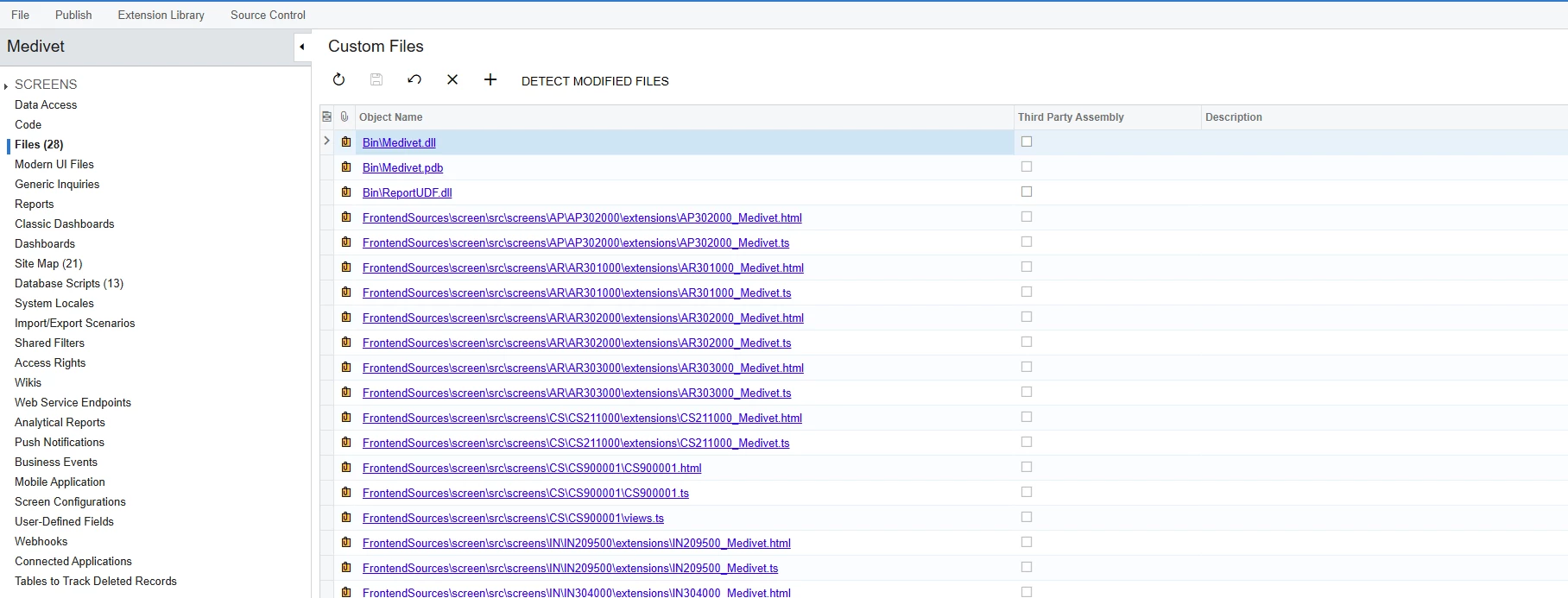
I create moder ui in localhost in environment and It’s working and I include the file in customization project file like image above but after publishing in production it cannot show or display

Best answer by vannakheng

@vannakheng, have you been able to resolve your issue?

I solved it by publish customization project first and after I go to frontEndUi folder and run command npm run build directly. If I add it from development folder to modern ui in customization when publish getmodule and build error with webpack….

7 replies

Forum|alt.badge.img+3

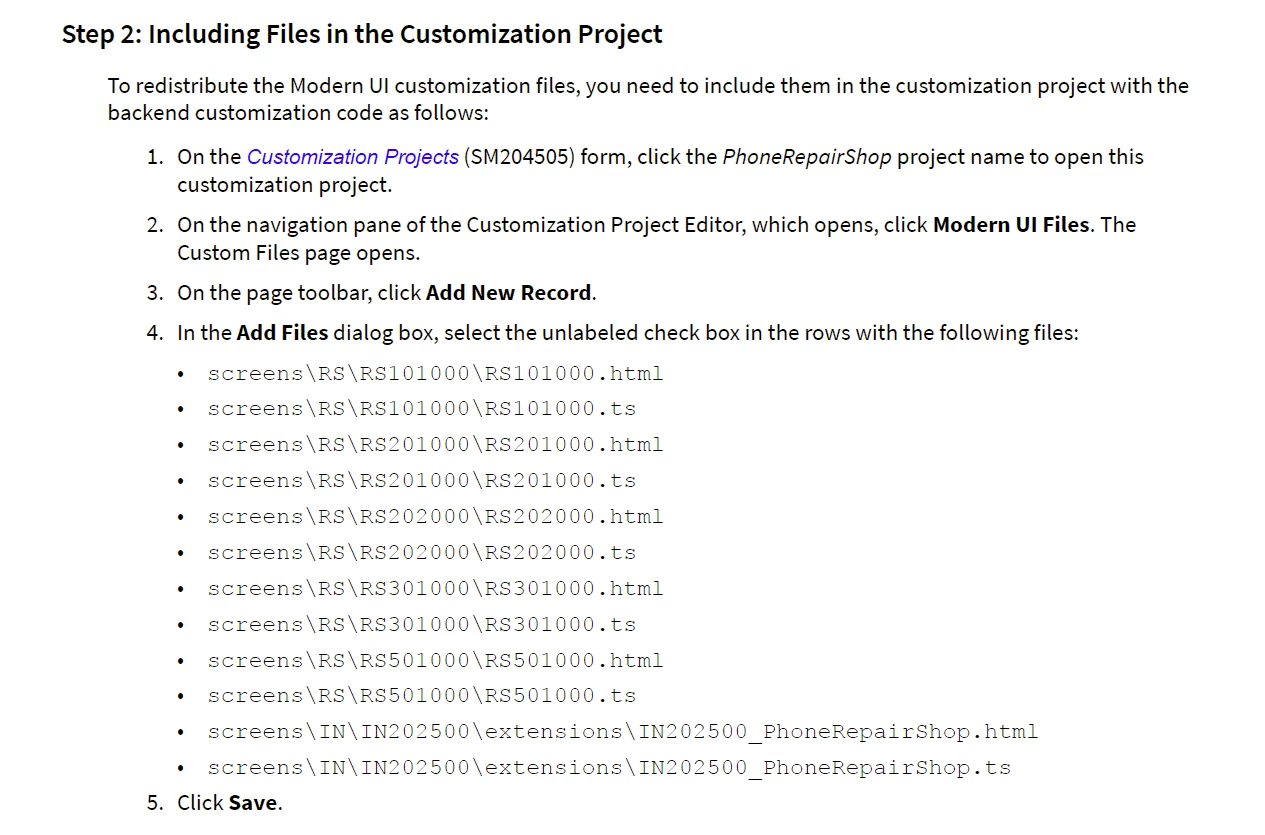
You need to include your files under the Modern UI Files node.
Before doing that, place your Modern UI files in the following path:
FrontendSources\screen\src\development\screens,
for example:
FrontendSources\screen\src\development\screens\EP\EP202000\extensions


Forum|alt.badge.img
  • Author
  • Freshman II
  • October 22, 2025

You need to include your files under the Modern UI Files node.
Before doing that, place your Modern UI files in the following path:
FrontendSources\screen\src\development\screens,
for example:
FrontendSources\screen\src\development\screens\EP\EP202000\extensions

In my development, all customization modern ui files is under folder FrontendSources\screen\src\screens\EP\EP202000\extensions and after I run command npm run build-dev --- --env screenIds=EP202000. I will display moder ui but I don’t know how to pack it to production deployment.


Forum|alt.badge.img
  • Author
  • Freshman II
  • October 22, 2025

You need to include your files under the Modern UI Files node.
Before doing that, place your Modern UI files in the following path:
FrontendSources\screen\src\development\screens,
for example:
FrontendSources\screen\src\development\screens\EP\EP202000\extensions

I saw this guideline

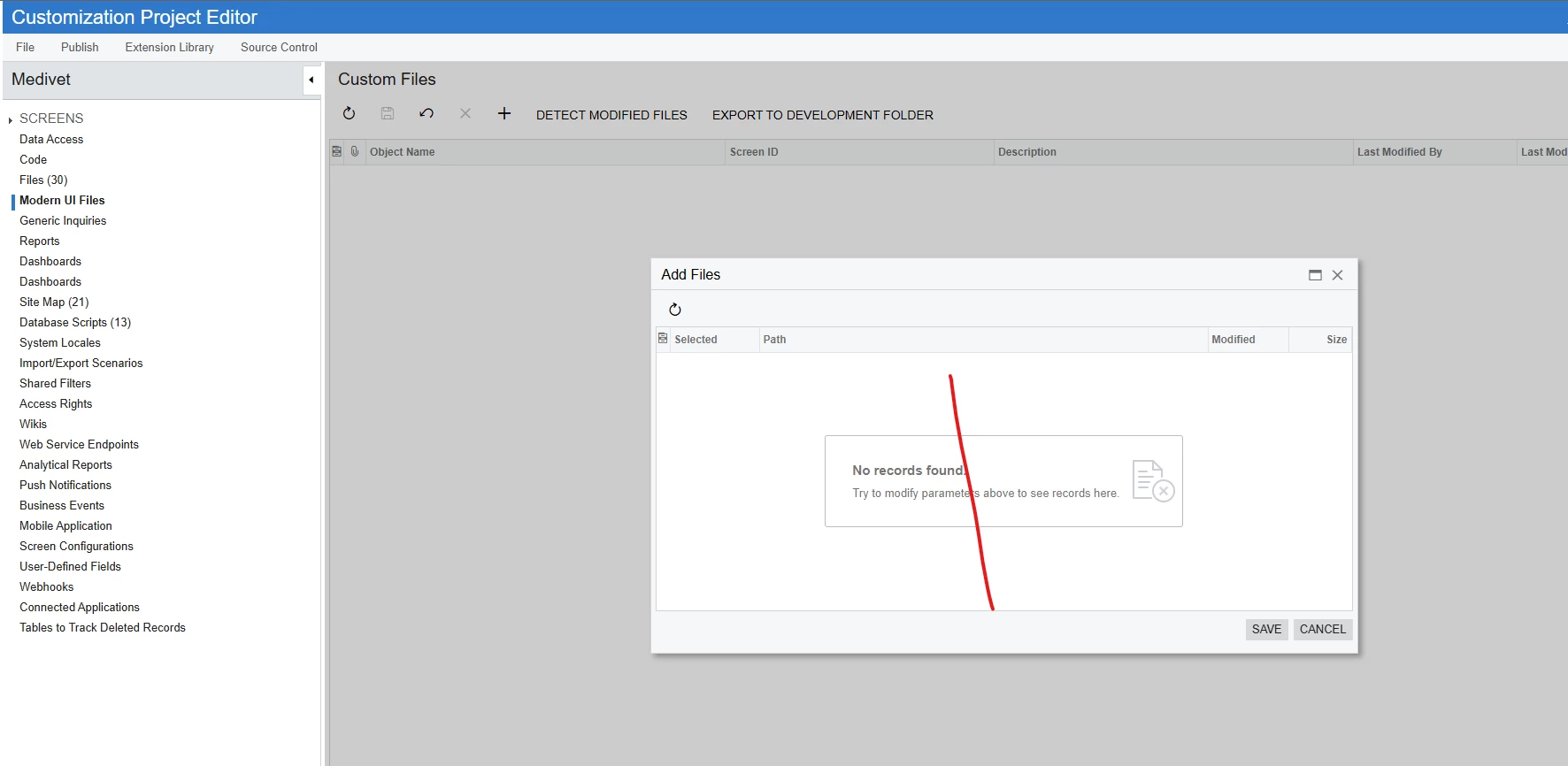
but in my project, I cannot see detect file

That’s why I add in file


Forum|alt.badge.img+3

For me, it works the same way. I suppose this behavior might change in the future. For now, you can continue developing and building your screens under FrontendSources\screen\src\screens. Once you're done, just copy the created files to FrontendSources\screen\src\development\screens, and you'll be able to include them in the customization (Modern UI Files node) and then publish to production to apply the changes.


Forum|alt.badge.img+3

@vannakheng, have you been able to resolve your issue?


Forum|alt.badge.img
  • Author
  • Freshman II
  • Answer
  • October 29, 2025

@vannakheng, have you been able to resolve your issue?

I solved it by publish customization project first and after I go to frontEndUi folder and run command npm run build directly. If I add it from development folder to modern ui in customization when publish getmodule and build error with webpack….


Forum|alt.badge.img+3

I think it’s better to keep the Modern UI files under the Modern UI Files node and handle the remaining issues during package publishing — you’ll probably need to come back to this one later anyway.
But it’s up to you 🙂
Probably it’s a subject for another topic though.