Answer

How to add a filed to the UI which does not exist in current View

  • August 1, 2024
  • 7 replies
  • 92 views

Forum|alt.badge.img+2

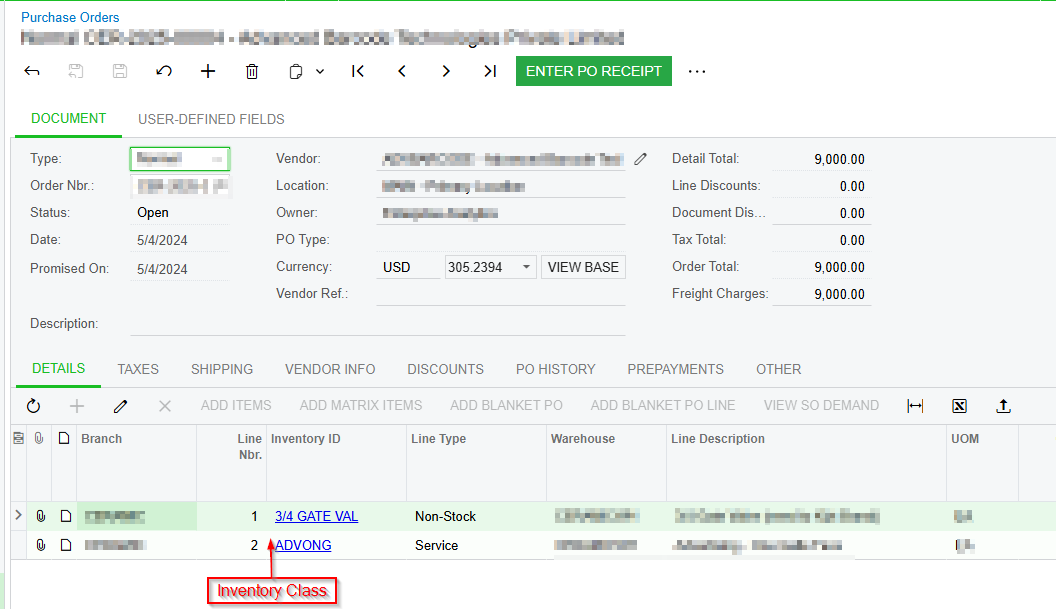
Need to add a new column to the Details tab of the purchase orders screen and display the item class (ItemClassID) in it. item class belongs to InventoryItem DAC. in the Details tab use a View called Transactions, but that View didn’t contain the InventoryItem DAC,

public PXOrderedSelect<POOrder, POLine, 
Where<POLine.orderType, Equal<Current<POOrder.orderType>>,
And<POLine.orderNbr, Equal<Optional<POOrder.orderNbr>>>>,
OrderBy<Asc<POLine.orderType, Asc<POLine.orderNbr,
Asc<POLine.sortOrder, Asc<POLine.lineNbr>>>>>> Transactions;

so, I need to override this, View. I just need to add this column to the Details tab, other functionalities should keep same. I create a Graph extention and create a View with same name, Transactions as bellow.
 

        public PXSelectJoin<POOrder,
InnerJoin<POLine, On<POLine.orderType, Equal<Current<POOrder.orderType>>,
And<POLine.orderNbr, Equal<Optional<POOrder.orderNbr>>>>,
InnerJoin<InventoryItem, On<InventoryItem.inventoryID, Equal<POLine.inventoryID>>>>,
Where<POLine.orderType, Equal<Current<POOrder.orderType>>,
And<POLine.orderNbr, Equal<Optional<POOrder.orderNbr>>>>,
OrderBy<Asc<POLine.orderType,Asc<POLine.orderNbr ,Asc<POLine.sortOrder, Asc<POLine.lineNbr>>>>>
> Transactions;
#endregion

But it did not work, it did not load the purchase orders list and give following error.
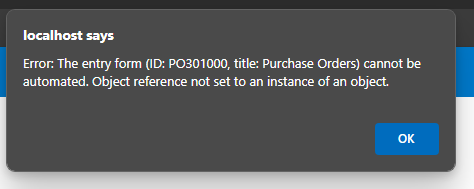
Basically, how to override the abovementioned View correctly?

Best answer by DipakNilkanth

Hi @PDharmasena10,

The Transactions view in the base graph is already well-defined and is used for other functionalities in the Purchase Orders screen. Overriding it with a different DAC composition might lead to unexpected issues.

Instead of completely replacing the Transactions view, consider extending DAC extension of POLine by adding a unbound field for the ItemClassID and retrieve the ItemClassID based on the InventoryID and set the value in the unbound field in the row selected event.


protected void POLine_RowSelected(PXCache cache, PXRowSelectedEventArgs e)
{
var row = (POLine)e.Row;
if (row == null) return;

var ext = PXCache<POLine>.GetExtension<POLineExt>(row);
if (row.InventoryID != null)
{
InventoryItem item = PXSelect<InventoryItem,
Where<InventoryItem.inventoryID, Equal<Required<InventoryItem.inventoryID>>>>
.Select(Base, row.InventoryID);
if (item != null)
{
ext.UsrItemClassID = item.ItemClassID.ToString();
}
}
}

Hope, it helps!

7 replies

DipakNilkanth
Pro III
Forum|alt.badge.img+13

Hi @PDharmasena10,

The Transactions view in the base graph is already well-defined and is used for other functionalities in the Purchase Orders screen. Overriding it with a different DAC composition might lead to unexpected issues.

Instead of completely replacing the Transactions view, consider extending DAC extension of POLine by adding a unbound field for the ItemClassID and retrieve the ItemClassID based on the InventoryID and set the value in the unbound field in the row selected event.


protected void POLine_RowSelected(PXCache cache, PXRowSelectedEventArgs e)
{
var row = (POLine)e.Row;
if (row == null) return;

var ext = PXCache<POLine>.GetExtension<POLineExt>(row);
if (row.InventoryID != null)
{
InventoryItem item = PXSelect<InventoryItem,
Where<InventoryItem.inventoryID, Equal<Required<InventoryItem.inventoryID>>>>
.Select(Base, row.InventoryID);
if (item != null)
{
ext.UsrItemClassID = item.ItemClassID.ToString();
}
}
}

Hope, it helps!


Forum|alt.badge.img+2
  • Author
  • Semi-Pro I
  • August 1, 2024

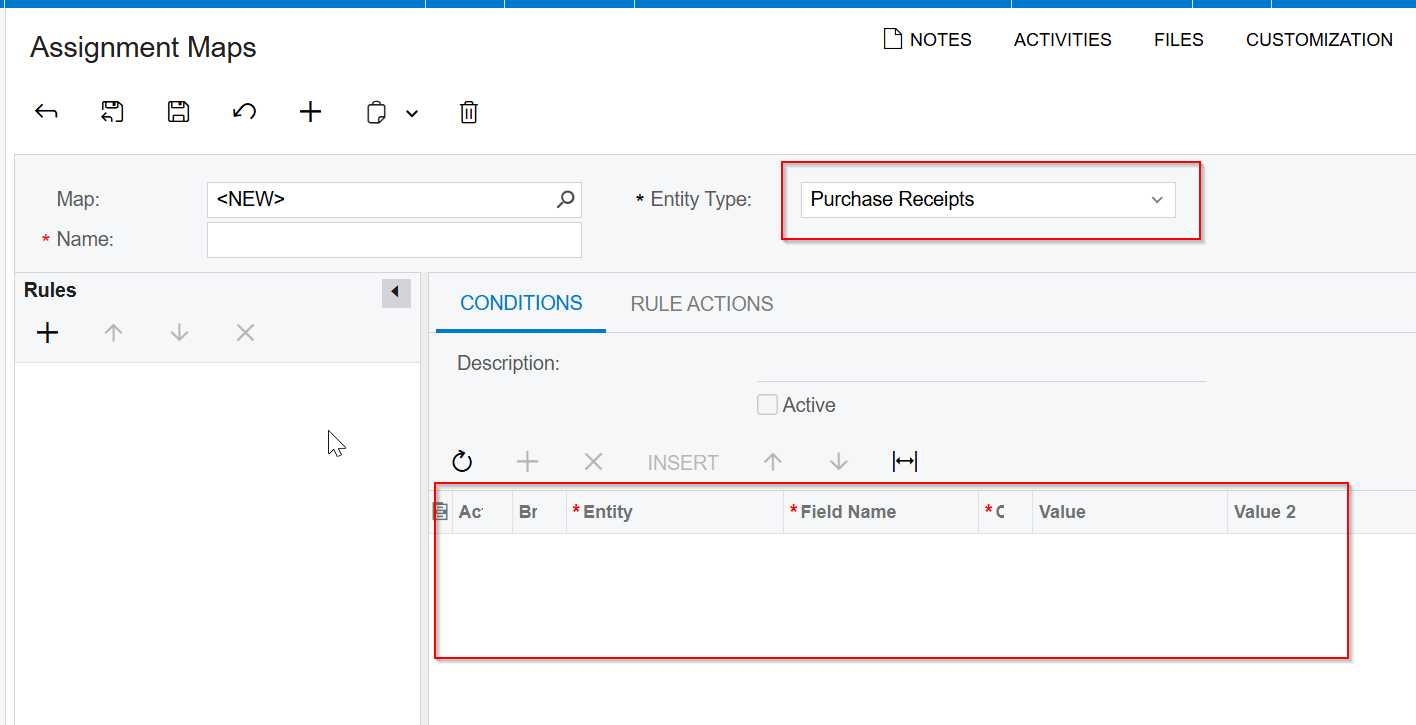
Hi @Dipak Nilkanth Thanks for your support, I need to use that field in Condition inside the Assignment map, If I follows the above instructions, will I able to achieve that one also? when extending DAC extension of POLine by adding a unbound field for the ItemClassID, will it appears in Assignment map?


DipakNilkanth
Pro III
Forum|alt.badge.img+13

Hi @PDharmasena10,

If you need to use that field in Condition inside the Assignment map, I believe you need to add bound field, So it will be appears in Assignment map as well.


Forum|alt.badge.img+2
  • Author
  • Semi-Pro I
  • August 6, 2024

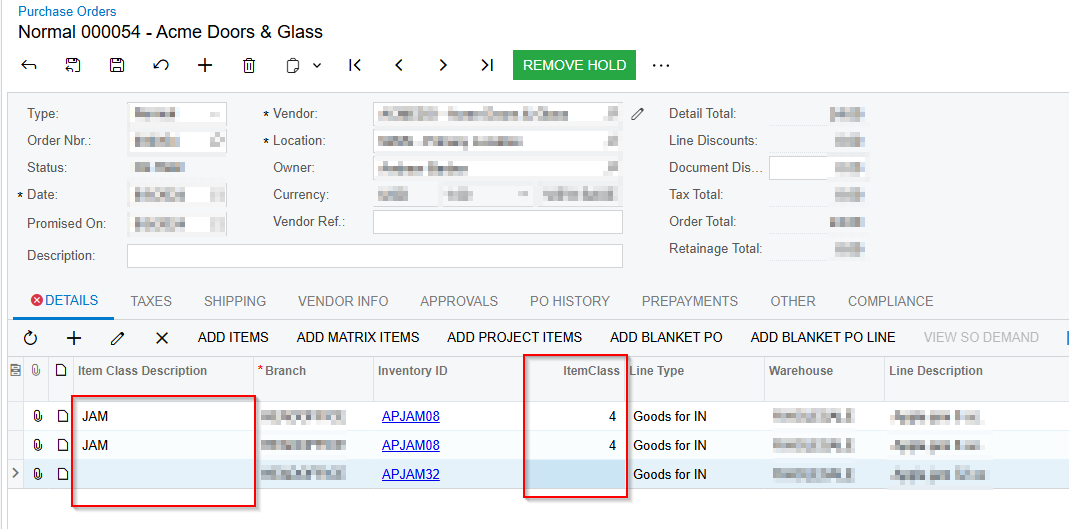
@Dipak Nilkanth I extend the POLine and add two fields, now two fields are visible. 

    public class POLineExt : PXCacheExtension<PX.Objects.PO.POLine>
{
#region UsrInventoryItemClassID

[PXInt]
[PXUIField(DisplayName="ItemClass")]
[PXDBScalar(typeof(
Search<InventoryItem.itemClassID,
Where<InventoryItem.inventoryID, Equal<POLine.inventoryID>>>))]
public virtual int? UsrInventoryItemClassID { get; set; }
public abstract class usrInventoryItemClassID : PX.Data.BQL.BqlInt.Field<usrInventoryItemClassID> { }
#endregion

#region UsrInventoryItemClassCD

[PXString(32)]
[PXUIField(DisplayName="Item Class Description")]
[PXDBScalar(typeof(
Search2<INItemClass.itemClassCD,
InnerJoin<InventoryItem, On<InventoryItem.itemClassID, Equal<INItemClass.itemClassID>>>,
Where<InventoryItem.inventoryID, Equal<POLine.inventoryID>>>))]
public virtual string UsrInventoryItemClassCD { get; set; }
public abstract class usrInventoryItemClassCD : PX.Data.BQL.BqlString.Field<usrInventoryItemClassCD> { }
#endregion
}
}

When I select a value for the inventory item, I need to auto fill the values for item class and item class description. to do that I wrote following event, but it is not work properly, after save and reload the full website, it displays values for these fields

    public class POOrderEntry_Extension : PXGraphExtension<PX.Objects.PO.POOrderEntry>
{
#region Event Handlers

protected void POLine_InventoryID_FieldUpdated(PXCache cache, PXFieldUpdatedEventArgs e)
{

//Base.Transactions.Cache.Clear();
//Base.Transactions.Cache.ClearQueryCache();
Base.Transactions.View.RequestRefresh();

var tranView = Base.Transactions.Current.GetExtension<POLineExt>();

cache.SetValueExt<POLineExt.usrInventoryItemClassID>(e.Row, 4);
//cache.SetValueExt<POLineExt.usrInventoryItemClassCD>(e.Row, "JAM");

}

#endregion
}


How to write an event to refresh the UI correctly?


DipakNilkanth
Pro III
Forum|alt.badge.img+13

Hi @PDharmasena10,

Could you please try below code snippet?

protected void POLine_InventoryID_FieldUpdated(PXCache cache, PXFieldUpdatedEventArgs e)
{
if (e.Row == null) return;

var row = (POLine)e.Row;
var tranView = row.GetExtension<POLinfeExt>();


cache.SetValueExt<POLineExt.usrInventoryItemClassID>(row, tranView.usrInventoryItemClassID);

cache.Update(row);

}


Forum|alt.badge.img+2
  • Author
  • Semi-Pro I
  • August 6, 2024

@Dipak Nilkanth HI, 

            if (e.Row == null) return;
var row = (POLine)e.Row;
var tranView = row.GetExtension<POLineExt>();
cache.SetValueExt<POLineExt.usrInventoryItemClassID>(row, tranView.UsrInventoryItemClassID);
cache.Update(row);

I did it but didn’t works


darylbowman
Captain II
Forum|alt.badge.img+15

...and set the value in the unbound field in the row selected event.

Making a database call in the RowSelected event handler is really bad for performance and greatly discouraged by Acumatica.