Answer

How create a new document type in acumatica ?

  • December 22, 2021
  • 9 replies
  • 609 views

luisrodriguez45
Freshman I

How create a new document type in acumatica ?

Best answer by jharris

Hi @luisrodriguez45

Yes it is possible to select different invoice formats.  

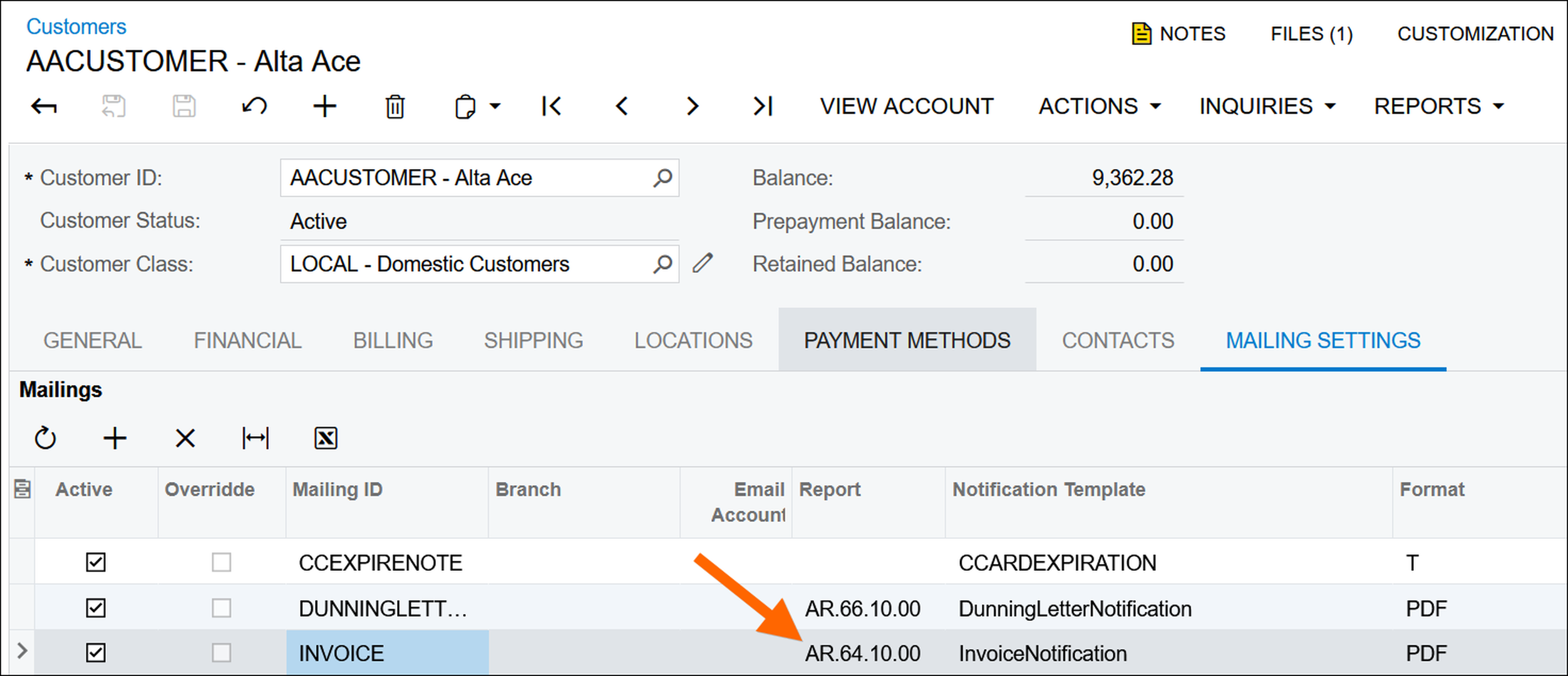
Checkout the MAILING SETTINGS tab on the Customers (AR303000) screen where you can override the Invoice format per Customer.  

Additionally, you can use Report Designer to customize new invoice formats for use with different customers, or different business entities within your environment.

If you need additional help on this, I recommend visiting the Acumatica University or taking a class at the Acumatica Summit.  
 

Regards,

James Harris

ERP Business Manager
LiveView Technologies

9 replies

Dmitrii Naumov
Acumatica Moderator
Forum|alt.badge.img+7
  • Acumatica Moderator
  • December 23, 2021

I think you may want to start with completing dev trainings here:

 https://openuni.acumatica.com/courses/development/


Hughes Beausejour
Acumatica Employee
Forum|alt.badge.img+2
  • Acumatica Developer Support Team
  • December 23, 2021

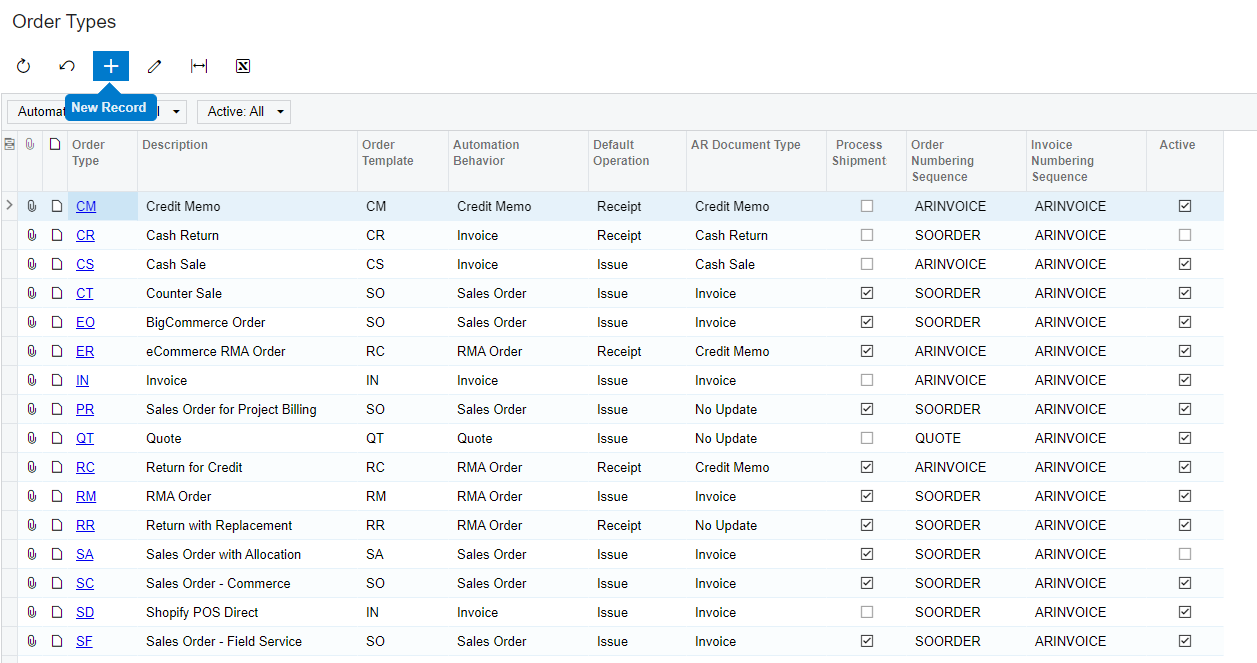
Do you mean Order Type? If so use the ‘New Record’ button in ‘Order Types’ screen.


Forum|alt.badge.img+12
  • Acumatica Support Team
  • December 23, 2021

Hi @luisrodriguez45 

You may clarify what document type are you referring to (SO? AR?AP?)

Regards,


luisrodriguez45
Freshman I

Do you mean Order Type? If so use the ‘New Record’ button in ‘Order Types’ screen.


I dont find this screen whats is the number of screen in the map site ?

thanks for your answer !!


luisrodriguez45
Freshman I

Hi @luisrodriguez45 

You may clarify what document type are you referring to (SO? AR?AP?)

Regards,

yes
I need a new type of invoice like invoice or debit or credit memo, in the module Sales Order -> Invoices screen SO 3000
and receivables and memos AR301000

thaks for your answer


Hughes Beausejour
Acumatica Employee
Forum|alt.badge.img+2
  • Acumatica Developer Support Team
  • December 23, 2021

Screen ID for ‘Order Types’ page are SO2010PL and SO201000.

Check that you have ‘Custom Order Types’ feature enabled in 'Enable/Disable Features' page (CS100000). Add more user roles in ‘Users’ screen for your user if the page is still not visible.

Read ‘Custom Sales Order Types’ documentation for more information:
https://help-2021r2.acumatica.com/Help?ScreenId=ShowWiki&pageid=e9d8ed9c-ce83-4de5-afba-388e983d193e


luisrodriguez45
Freshman I

Screen ID for ‘Order Types’ page are SO2010PL and SO201000.

Check that you have ‘Custom Order Types’ feature enabled in 'Enable/Disable Features' page (CS100000). Add more user roles in ‘Users’ screen for your user if the page is still not visible.

Read ‘Custom Sales Order Types’ documentation for more information:
https://help-2021r2.acumatica.com/Help?ScreenId=ShowWiki&pageid=e9d8ed9c-ce83-4de5-afba-388e983d193e

iS POSIIBLE CREATE a type Invoice ?


Hughes Beausejour
Acumatica Employee
Forum|alt.badge.img+2
  • Acumatica Developer Support Team
  • December 23, 2021

I believe it is limited to Sales Order Type. For invoice it would be preferable to create a custom field. Attempting to add custom invoice type when it is not built-in the framework can introduce bugs. 


jharris
Semi-Pro I
Forum|alt.badge.img+7
  • Semi-Pro I
  • Answer
  • January 21, 2022

Hi @luisrodriguez45

Yes it is possible to select different invoice formats.  

Checkout the MAILING SETTINGS tab on the Customers (AR303000) screen where you can override the Invoice format per Customer.  

Additionally, you can use Report Designer to customize new invoice formats for use with different customers, or different business entities within your environment.

If you need additional help on this, I recommend visiting the Acumatica University or taking a class at the Acumatica Summit.  


Regards,

James Harris

ERP Business Manager
LiveView Technologies