

I want to create a PDF from a report in code and then send it to print. How can I do it?
Solved
How can I create a PDF from a report and print it?



Best answer by arpine08
I missed checking my previous post’s source code in higher versions.
It works in lower versions (starting from 2021R2, PX.Data.Reports.PXReportTools has been deprecated).
However, the overall approach remains the same in higher versions.
Based on the link provided by Jhon Reeve Penuela (good catch!),
I checked this approach in v.2025R2 (25.200.0248) using Sales Demo data,
and it worked successfully:
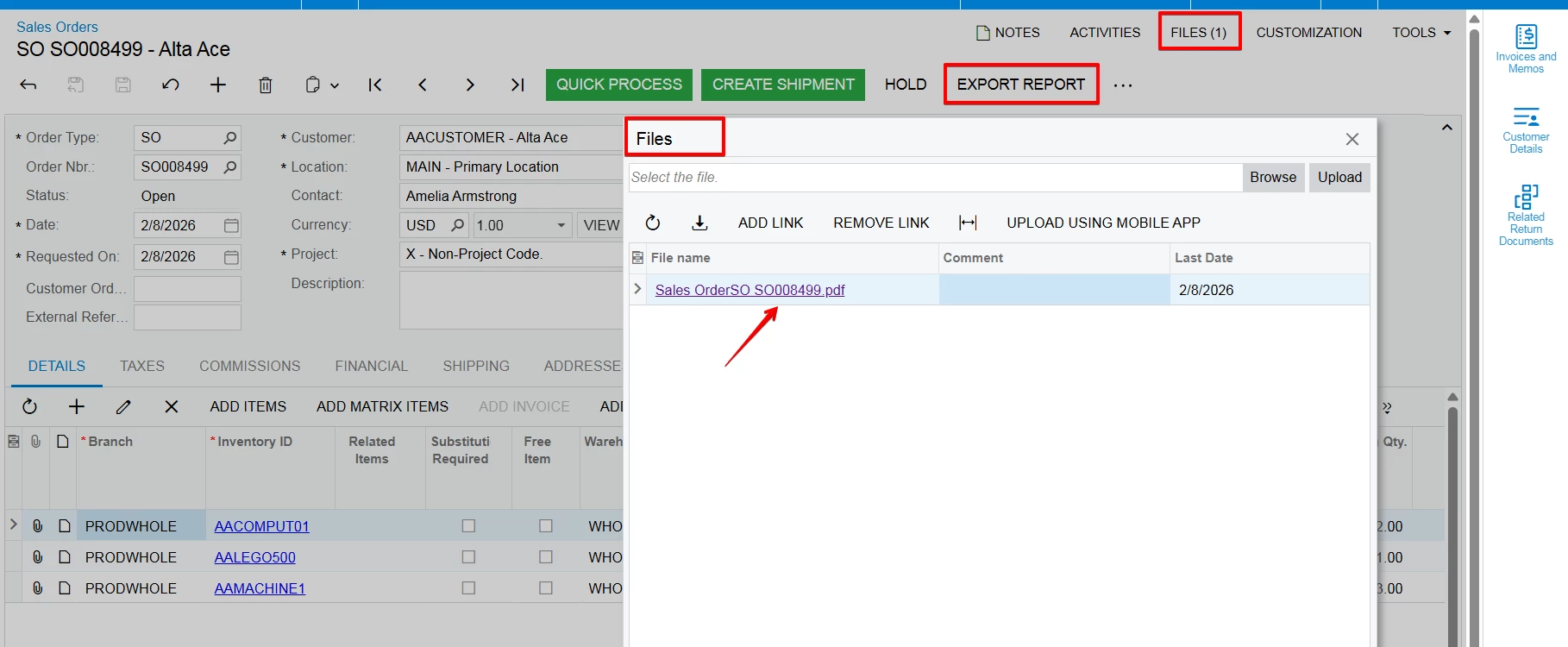
When the custom “Export Report” action is clicked, a PDF is generated from the SO641010 report and attached to the Files section of the Sales Order:
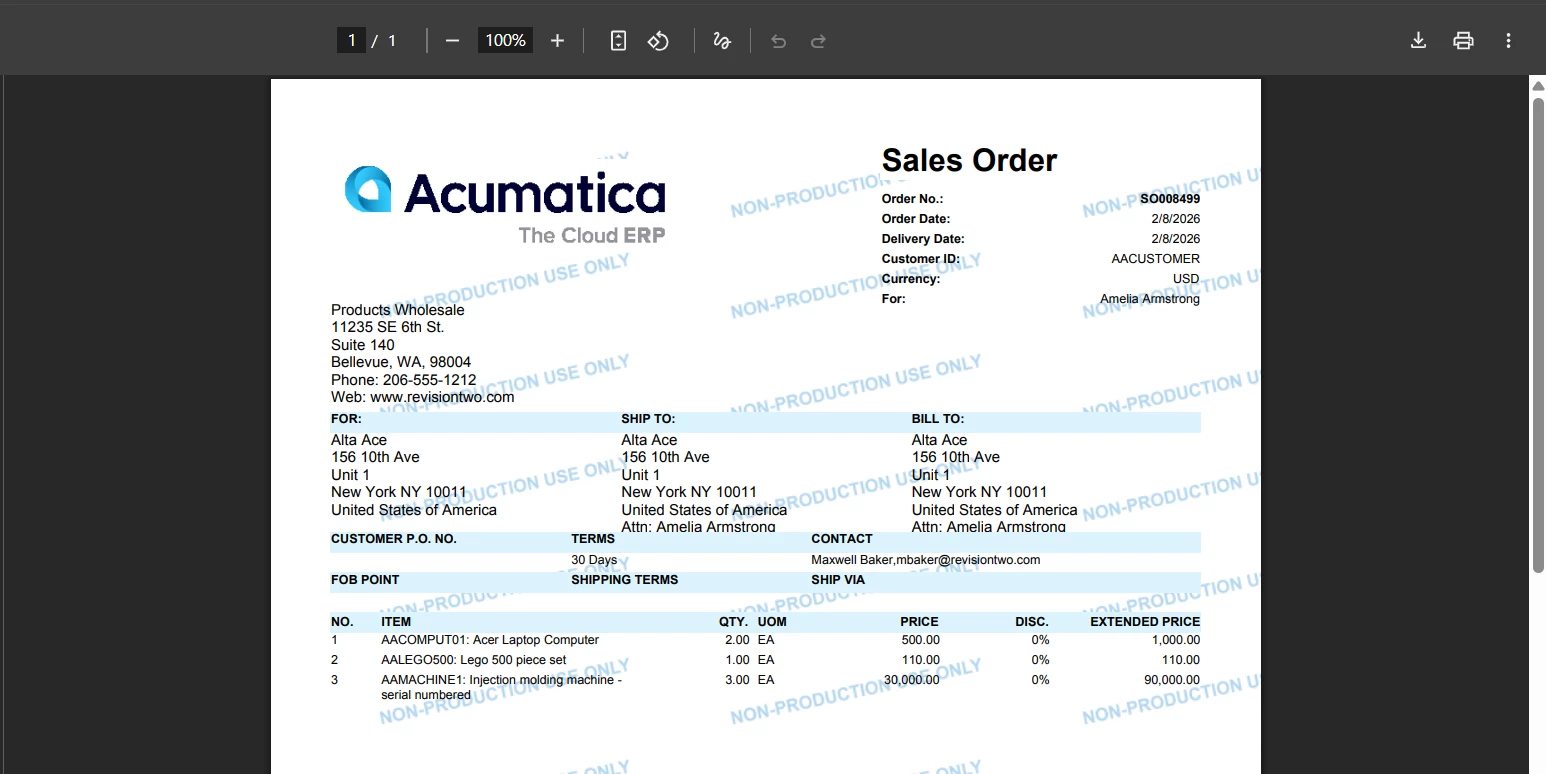
To print the PDF file, you can add the following code:
Base.Save.Press(); // for saving attachment
PXRedirectToFileException targetFileRedirect = new PXRedirectToFileException(file.UID, forceDownload: false);
if (targetFileRedirect != null) throw targetFileRedirect;
It will redirect to allow the user to print the PDF manually.
Please make sure PX.Reports.dll is added to your Visual Studio project references.
I’ve also attached the SOOrderEntry_Extension.cs file.





Login to the community
No account yet? Create an account
Social Login
Login with your Acumatica accountEnter your E-mail address. We'll send you an e-mail with instructions to reset your password.