Answer

How can enable the unit cost field on the Details tab of Sales Order?

  • September 15, 2021
  • 8 replies
  • 827 views

Forum|alt.badge.img

We have a business requirement to have unit cost be visible and editable on the Details tab for Sales Orders.  I made it visible but I can’t find a way to make it editable.  Here are the attributes:

[PXDBCurrency(typeof(Search<CommonSetup.decPlPrcCst>), typeof(SOLine.curyInfoID), typeof(SOLine.unitCost))]
[PXUIField(DisplayName = "Unit Cost", Visibility = PXUIVisibility.Dynamic)]
[PXDefault(TypeCode.Decimal, "0.0")]

These seem to match Unit Price except for the Visibility.  

If there is a way to enable this please let me know.
Best answer by Naveen Boga

Hi @vpoulson and Joe,

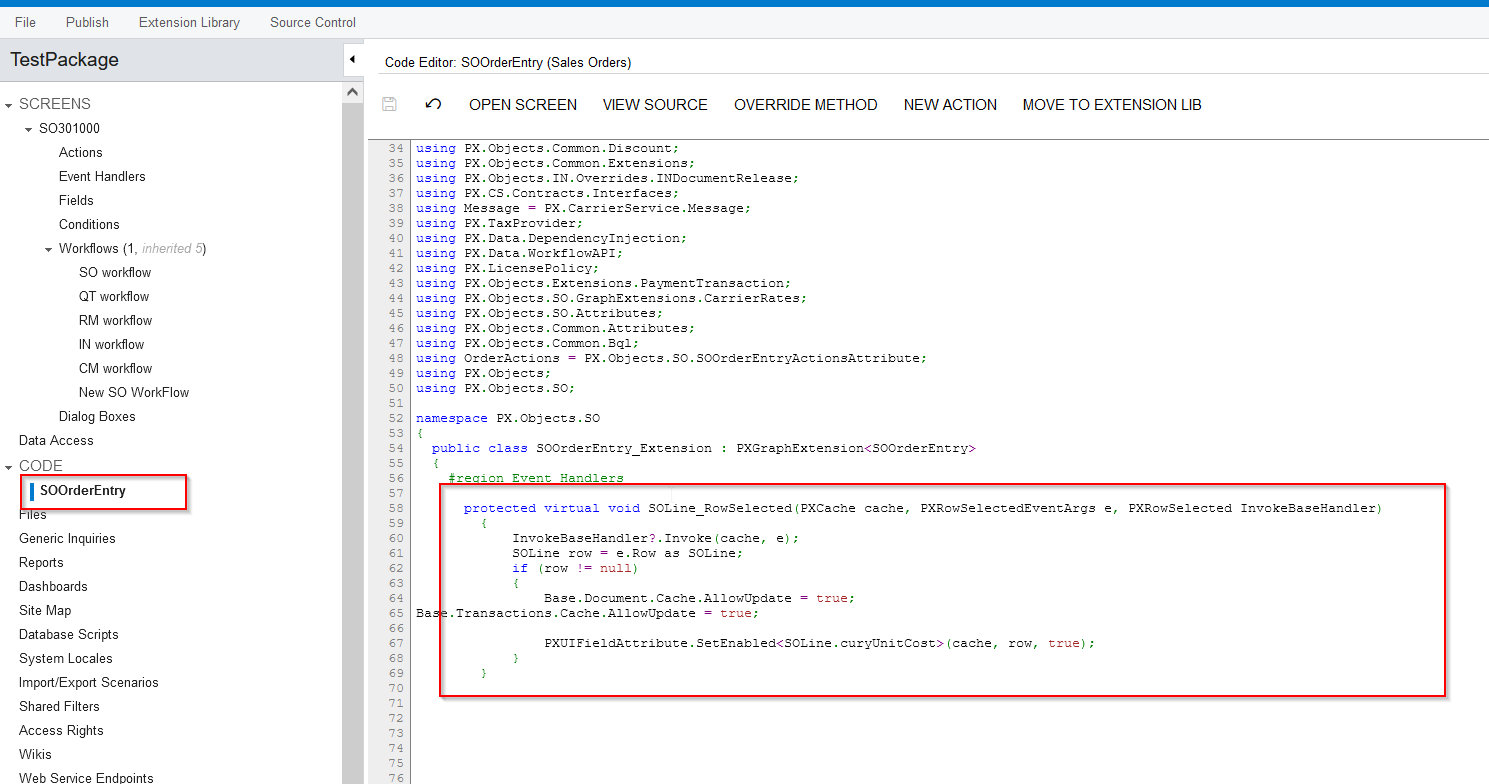
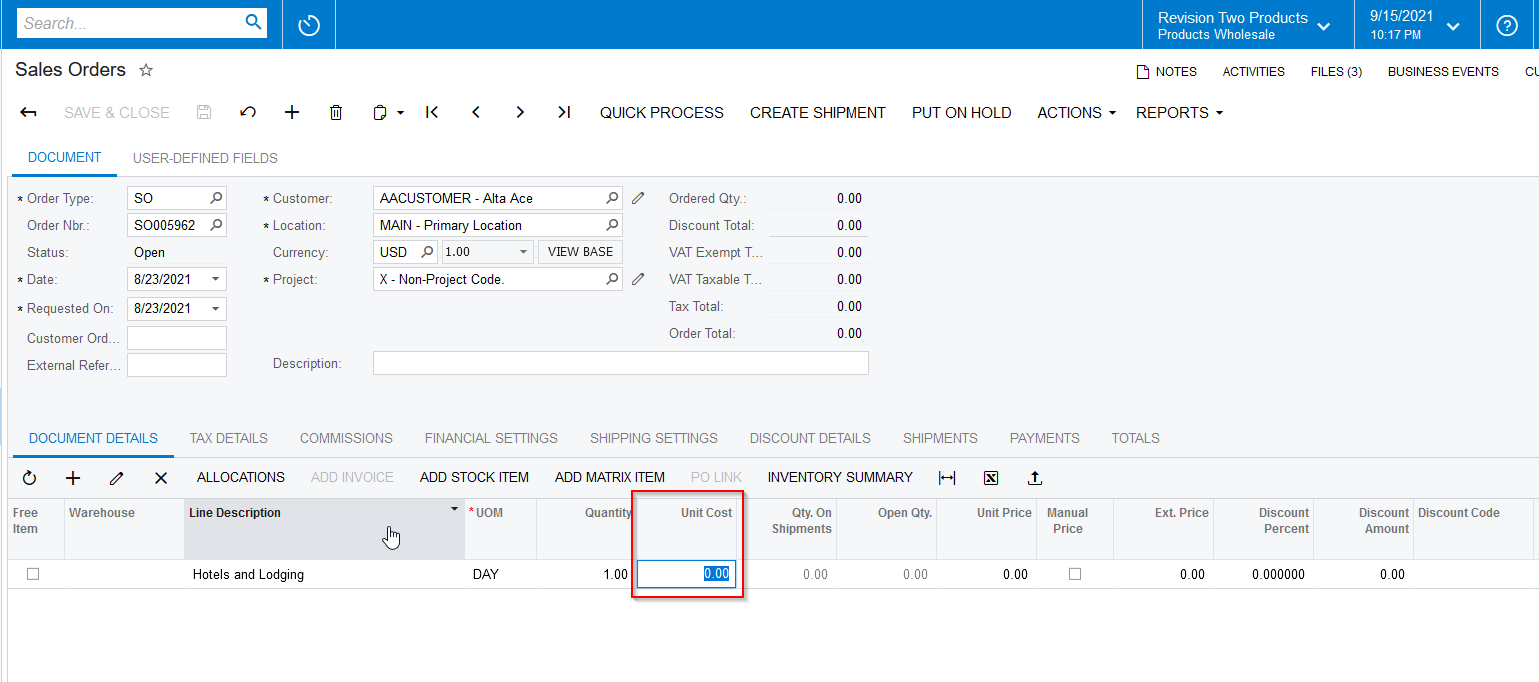
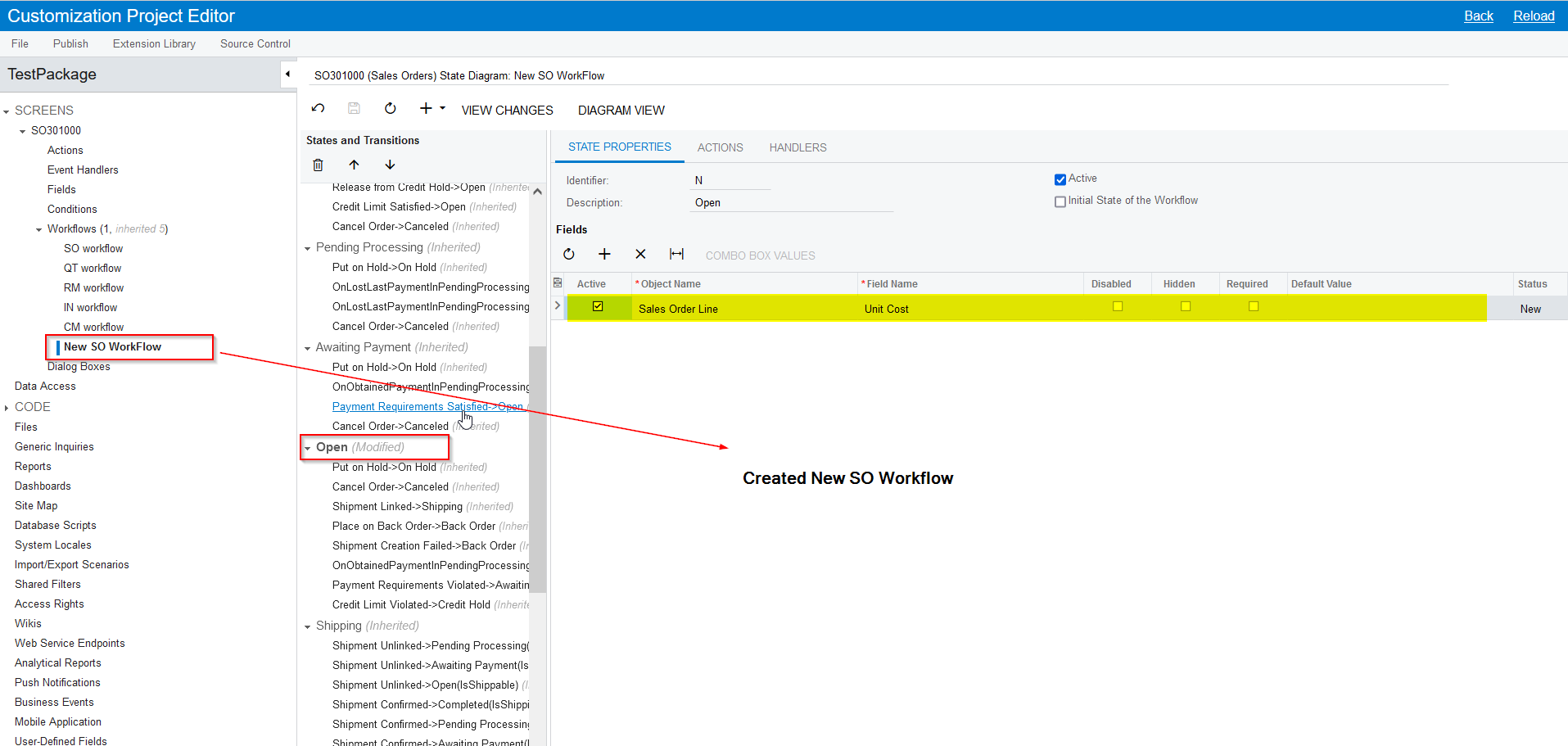
To enable the Unit Cost field in Sales Order → Details tab, we need to do following changes.

  • Enable Unit Cost field from Workflows
  • Enable Unit Cost field from code level

I have prepared a new package and attached few screenshots for your reference.


8 replies

Joe Schmucker
Captain II
Forum|alt.badge.img+3
  • Captain II
  • September 15, 2021

My understanding is the only way to make the field editable is using a Workflow.  I had a similar issue and I think support told me that you cannot use a workflow on that screen.

Please let me know if you find a way to do this.  I would love to know how.


Naveen Boga
Captain II
Forum|alt.badge.img+19
  • Captain II
  • Answer
  • September 16, 2021

Hi @vpoulson and Joe,

To enable the Unit Cost field in Sales Order → Details tab, we need to do following changes.

  • Enable Unit Cost field from Workflows
  • Enable Unit Cost field from code level

I have prepared a new package and attached few screenshots for your reference.


Forum|alt.badge.img
  • Author
  • Freshman II
  • September 16, 2021

Thanks @Naveen B.  This is a huge help.


Forum|alt.badge.img
  • Author
  • Freshman II
  • September 21, 2021

I’m now trying get the unit cost on the opportunity document details.  I’ve added the new workflow and the event handler but the OpportunityMaint doesn’t have a definition for  Base.Document and Base.Transactions but I’m not sure those are necessary since I removed that code from the sales order line and it still has the unit cost enabled.  

When I add a line to the opportunity document details the unit cost is editable but then when I select an inventory item the unit cost is no longer editable.  I’m not sure what I can do to change that behavior. 


Naveen Boga
Captain II
Forum|alt.badge.img+19
  • Captain II
  • November 26, 2021

Hi @vpoulson  I just updated my comment in below ticket. Hope that helps!


Forum|alt.badge.img+1

@Naveen Boga:  This was very helpful. 


Are we able to modify the code to pull the last sold price instead for that item for that customer?  I think pulling from ARTran maybe?


Joe Schmucker
Captain II
Forum|alt.badge.img+3
  • Captain II
  • January 27, 2025

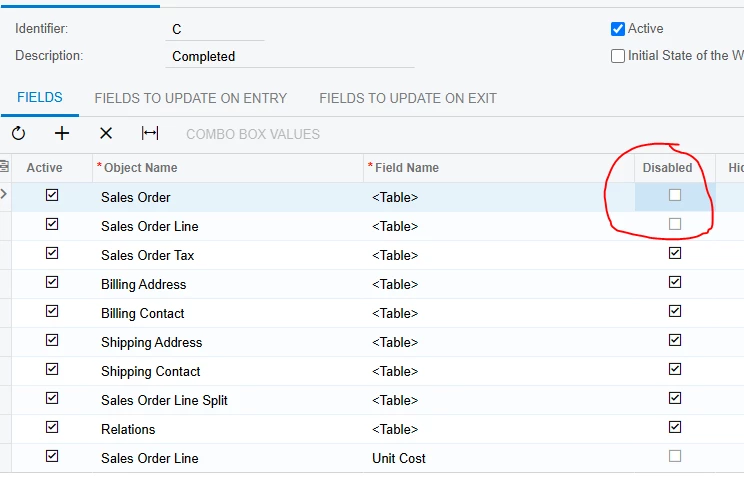
I just tried to implement this solution.  I had to uncheck the “disabled” on the two tables circled in order to edit the Unit Cost on a completed order.  If I don’t uncheck those boxes, the save icon does not activate when I change the value in the field.


Will this cause any problems?  


Forum|alt.badge.img
  • Freshman II
  • November 19, 2025

Has anyone successfully used this approach in production and has it worked through the entire workflow?

Our need is for non-stock items to be added to a Sales Order as a Cost Only entry but the cost is difference from use to use.

We need to make sure the cost is included in downstream invoicing and since it’s not a Stock Item, there should be no inventory transaction, just a straight expense.