Answer

Hide Create Payment toolbar button on sales order base on Finance Terms

  • December 12, 2024
  • 2 replies
  • 35 views

Forum|alt.badge.img

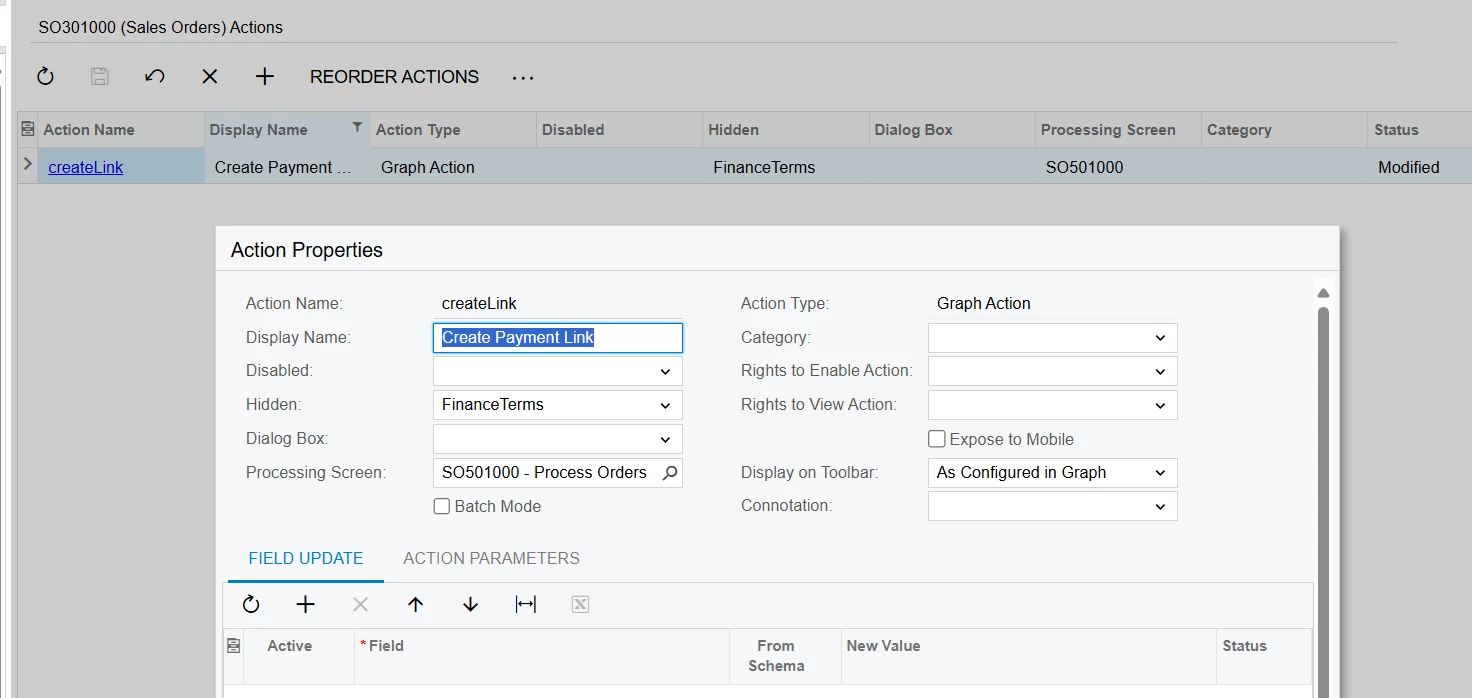
We wants to hide Create Payment button on sales order base on Finance Terms

In sales order we have Create Payment toolbar button 

 

This should be hide if Financial terms = PP (Pre Payment)
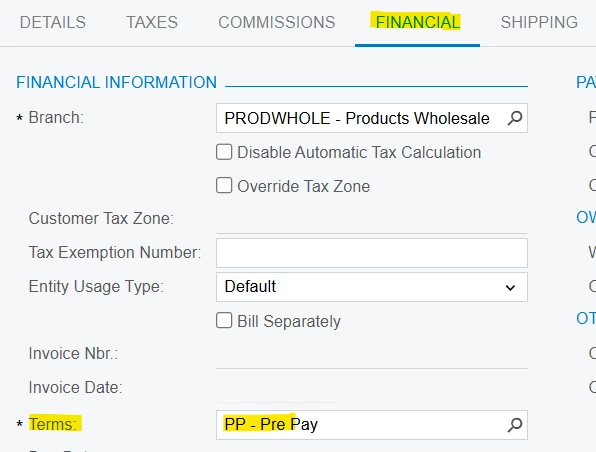


I cannot able to access button in graph.
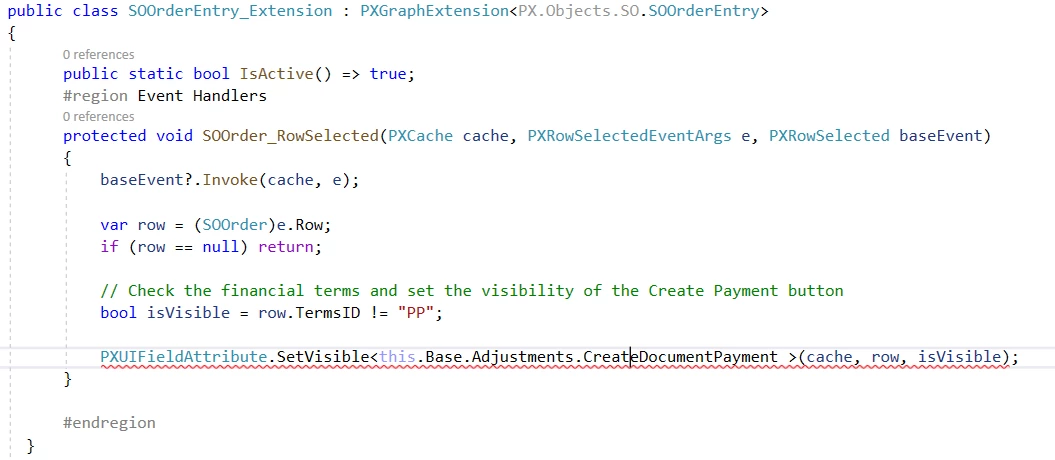
 

So I try to add condition but I don’t know how to access in action.
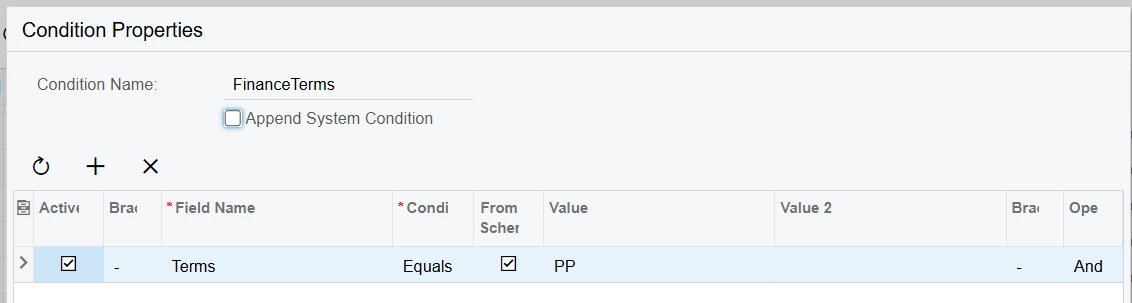
 

But this is not working.

Can anyone suggest changes?
Best answer by darylbowman

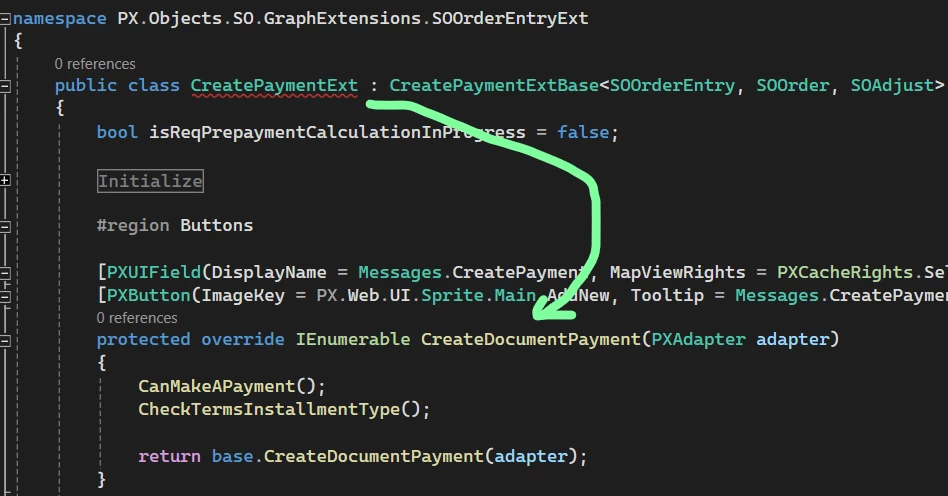
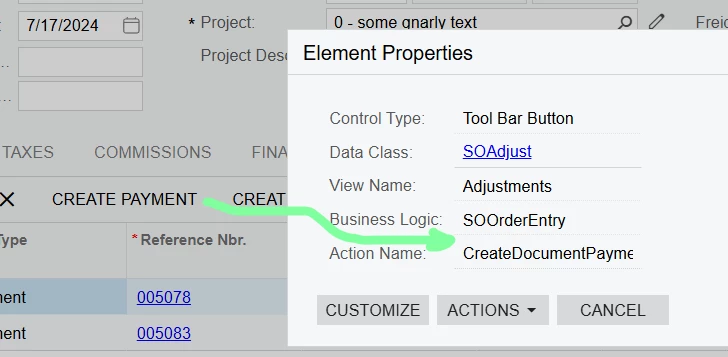
The ‘Create Payment’ button executes the CreateDocumentPayment method in the CreatePaymentExt extension of SOOrderEntry:


Try this instead:

var paymentGraphExt = Base.GetExtension<CreatePaymentExt>();
paymentGraphExt.createDocumentPayment.SetEnabled(isVisible);


2 replies

darylbowman
Captain II
Forum|alt.badge.img+15
  • Answer
  • December 12, 2024

The ‘Create Payment’ button executes the CreateDocumentPayment method in the CreatePaymentExt extension of SOOrderEntry:


Try this instead:

var paymentGraphExt = Base.GetExtension<CreatePaymentExt>();
paymentGraphExt.createDocumentPayment.SetEnabled(isVisible);


Forum|alt.badge.img
  • Author
  • Jr Varsity III
  • December 12, 2024

The ‘Create Payment’ button executes the CreateDocumentPayment method in the CreatePaymentExt extension of SOOrderEntry:


Try this instead:

var paymentGraphExt = Base.GetExtension<CreatePaymentExt>();
paymentGraphExt.createDocumentPayment.SetEnabled(isVisible);


Thanks for reply and guide me in detail.

I debug and use...

Base.Actions["CreateDocumentPayment"].SetVisible(isVisible);

This works fine.