Good day,
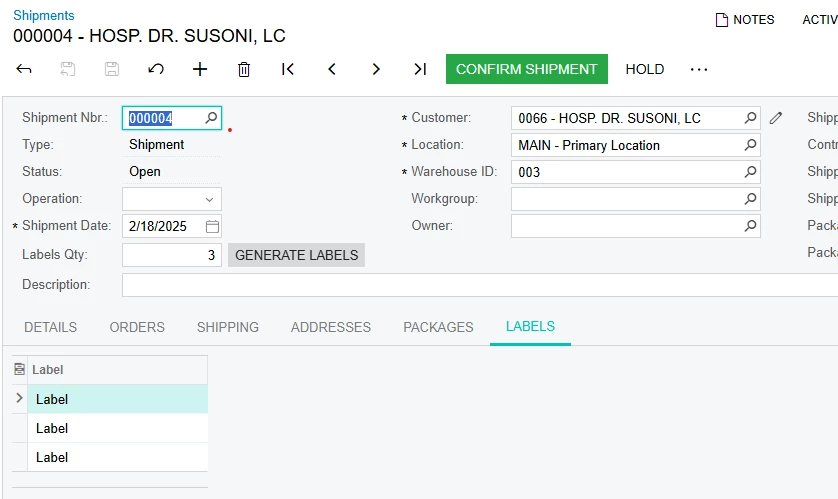
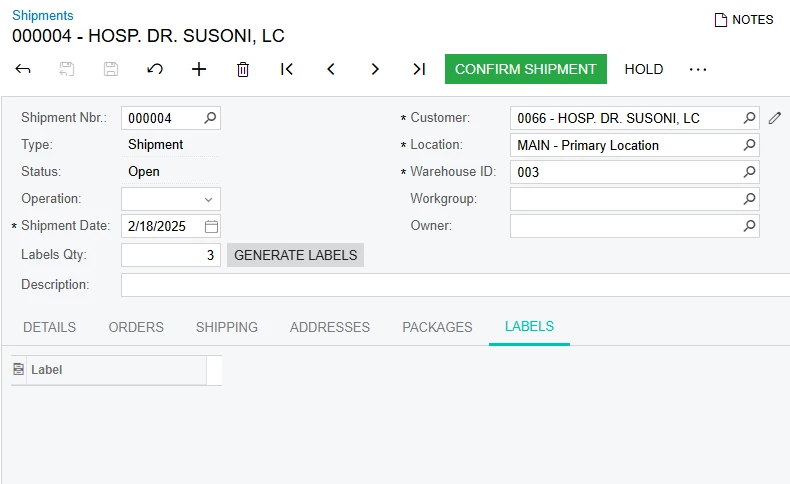
In shipments screen I added in the header an unbound field with a button and a tab named Labels with a grid. When entering a quantity of labels to be made the button is pressed and it creates the label record in the custom table and appears in the grid, but my problem is that when creating labels the first time they appear and a few seconds later they disappear until I refresh the screen, the records are in the database and the labels are created just fine, but I don't know why they randomly disappear from the screen, I am not sure if I missed a configuration for the grid in the editor.
  public class SOShipmentEntry_Extension : PXGraphExtension<PX.Objects.SO.SOShipmentEntry>
{
      public PXSelect<EVTCCustomLabels,
      Where<EVTCCustomLabels.shipmentNbr, Equal<Current<SOShipment.shipmentNbr>>>> LabelsView;

      public PXAction<SOShipment> generateLabel;
      [PXButton (CommitChanges = true)]
      [PXUIField(DisplayName = "Generate Labels", MapEnableRights = PXCacheRights.Select, MapViewRights = PXCacheRights.Select)]

      protected virtual IEnumerable GenerateLabel(PXAdapter adapter)
      {
          SOShipment ship = Base.Document.Current;

          if (ship != null)
          {
              if(ship.ShipmentNbr != null)
              {
                  SOShipmentExt labelsQty = PXCache<SOShipment>.GetExtension<SOShipmentExt>(ship);
                  if (labelsQty.UsrLabelsQty > 0)
                  {
                      for (int i = 0; i < labelsQty.UsrLabelsQty.Value; i++)
                      {
                          EVTCCustomLabels newLabel = new EVTCCustomLabels
                          {
                              ShipmentNbr = ship.ShipmentNbr,
                              ShipmentType = ship.ShipmentType,
                              Label = "Label"
                          };
                          LabelsView.Cache.Insert(newLabel);
                      }
                      Base.Actions.PressSave();
                      LabelsView.Cache.Clear();
                      LabelsView.View.RequestRefresh();
                  }
              }
          }
          return adapter.Get();
      }
      #region Event Handlers

      #endregion
  }