Answer

graph not referencing class in dac

  • May 20, 2025
  • 6 replies
  • 69 views

Forum|alt.badge.img

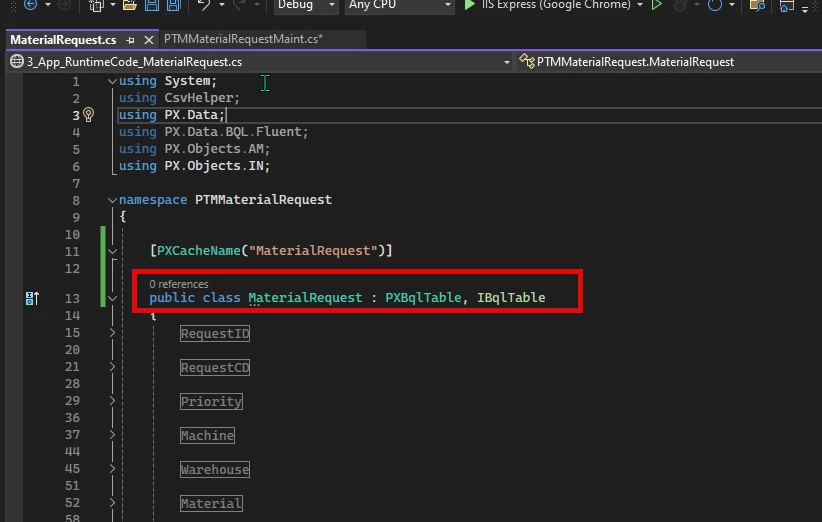
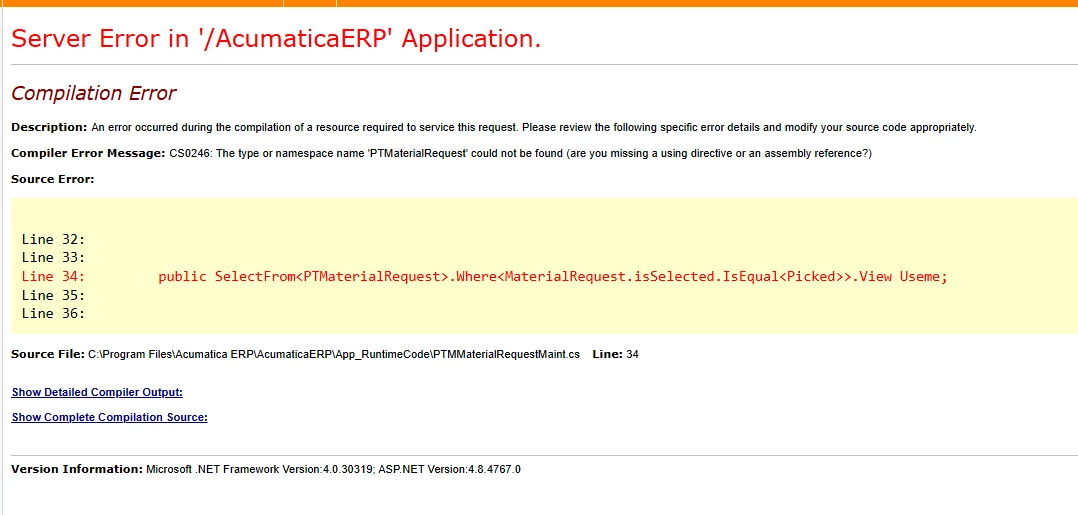
I am trying to add an action to a custom screen. I want to add another view to be used in that action, but for some reason, The pxselect is not referencing my table. anyhwere that i write my table name, it doesnt recognize it. i do have a class in the dac with that name, but it doesnt recognize it for some reason. without the action, the screen works fine using it but if i try to create another view for the action it doesnt work and will error out. Can anyone tell me how to fix this? I created the initial screen following along to the T200 series videos.

 

Best answer by justen0351

@Chris Hackett i went back and reviewed the T200 series and found how to add the reference. Though I could change the code in the app time run code, once I moved the code to an extension library, the references section showed up where I could add them in. 

6 replies

DipakNilkanth
Pro III
Forum|alt.badge.img+13

Hi ​@justen0351,

To access your custom DAC (PTMMaterialRequest) in the graph where you're working with the MaterialRequest DAC, you need to include the appropriate namespace.

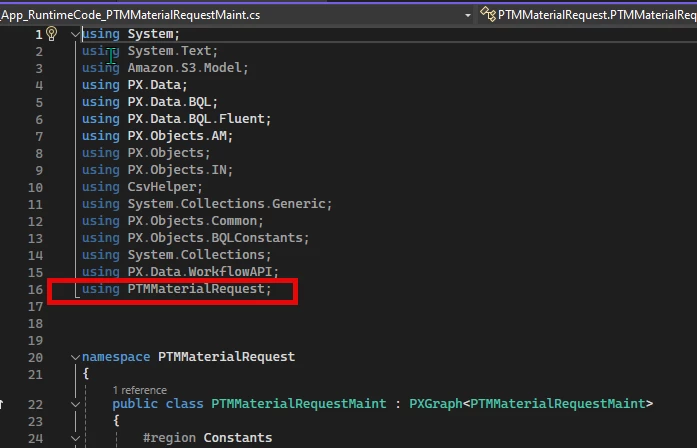
Simply add the following line to the using section of your code:

using PTMMaterialRequest;

This should resolve the reference issue.

Hope this helps! 


Forum|alt.badge.img
  • Author
  • Varsity III
  • May 20, 2025

@Nilkanth Dipak thank you for the reply. i already have that in the code for the graph.


palbores
Jr Varsity I
Forum|alt.badge.img+1
  • Jr Varsity I
  • May 20, 2025

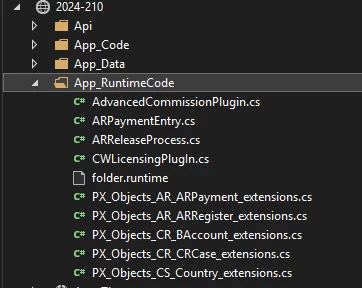
@justen0351 I think you edited the code in the wrong “project.” You updated the code in the local instance’s “App_RuntimeCode” files.


Forum|alt.badge.img
  • Author
  • Varsity III
  • May 20, 2025

i was able to get this.


Chris Hackett
Community Manager
Forum|alt.badge.img
  • Acumatica Community Manager
  • May 20, 2025

Hi ​@justen0351 - Can you share which solution solved your issue or your solution? Thank you!


Forum|alt.badge.img
  • Author
  • Varsity III
  • Answer
  • May 20, 2025

@Chris Hackett i went back and reviewed the T200 series and found how to add the reference. Though I could change the code in the app time run code, once I moved the code to an extension library, the references section showed up where I could add them in.